Imagine enjoying a serene day at the marina, but you’re stuck with weak WiFi signals, unable to stream your favorite music or check the latest weather updates. Frustrating, right?
Good news! You can boost your connectivity by learning how to connect an outdoor WiFi extender to your marina. This simple solution can transform your experience, making it seamless to stay online even while surrounded by water. Whether you’re a boat owner wanting to stay connected or a marina manager aiming to provide better service, this guide will show you the steps to achieve a strong and reliable WiFi connection.
Stay with us, and by the end of this article, you’ll have the confidence to enhance your marina’s WiFi, keeping you connected when you need it most.
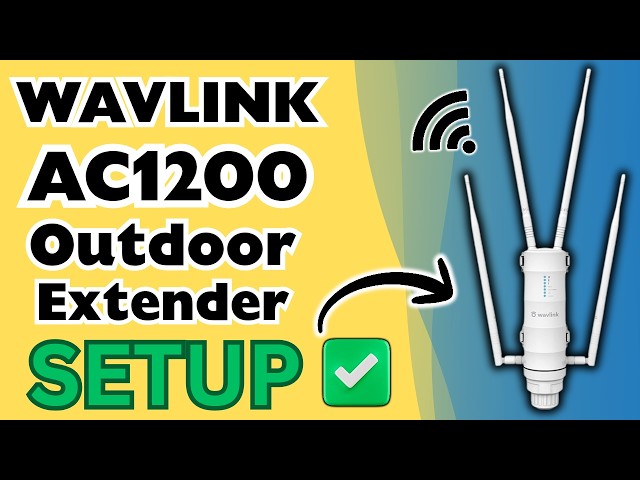
Credit: m.youtube.com
Choosing The Right Wifi Extender
Choosing a wifi extender for outdoor use needs careful thought. It must handle weather changeslike rain, heat, and cold. Look for extenders with waterproofand dustproofratings.
Long-range signal and strong antennashelp cover large marina areas. The device should support dual-band wififor better speed and less interference.
Compatibility with marina networks is key. The extender must work with your existing router typeand wifi standards. Check if it supports 802.11acor newer.
- Weatherproof designfor outdoor use
- Long rangewith strong antennas
- Dual-band support(2.4GHz and 5GHz)
- Compatible with Marina network routers
- Easy setup and secure connection options

Credit: www.youtube.com
Preparing For Installation
Check the wifi signal strengtharound the marina. Walk near docks and boats to find the best spots. Use a smartphone or wifi analyzer app to see signal levels. Strong signals mean better connection for the extender. Weak signals need closer placement to the wifi source.
Gather tools before starting installation. Common tools include:
- Outdoor wifi extender
- Mounting brackets or poles
- Screwdriver and screws
- Ethernet cable (if needed)
- Power source or adapter
- Signal tester or app
Having all tools ready will make setup faster and easier. Check weather conditions too, as outdoor work needs dry weather for safety.
Setting Up The Extender
Place the outdoor WiFi extender where it can get a strong signal from the marina’s router. Avoid walls and large metal objects that block the signal. Higher spots, like poles or rooftops, work best for wide coverage.
Check that the extender is close enough to power but away from water and direct sunlight. Use waterproof covers if needed to protect the device.
| Powering Safely | Tips |
|---|---|
| Use Outdoor-Rated Power Cables | Prevents damage from rain and sun exposure |
| Connect to a GFCI Outlet | Protects from electrical shock near water |
| Secure Cable Connections | Prevents water entry and loose connections |
| Check Power Source Stability | Avoids interruptions during storms or power surges |
Connecting To The Marina Network
To connect your outdoor wifi extender to the marina network, start by finding the extender’s IP address. This address helps you open the setup page in a web browser. Connect your device to the extender using Wi-Fi or an Ethernet cable. Enter the IP address in the browser’s address bar to access the setup interface.
Next, enter the marina network’s SSIDand passwordcarefully. These credentials allow the extender to join the marina’s wifi. Double-check the spelling and case of the password to avoid connection errors.
Once credentials are saved, test the connection by moving your device near the extender. Check if the internet works smoothly. If the connection is weak, try adjusting the extender’s position for better signal strength.
Troubleshooting Common Issues
Outdoor WiFi extenders near marinas often face signal interference. Metal objects, boats, and water can block signals. Placing the extender higher and away from metal helps. Use channels with less traffic for better performance. Changing the extender’s position may reduce interference.
Resetting the extender can fix many connection issues. Press the reset button for 10 seconds until lights blink. This clears old settings and restores factory defaults. After resetting, reconfigure the extender using the setup guide. Connect it again to your marina’s WiFi network for a fresh start.
Maintaining Your Outdoor Wifi Extender
Protecting your outdoor wifi extenderfrom harsh weather is key. Use waterproof coversor enclosures to shield it from rain and moisture. Place the extender in a shaded areato avoid direct sun damage. Secure cables tightly to prevent wear from wind.
Keep the firmware up to date for better performanceand security. Check the manufacturer’s website regularly for updates. Updating fixes bugs and improves connection quality. Use a stable internet connection while updating to avoid errors.

Credit: manuals.plus
Frequently Asked Questions
How Do I Set Up An Outdoor Wifi Extender At A Marina?
To set up, place the extender within marina WiFi range. Connect it to the marina’s network using the extender’s app or web interface. Ensure it is weatherproof and mounted securely for optimal signal boost.
What Is The Best Location For A Marina Wifi Extender?
Install the extender where it gets a strong marina WiFi signal but can also cover your boat or dock area. Avoid physical obstructions like metal or thick walls for better performance.
Can Outdoor Wifi Extenders Withstand Marina Weather Conditions?
Yes, choose extenders designed for outdoor use with weatherproof ratings. These devices resist rain, wind, and saltwater corrosion, ensuring consistent WiFi coverage in marina environments.
How Do I Troubleshoot Connection Issues With Marina Wifi Extenders?
Restart the extender and check signal strength. Ensure firmware is updated and the device is properly aligned. If issues persist, reset the extender and reconfigure it to the marina network.
Conclusion
Connecting an outdoor WiFi extender to your marina improves your internet reach. It helps you stay online while enjoying the water. Follow simple steps to set up the device correctly. Check the signal strength and adjust the extender’s position as needed.
Keep your network secure to protect your data. A strong WiFi connection makes your marina experience better and more fun. Don’t forget to maintain your equipment for long-lasting performance. Simple actions lead to better internet outdoors. Enjoy smooth, reliable WiFi at your marina every time.