Are you tired of weak or spotty WiFi signals when you’re trying to enjoy your outdoor spaces? Imagine being able to stream your favorite shows, play games, or work from your backyard without any interruptions.
If your outdoor WiFi struggles to reach every corner, a long-range WiFi extender might be the solution you need. In this guide, you’ll discover how to install an outdoor long-range WiFi extender effortlessly. We’ll walk you through each step with clear instructions, ensuring that you can boost your WiFi coverage and enjoy seamless connectivity in no time.
Stick with us, and soon, your outdoor areas will be just as connected as your indoor spaces.
Choosing The Right Wifi Extender
Outdoor wifi extenders help boost wifi signals far from your home. There are different types to choose from:
- Repeater:Catches and sends the wifi signal again.
- Access Point:Connects to your router with a cable and creates a new wifi spot.
- Bridge:Links two wifi networks together across a distance.
Key features to check include:
- Range:How far the extender can send wifi.
- Speed:Supports fast internet without slowing down.
- Weatherproof:Can work outside in sun, rain, or snow.
- Easy setup:Simple steps to connect to your network.
Make sure the extender works with your current wifi system. It should support the same wifi standards and bands (like 2.4 GHz or 5 GHz). Compatibility avoids connection problems and helps keep a strong signal.
Credit: simplewifi.com
Preparing For Installation
Gather all necessary tools and materialsbefore starting. Common items include:
- Outdoor long range WiFi extender
- Mounting bracket and screws
- Drill and screwdriver
- Ethernet cable
- Signal meter or smartphone app to measure WiFi strength
- Weatherproof sealant
Select a location that is high and clearof obstacles like walls and trees. This spot should have a stable power sourcenearby.
Check the network signal strengthat the chosen location. Use a signal meter or app to find where the WiFi is strongest. Avoid places with weak or unstable signalsto ensure better coverage.
Mounting The Extender
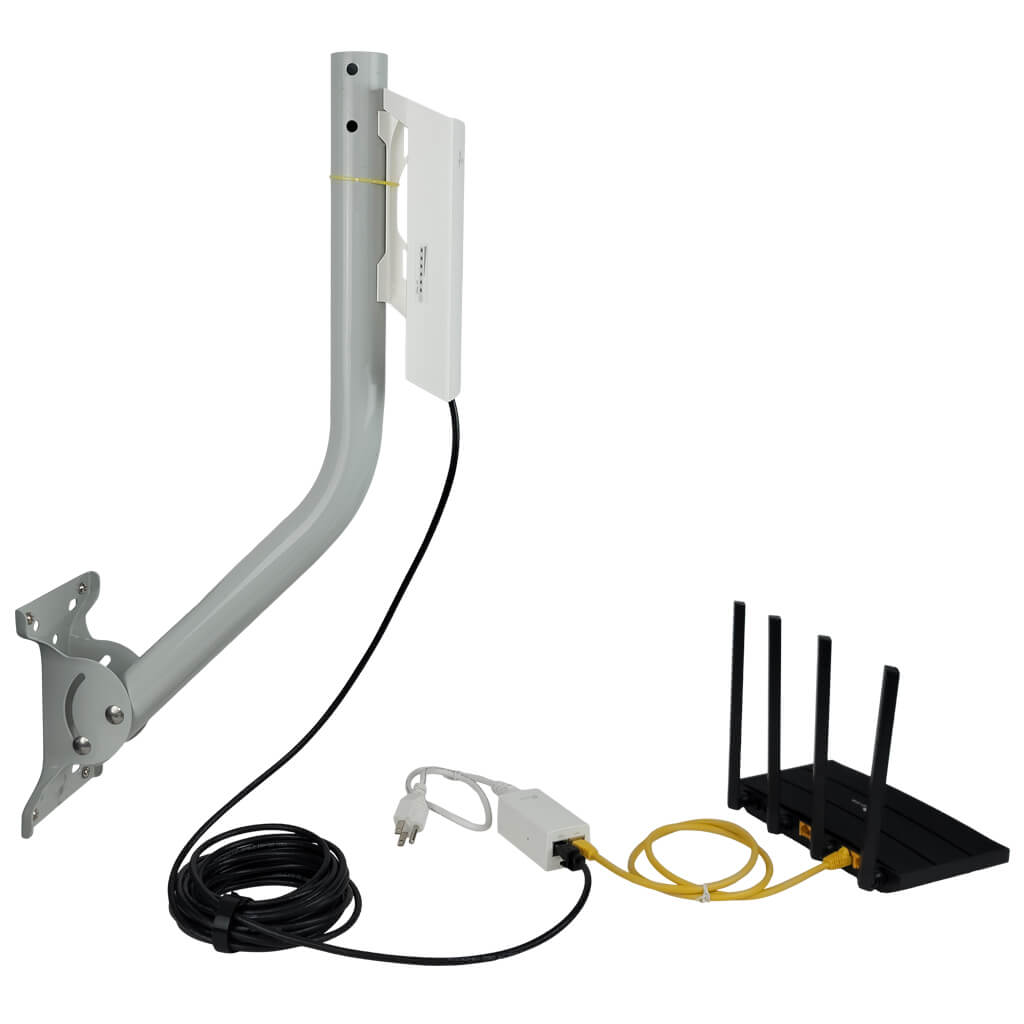
Choose a strong pole or wall for mounting the extender. Use a drill to make holes for screws. Fix the mounting bracket tightly to avoid movement. Attach the extender to the bracket securely. Make sure the device faces the area needing better WiFi. Keep the extender at least 6 feet above the ground for best range.
- Wear safety gloves and goggles during installation.
- Use a sturdy ladder and ask for help if needed.
- Avoid mounting near power lines or wet areas.
- Turn off power sources before drilling or attaching.
Seal all cable connections with waterproof tape. Use rubber gaskets to block rainwater. Place the extender under eaves or a shelter if possible. Check the device regularly for dust or moisture. Use weatherproof covers designed for outdoor electronics.
Configuring The Extender
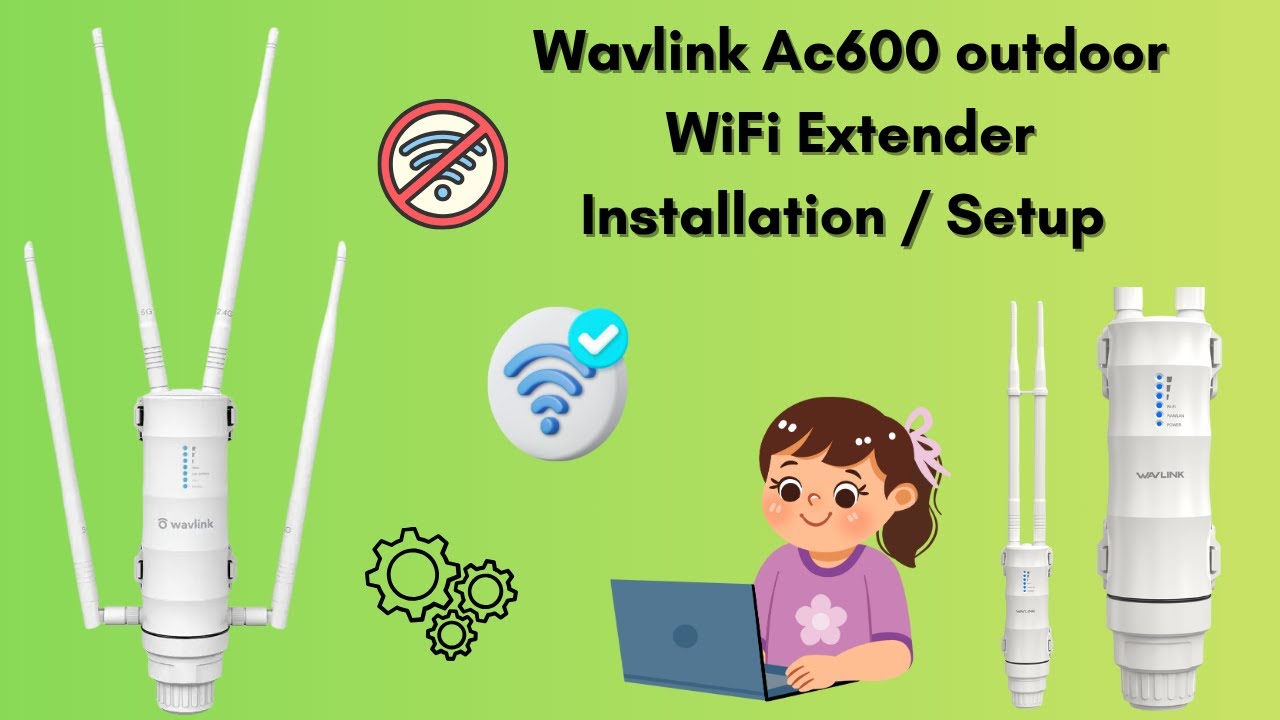
Connect the WiFi extender to your router using an Ethernet cable or WiFi. Make sure the extender is close enough to the router for a strong signal. Use the extender’s app or web page to enter your router’s network name (SSID) and password. This links the extender to your existing WiFi network.
Choose a new network name for the extender or use the same name to keep it simple. Set a strong password to protect your extended network. Save these settings and let the extender reboot to apply changes.
Adjust settings to improve long-range performance. Place the extender high and in an open area for better coverage. Lower the wireless mode to a stable option like 802.11n or 802.11ac. Increase the transmit power if the extender allows. Avoid walls and metal objects that block signals.
Testing And Troubleshooting
Check the signal strengthusing your device’s wifi settings. Aim for a strong, stable signal above 60%. Use online speed tests to measure internet speednear the extender. Speeds should be close to your main router’s output.
Common problems include weak signals, slow speeds, or no connection. Try moving the extender to a higher spot or closer to the router. Restart the extender and router to fix many issues. Ensure the extender firmware is updated for best results.
Keep the extender clean and free from dust or debris. Check cables and connectors regularly for damage. Avoid placing the extender near thick walls or metal objects. Regularly test the signal and speed to catch problems early. Reset the device if performance drops suddenly.
Credit: www.youtube.com

Credit: manuals.plus
Frequently Asked Questions
How Do I Install An Outdoor Long Range Wifi Extender?
First, choose a suitable outdoor location with power access. Mount the extender securely. Connect it to your router via Ethernet or WiFi. Configure settings using the extender’s app or web interface. Test signal strength and adjust placement if needed for optimal coverage.
What Tools Are Needed For Wifi Extender Installation?
You’ll need a drill, mounting brackets, screws, and a screwdriver. Also, have an Ethernet cable if using wired setup. A ladder may be necessary for high mounting. Ensure you have a smartphone or laptop for configuration and signal testing.
Can Outdoor Wifi Extenders Improve Home Network Range?
Yes, outdoor WiFi extenders boost your network range significantly. They capture and rebroadcast WiFi signals over larger areas. This helps eliminate dead zones in outdoor spaces. Proper placement and setup are key to maximizing coverage and performance.
How To Secure An Outdoor Wifi Extender From Weather?
Choose extenders with weatherproof ratings like IP65 or higher. Use protective enclosures if needed. Ensure cables and connectors are waterproofed. Regularly inspect and maintain the device to prevent damage from rain, sun, or dust.
Conclusion
Installing an outdoor long range WiFi extender improves your internet signal greatly. It helps connect distant areas around your home or office. Follow the steps carefully to get the best results. Place the device in a high, open spot for strong coverage.
Make sure to check the connections and settings regularly. This simple setup can make your WiFi more reliable and faster outside. Enjoy better internet without complex tools or skills. Now, your WiFi reaches further and works better where you need it most.