If you want to unlock the full potential of your high-end router, installing third-party firmware is the key. Imagine gaining advanced features, better security, and more control over your network—all within your reach.
But how do you make sure the process is smooth and safe? This guide will walk you through every step, helping you upgrade your router without the usual confusion or risk. Ready to take your internet experience to the next level?
Keep reading, and you’ll learn exactly how to do it.
Choosing The Right Firmware
Choosing the right firmwarematters a lot for your router’s performance and features. Some popular third-party firmware choices include:
- DD-WRT:Offers many advanced settings and good hardware support.
- OpenWrt:Known for its flexibility and customization options.
- Tomato:Provides a simple interface and useful monitoring tools.
Checking compatibility is important before installing any firmware. Make sure your router model is listed on the firmware’s website. Installing firmware that doesn’t match your router can cause problems or even damage it.
Custom firmware can bring many benefits:
- More controlover your network settings.
- Better securitywith frequent updates.
- Extra featuresnot found in default firmware.
- Improved speedand stability in some cases.
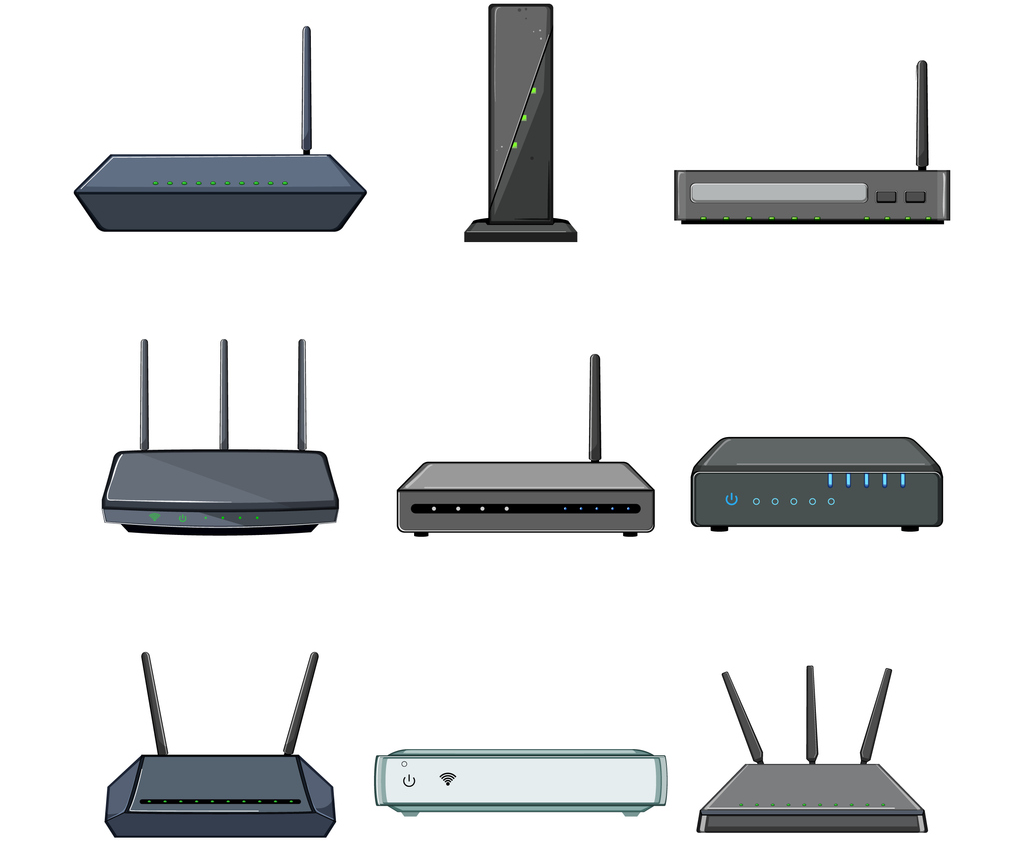
Credit: linuxblog.io
Preparing Your Router
Backing up your router’s current settings keeps your network safe. Save configurations to restore later if needed. Use the router’s web interface or a backup tool. This step prevents loss of important data during firmware change.
Check your router model and version before installing new firmware. Different models need specific firmware. Use the label on the router or its web interface to find this info. Installing wrong firmware can damage your device.
Resetting the router to factory defaults clears old settings. This ensures a clean start for the new firmware. Use the reset button or the router’s menu. Remember, resetting deletes all custom settings, so backup first.
Downloading Firmware Safely
Always download firmware from official websitesor trusted repositories. Avoid unknown sites to reduce risks. Official sources often provide the latest and safest files. Check for digital signatures or checksumsto verify file authenticity. This ensures the firmware has not been altered or corrupted.
Use tools like SHA256or MD5hash checkers. Compare the hash value from the website with your downloaded file’s hash. If they match, the file is safe to use. If not, delete the file immediately.
- Never open firmware files from suspicious emails or links.
- Keep antivirus software active while downloading.
- Read user reviews or community feedback about the firmware.
- Backup current router settings before installing new firmware.
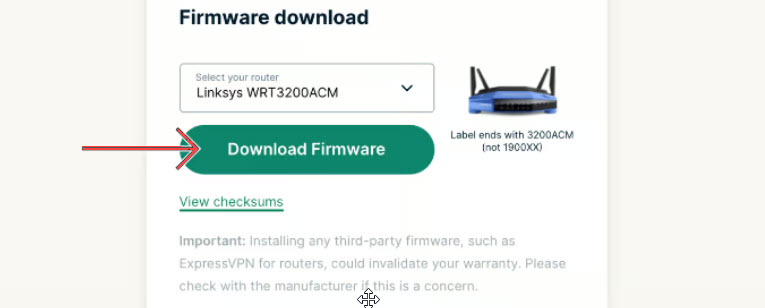
Credit: www.vpnranks.com
Flashing The Firmware
Access the router’s interface by typing its IP address in your web browser. Use the admin username and password to log in. Navigate to the firmware upgrade section.
Choose the correct firmware file you downloaded. Click the upload button to start transferring the file. Wait patiently; do not turn off the router during this step.
Watch the progress bar or status messages closely. The router may reboot automatically once installation finishes. Do not unplug or reset the device while flashing.
| Issue | Solution |
|---|---|
| Upload fails or times out | Try a wired connection instead of Wi-Fi |
| Router not responding after flash | Perform a hard reset by holding reset button 10 seconds |
| Firmware file rejected | Verify firmware matches your router model and version |
| Login credentials not accepted | Use default username/password or reset router to default |
Post-installation Setup
After installing third-party firmware, configure basic settingsto get started. Set your router name (SSID)so devices can find it easily. Create a strong passwordto keep your network safe. Choose the right Wi-Fi band(2.4 GHz or 5 GHz) based on your devices. Set the time zonefor accurate logs and updates.
Security featuresprotect your network from threats. Enable firewall settingsto block unwanted access. Turn on automatic updatesto keep firmware secure. Use VPN supportif available for safer browsing. Consider guest networksfor visitors to keep your main network private.
To optimize performance, place the router in a central spot. Avoid obstacles like walls and metal objects. Adjust transmit powerto cover your home without interference. Enable Quality of Service (QoS)to prioritize important devices or apps. Regularly check for firmware updatesto fix bugs and improve speed.
Advanced Customizations
Installing additional packages lets you add new features to your router. Many third-party firmwares support package managers. Use them to install tools like network monitors or ad blockers. Always check compatibility before installing.
Setting up VPNs and firewalls enhances your network security. VPNs encrypt your internet traffic, keeping data safe. Firewalls block unwanted access and protect devices from threats. Configure these carefully to avoid connection issues.
Enabling parental controls helps manage what kids can access online. You can block certain websites or limit internet time. This keeps children safe from harmful content and overuse. Most third-party firmware offers easy control settings for this.
Maintaining Your Firmware
Keeping your router’s firmware up to date is very important. Regular updates fix bugs and improve security. Always check for new firmware versions from trusted sources. Installing updates quickly helps protect your network.
Backing up your custom settings before making changes saves time. You can restore these settings if something goes wrong. This prevents losing your preferred configurations.
Reverting to the original firmware is useful if issues arise after installing third-party firmware. It helps return your router to its factory state. Keep a copy of the stock firmware handy for this purpose.

Credit: datafeature.com
Frequently Asked Questions
What Is Third-party Firmware On A High-end Router?
Third-party firmware is custom software replacing the router’s original system. It enhances features, security, and performance beyond default settings.
How Do I Choose Compatible Firmware For My Router?
Check your router model and hardware version. Visit trusted firmware websites to find compatible versions. Compatibility ensures proper installation and function.
Is Installing Third-party Firmware Safe For My Router?
Yes, if done correctly. Follow instructions carefully and use verified firmware. Improper installation may cause damage or void warranty.
What Are The Benefits Of Third-party Router Firmware?
It offers advanced security, better performance, and new features. You can customize settings, improve network control, and extend functionality.
Conclusion
Installing third-party firmware on your high-end router offers many benefits. Enhanced performance and advanced features are just the start. This guide helps you navigate the process smoothly. Always check compatibility before proceeding. Follow the steps carefully to avoid errors. Backup your router settings first.
This ensures data safety. Troubleshooting tips can assist if issues arise. Custom firmware gives more control and flexibility. Enjoy a more tailored internet experience. Stay informed about updates for continued improvements. With patience, your router’s full potential is within reach.
Happy networking!