Are you struggling with weak Wi-Fi signals in your backyard or garden? It’s frustrating when your connection drops just as you’re about to stream a movie or join a video call.
If you’ve been searching for a reliable solution, you’re in the right place. Mounting an outdoor Wi-Fi booster can significantly enhance your internet coverage, ensuring smooth connectivity no matter where you are on your property. Imagine enjoying uninterrupted browsing, streaming, and gaming, even in those hard-to-reach outdoor spots.
Curious about how you can achieve this seamless connection? Keep reading, and you’ll discover simple steps to mount your outdoor Wi-Fi booster effectively, transforming your outdoor space into a connectivity haven.

Credit: www.amazon.com
Choosing The Right Location
Check the signal strengthin different spots outside your home. Choose a place where the WiFi signal is strong but not too close to the router. This helps the booster work best.
Avoid obstacleslike thick walls, metal fences, and large trees. These can block or weaken the signal. Open spaces or high places are better for mounting your booster.
Power source accessis important. Make sure the booster can plug into a power outlet easily. Avoid places where you need long extension cords for safety and neatness.
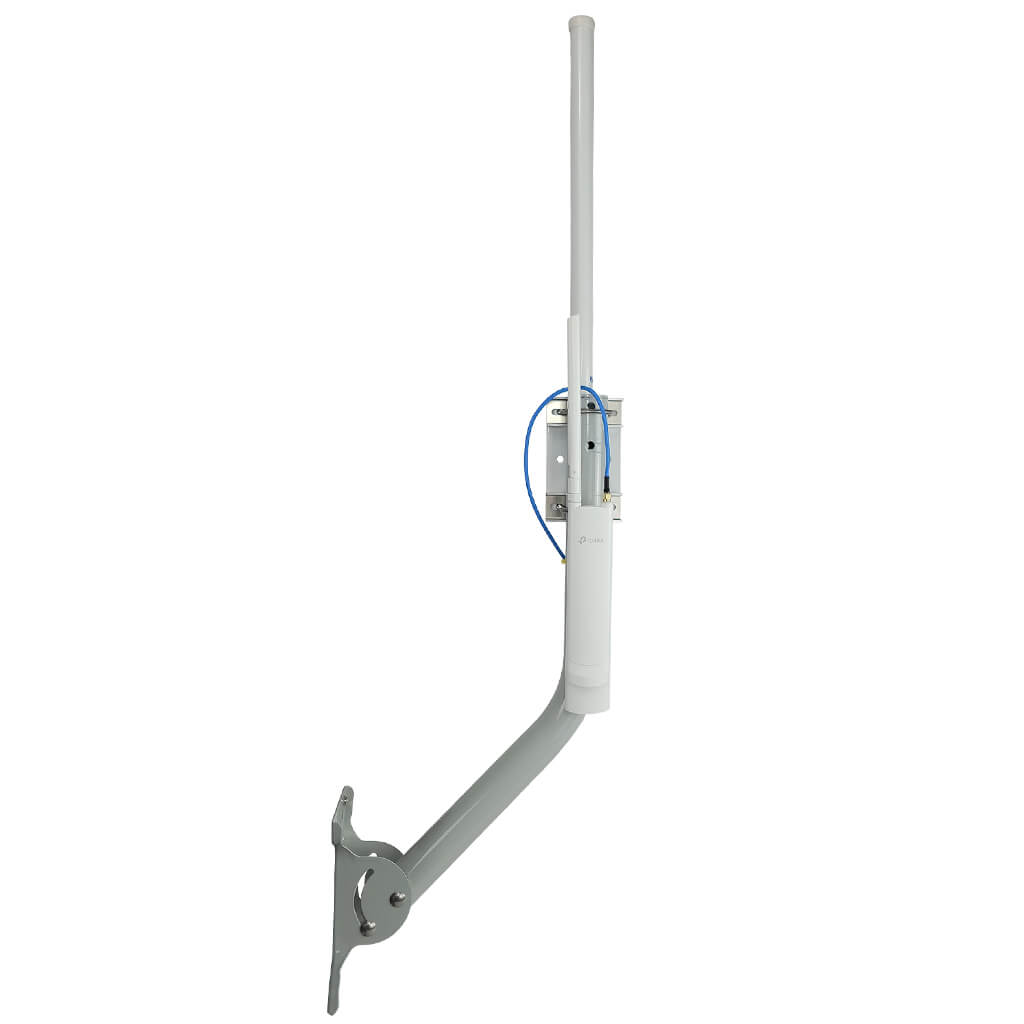
Credit: simplewifi.com
Gathering Necessary Tools
Gather the essential mounting equipmentbefore starting. You will need:
- Outdoor WiFi boosterunit
- Mounting bracketor pole mount
- Screws and anchorssuitable for the surface
- Drill and screwdriver
- Level toolto ensure straight installation
- Measuring tapefor accurate placement
Use proper safety gearto protect yourself during installation. Wear:
- Glovesto protect your hands
- Safety glassesto shield your eyes
- Helmetif working at height
Check all tools and gear before you begin. Safety first.
Preparing The Booster
Check if the outdoor WiFi booster works with your current router. Match the frequency bands and connection types. This ensures smooth setup and better performance.
Update the booster’s firmware to the latest version. This fixes bugs and improves speed. Use the booster’s app or website to find updates. Stay connected and secure by keeping software fresh.
Mounting The Booster
Begin by attaching the mounting bracketto the booster firmly. Use the screws provided to secure it tightly. Choose a surface that is flat and stable for mounting.
Secure the booster to the chosen surface using the bracket. Make sure the booster does not move or shake. A stable setup improves signal strength and device safety.
Check the orientationof the booster before final tightening. Position it so the antenna points towards the area needing better WiFi. Proper alignment helps maximize coverage.
Connecting To Power And Network
Outdoor WiFi boosters need a steady power source. Choose between direct poweror Power over Ethernet (PoE). Direct power uses a plug and socket, while PoE sends power through an Ethernet cable. Both options keep your booster running smoothly.
Connecting to the network can be done via wiredor wirelesssetup. Wired setup uses an Ethernet cable to link the booster to your router. This gives a strong and stable connection. Wireless setup connects the booster without cables. It is easier but may face signal drops.
| Power Connection | Description |
|---|---|
| Direct Power | Uses normal power plug. Easy but needs a power outlet nearby. |
| Power over Ethernet (PoE) | Power and data through one cable. Cleaner look, less clutter. |
- Wired Setup:Strong signal, uses Ethernet cable.
- Wireless Setup:No cables, easier but less stable.

Credit: www.youtube.com
Configuring The Booster
Access the admin panel by entering the booster’s IP address in a browser. Use the default username and password found in the manual. Change these login details for better security.
Optimize settings to improve performance. Set the booster to the correct mode that matches your main router. Adjust the channel to avoid interference from nearby networks.
- Choose a strong passwordfor the admin panel.
- Update the firmwareto the latest version.
- Set the booster’s frequency band(2.4 GHz or 5 GHz) based on your needs.
- Enable automatic channel selectionfor less signal clash.
- Save settingsand restart the booster for changes to apply.
Testing Signal Strength
Testing signal strength helps find the best spot for your outdoor WiFi booster. Place the booster where the signal is strongest for better coverage and speed. Check signal levels using a phone or WiFi analyzer app before mounting.
Use Signal Testing Apps
Signal testing apps help check WiFi strength at different spots. They show signal bars or numbers. Higher numbers mean better signal. Try several places around your house. This helps find the best spot for the booster.
Adjust Position If Needed
Move the booster if the signal is weak. Try different heights or directions. Walls, trees, and metal can block signals. Keep the booster away from these. Small changes can improve the WiFi a lot.
Maintaining Your Booster
Keeping your outdoor WiFi booster clean helps it work well. Use a soft cloth to wipe dust and dirt off the device. Avoid water or harsh chemicals that can damage it.
Updating the firmware keeps your booster secure and fast. Check the manufacturer’s website or app for updates. Install updates carefully, following the instructions.
Common issues include weak signals or no connection. Restart the booster and your router to fix many problems. Check cables and connections for damage. If problems continue, reset the booster to factory settings.
Frequently Asked Questions
What Tools Do I Need To Mount An Outdoor Wifi Booster?
You need a drill, screwdriver, mounting brackets, screws, and a weatherproof enclosure. These tools ensure secure installation and protection from weather.
Where Is The Best Location To Mount A Wifi Booster Outdoors?
Mount the booster high, near the router, and away from obstacles. This placement maximizes signal strength and coverage.
How Do I Weatherproof My Outdoor Wifi Booster Installation?
Use a weatherproof box or enclosure and seal all cable entry points. This prevents damage from rain, dust, and extreme temperatures.
Can I Mount An Outdoor Wifi Booster On Different Surfaces?
Yes, you can mount it on wood, brick, or metal surfaces using appropriate anchors and screws for each type.
Conclusion
Mounting an outdoor WiFi booster is simple and effective. Choose a high spot for better signal reach. Secure the booster firmly to avoid damage. Connect it properly to your existing network. Test the signal strength to ensure good coverage. Enjoy faster internet in your outdoor spaces.
Regularly check the booster for weather damage. Keep it clean and clear of obstacles. This small setup can improve your WiFi greatly. A strong signal means better browsing and streaming.