Are you frustrated with slow internet even though you invested in a cheap router? You don’t have to spend a fortune to get faster, smoother Wi-Fi.
With a few smart tweaks, you can unlock your router’s hidden speed potential and enjoy quicker downloads, smoother streaming, and better gaming. Imagine browsing without annoying delays or buffering. Ready to transform your internet experience without breaking the bank? Keep reading, and you’ll discover simple, effective ways to make your cheap router work faster for you.
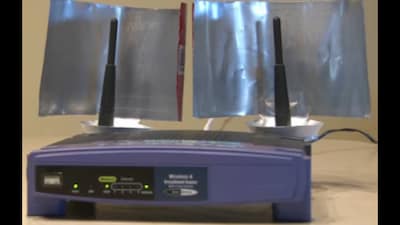
Credit: www.news18.com
Choosing The Right Router
Choosing a cheap routerdoes not mean you must sacrifice speedor quality. Focus on key features that fit your budgetbut also offer good performance. Look for routers with dual-band supportto reduce signal interference and improve speed. Check for multiple antennaswhich help with better coverage and stronger signals.
Comparing router specificationshelps find the best option. Pay attention to the wireless standardslike 802.11ac or 802.11n. The higher the number, the faster the speed. Also, check the speed ratingin Mbps. A rating of 300 Mbps or more is usually good for home use.
| Specification | What to Look For | Why It Matters |
|---|---|---|
| Wireless Standard | 802.11ac or higher | Faster and better signal range |
| Speed Rating (Mbps) | 300 Mbps or more | Supports multiple devices and fast browsing |
| Antennas | Multiple external antennas | Improves coverage and signal strength |
Firmware and software supportare often overlooked but important. Choose routers with regular updatesto fix bugs and improve security. A simple and easy-to-use app or control panel helps manage your network better. This can also improve speed by optimizing settings.
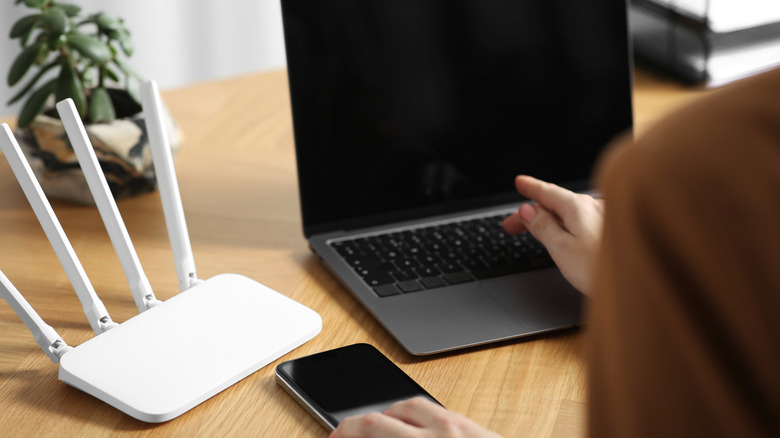
Credit: www.slashgear.com
Placement And Environment
Place the router in a central spotof your home. Walls and furniture can block signals. Avoid corners or basements. Keep it high, like on a shelf, for better reach.
Keep the router away from devices that cause interference. Microwaves, cordless phones, and baby monitors can weaken the signal. Metal objects and mirrors also reduce speed.
Adjust the antennas for best coverage. If your router has two antennas, position one vertically and the other horizontally. This helps reach devices in different directions.
Configuring Router Settings
Selecting the best Wi-Fi channelcan reduce interference from other networks. Use a Wi-Fi scanner app to find the least crowded channel. Choose channels 1, 6, or 11 for 2.4 GHz frequency to avoid overlap.
Adjusting bandwidth and frequencyhelps balance speed and coverage. The 5 GHz band offers faster speeds but shorter range. The 2.4 GHz band covers more area but may be slower. Select the band based on your home size and device needs.
Enabling Quality of Service (QoS)prioritizes important traffic like video calls or gaming. This setting makes sure critical apps get enough bandwidth. Turn on QoS in your router’s settings and assign higher priority to devices or apps you use most.

Credit: www.expressvpn.com
Improving Security For Speed
Using strong encryptionkeeps your network safe from outsiders. Choose WPA3or WPA2for better security. Avoid outdated options like WEPbecause they are easy to break. A secure network stops slowdowns caused by unauthorized users.
Managing connected deviceshelps keep your router fast. Too many devices can slow down your internet. Remove or block devices you don’t recognize or use. Limit the number of devices to keep speed steady.
Updating router firmware regularlyfixes bugs and improves performance. Router makers release updates to enhance security and speed. Check for updates often and install them quickly. This simple step can protect your router and keep it running smoothly.
Extending Network Range
Wi-Fi extenders and repeatershelp increase your router’s signal range. Place them where the Wi-Fi signal is still strong. They catch the signal and send it further. This reduces dead zones in your home or office.
Mesh networksuse multiple devices that work together. Each device acts like a mini-router. This creates a large, seamless Wi-Fi area. Mesh networks are easy to set up and manage.
Wired options provide better stabilityand speed. Ethernet cables connect devices directly to your router. This reduces interference and lag. Use wired connections for important devices like computers and gaming consoles.
| Option | Benefit | Best Use |
|---|---|---|
| Wi-Fi Extender | Increases signal range | Extend coverage in larger homes |
| Mesh Network | Seamless whole-home Wi-Fi | For many devices and large spaces |
| Wired Connection | Stable and fast connection | Gaming, streaming, and work PCs |
Troubleshooting Common Issues
Spotting slowdowns helps fix your router. Check if your internet is slow. Use online tests. Look for old cables or devices. They might slow things down. Move your router to a better spot. Walls can block signals. Keep it away from other electronics. They cause interference. A clear path boosts speed.
Rebooting your router can help. Turn it off for a minute. Then turn it on again. This clears temporary issues. If problems persist, try resetting. Press the reset button. Use a pin if it’s small. This resets settings to factory defaults. You may need to reconfigure it afterwards.
Check network performance with simple tools. Use apps to monitor speed. They show which devices use the most bandwidth. Limit devices if needed. Turn off unused gadgets. This frees up speed for important tasks. Keep an eye on performance regularly. It helps keep things running smoothly.
Frequently Asked Questions
How Can I Boost My Cheap Router’s Speed Quickly?
To boost speed, place your router centrally and away from obstructions. Update its firmware regularly and change the Wi-Fi channel to reduce interference.
What Settings Improve Cheap Router Performance?
Enable Quality of Service (QoS) to prioritize traffic. Use the 5 GHz band if available and disable unused features to free resources.
Does Upgrading Firmware Help Cheap Routers Run Faster?
Yes, updating firmware fixes bugs and improves stability. It can enhance speed by optimizing router functionality and security.
How Does Router Placement Affect Internet Speed?
Poor placement causes weak signals and slow speeds. Position your router high and in an open space for better coverage.
Conclusion
Optimizing a cheap router can boost your internet speed greatly. Small changes like updating firmware and choosing the right channel help a lot. Position the router in an open space for better signal spread. Limit connected devices to reduce traffic jams.
Regularly restart your router to clear temporary issues. These easy steps improve your online experience without extra cost. Keep your setup simple and steady for best results. Better speed is possible, even with budget gear. Try these tips and enjoy smoother browsing today.