Are you tired of slow internet and dead zones in your home? A mesh WiFi network can fix that, but it often sounds expensive.
What if you could secure a powerful mesh WiFi system without breaking the bank? You’ll discover simple, smart ways to get reliable, fast WiFi coverage at a price you can afford. Keep reading, and you’ll learn how to boost your internet experience while saving money—because everyone deserves a strong connection.

Credit: www.pcmag.com
Choosing Affordable Mesh Wifi Systems
Mesh wifi systems help cover your home with strong internet signals. Choosing an affordable mesh wifi saves money without losing quality.
Look for options that fit your budget and provide reliable coverage. Good choices balance cost and performance well.
Top Budget-friendly Brands
Some brands offer mesh wifi systems at lower prices. These brands still provide solid wifi coverage and easy setup.
- TP-Link
- Netgear
- Google Nest Wifi
- Eero
- Linksys
Choose a brand with good customer support and positive user feedback. This helps when you need help or updates.
Key Features To Look For
Focus on features that affect speed, coverage, and ease of use. These features help you get the best value from your system.
- Coverage area size
- Number of nodes included
- Speed capacity (AC or AX standards)
- Easy app setup and management
- Parental controls and security options
Check if the system supports future updates and works well with your internet provider.
Comparing Prices And Reviews
Compare prices from different sellers and models. Look at reviews from real users for honest opinions.
| Brand | Price Range | Rating |
|---|---|---|
| TP-Link | $100 – $200 | 4.2 / 5 |
| Netgear | $120 – $250 | 4.1 / 5 |
| Google Nest Wifi | $150 – $300 | 4.3 / 5 |
| Eero | $130 – $280 | 4.0 / 5 |
| Linksys | $110 – $220 | 4.1 / 5 |
Check user comments for details on setup, speed, and coverage. This helps you avoid poor choices.
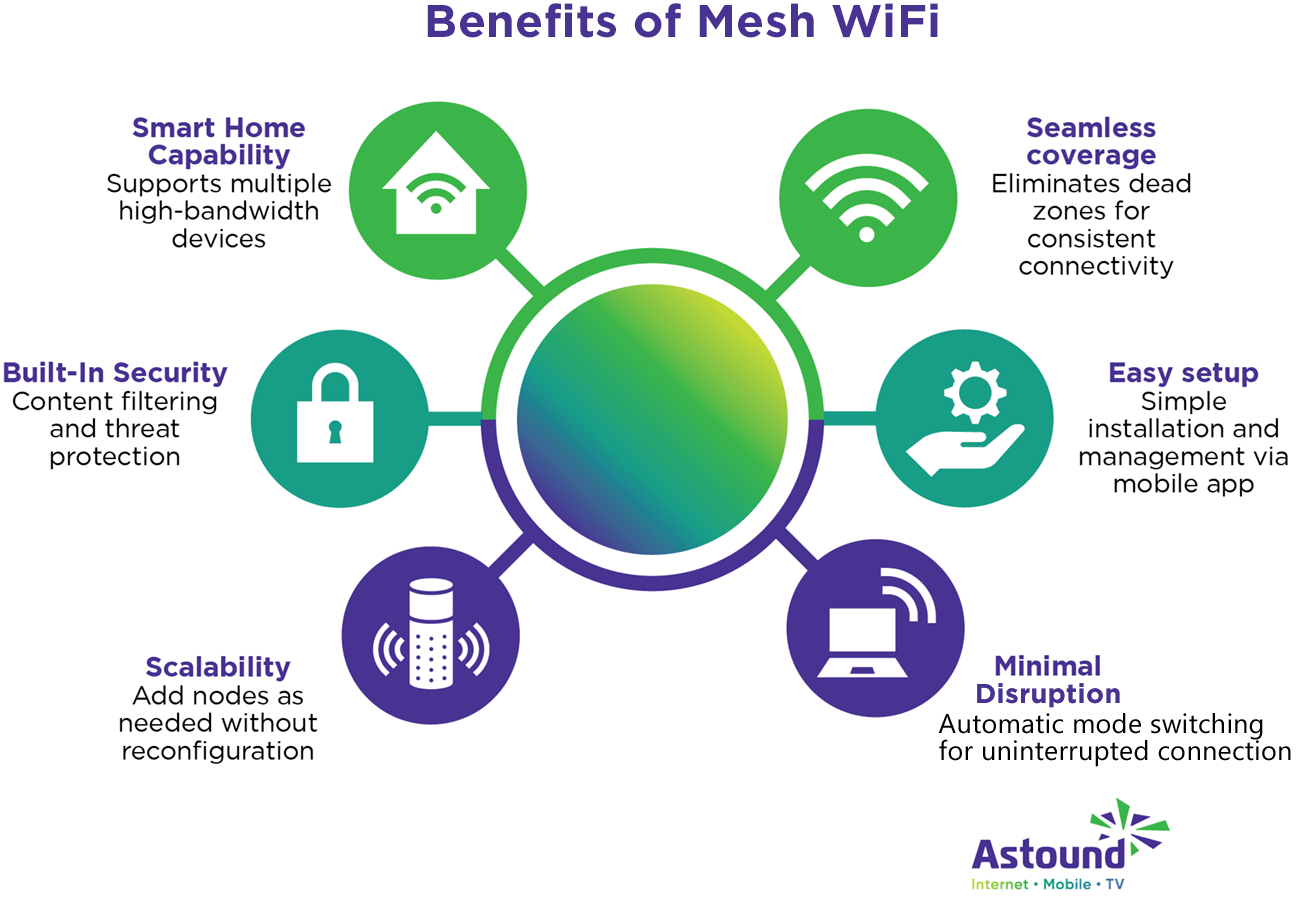
Credit: www.astound.com
Setting Up Your Mesh Network
Setting up a mesh wifi network helps cover your home with strong signal. It replaces one router with several devices working together.
This guide explains how to place nodes, install your system, and improve performance for the best connection.
Placement Tips For Maximum Coverage
Proper placement of mesh nodes is key to good wifi coverage. Place them where the signal can spread well without obstacles.
- Put the main node near your modem and in a central spot.
- Place other nodes where signal starts to weaken.
- Avoid putting nodes near thick walls or metal objects.
- Keep nodes off the floor and away from electronics that cause interference.
- Try to keep nodes within sight of each other if possible.
Step-by-step Installation
Follow these steps to set up your mesh network easily and quickly. Prepare your devices and app before starting.
- Connect the main mesh node to your modem with an Ethernet cable.
- Power on the main node and wait until the light shows it is ready.
- Use the mesh system’s app to create your network and set a name and password.
- Plug in additional nodes in chosen locations and power them on.
- Follow the app instructions to add each node to your network.
- Test connection strength in different areas and move nodes if needed.
Optimizing Network Performance
| Action | Why It Helps | How to Do It |
| Update Firmware | Keeps system secure and fast | Check app for updates regularly |
| Use 5GHz Band | Offers faster speeds in short range | Set device to connect to 5GHz if close to node |
| Limit Device Connections | Prevents overload on single node | Distribute devices across nodes |
| Reduce Interference | Improves signal quality | Keep nodes away from microwaves, cordless phones |
| Enable QoS Settings | Prioritizes important traffic | Use app to set priority for video calls or gaming |
Securing Your Mesh Network
Mesh wifi networks help spread internet across your home. It is important to keep them safe from hackers.
Follow simple steps to protect your mesh network. These steps stop outsiders from accessing your data.
Changing Default Passwords
Default passwords are easy to guess. Change them to strong, unique ones to block intruders.
- Use at least 12 characters with letters and numbers
- Add special symbols like !, @, or
- Avoid common words or simple number sequences
- Change passwords every few months
Enabling Encryption Protocols
Encryption protects your data as it moves through your network. Use the strongest encryption your device supports.
| Protocol | Security Level |
| WEP | Weak – avoid using |
| WPA | Medium – better but outdated |
| WPA2 | Strong – widely recommended |
| WPA3 | Very Strong – latest standard |
Setting Up Guest Networks
Guest networks keep visitors off your main network. This stops access to personal devices and files.
Tips for guest networks:
- Enable the guest network option in your router settings
- Set a different password than your main network
- Limit guest network access time if possible
- Disable guest access to local network resources
Maintaining Network Security On A Budget
Securing your mesh WiFi network does not have to cost a lot. You can protect your devices and data with smart, affordable steps.
This guide shows easy ways to keep your network safe without spending much money.
Regular Firmware Updates
Keep your mesh WiFi system updated with the latest firmware. Updates fix security holes and improve performance.
- Check your router’s update settings often.
- Set automatic updates if possible.
- Download updates only from the official vendor site.
Using Free Security Tools
Use free software to add extra protection to your network and devices. These tools help detect threats and block attacks.
| Tool Type | Purpose |
| Firewall | Blocks unauthorized access |
| Antivirus | Scans and removes malware |
| Network Scanner | Finds weak spots in your WiFi |
Monitoring Network Activity
Watch your network traffic to spot unusual activity. This helps you act fast against threats.
- Check connected devices regularly.
- Look for unknown or suspicious devices.
- Use free apps to track data usage.
- Set alerts for new device connections.
Troubleshooting Common Issues
Mesh WiFi networks can improve your home internet coverage. Sometimes, issues may occur that affect performance. This guide helps you fix common problems with cheap mesh WiFi systems.
Knowing how to handle these issues keeps your network stable. You will learn about fixing connectivity, handling interference, and when to upgrade your system.
Fixing Connectivity Problems
If devices cannot connect or lose signal often, start by checking your mesh nodes. Make sure they have power and show proper status lights. Restart nodes if needed.
- Check if your main router is online and connected to the internet.
- Place mesh nodes closer if the signal is weak.
- Restart your modem and router to refresh connections.
- Update the mesh network firmware to the latest version.
- Reset network settings on devices that can’t connect.
Dealing With Interference
Interference can cause slow speeds or dropped signals. Many devices and objects can block or disrupt WiFi signals.
| Source of Interference | Effect on WiFi |
| Microwaves | Signal drops when operating |
| Bluetooth devices | Signal noise and slower speeds |
| Thick walls or metal objects | Blocked or weakened signal |
| Other WiFi networks | Channel conflicts causing slowdowns |
To reduce interference, move mesh nodes away from these sources. Change your WiFi channel in settings to avoid crowded frequencies.
When To Upgrade Your System
Sometimes your mesh network may be too old or small for your needs. Upgrading can improve speed and coverage.
- Check if your internet plan has changed or increased.
- See if your current system supports new WiFi standards like WiFi 6.
- Notice frequent dropouts even after troubleshooting.
- Consider expanding with more nodes or a stronger system.
- Replace outdated equipment for better performance.

Credit: www.reddit.com
Frequently Asked Questions
What Is The Cheapest Way To Set Up Mesh Wifi?
The cheapest way to set up mesh WiFi is to buy affordable kits from budget brands. Look for sales and discounts online. Consider refurbished or open-box units. Avoid overpaying for features you don’t need. Proper placement also maximizes coverage and reduces costs.
How Can I Secure My Mesh Wifi Network Effectively?
Secure your mesh WiFi by using strong passwords and WPA3 encryption. Regularly update firmware to patch vulnerabilities. Disable WPS and guest networks if unused. Use a firewall and monitor connected devices. These steps protect your network from unauthorized access and attacks.
Are Budget Mesh Wifi Systems Reliable For Home Use?
Yes, many budget mesh WiFi systems offer reliable coverage and decent speeds for home use. They often include essential features like seamless roaming and easy setup. However, they may lack advanced options found in premium models. Read reviews to ensure the model fits your needs.
Can I Expand A Cheap Mesh Wifi Network Easily?
Most cheap mesh WiFi systems allow easy expansion by adding compatible nodes. This flexibility lets you increase coverage without replacing the entire system. Ensure the additional nodes match the original brand and model for seamless performance and network stability.
Conclusion
Securing a cheap mesh WiFi network is easier than it seems. Choose affordable devices with good reviews. Place nodes in open areas for better coverage. Use strong passwords to keep your network safe. Regularly update your devices to fix bugs.
Test your connection to spot weak spots. Small steps make a big difference in security. Enjoy fast, reliable internet without spending too much. Your home stays connected and protected all the time. Simple tips lead to smart, budget-friendly WiFi solutions.