Are you getting the internet speed you paid for with your budget router? Many people settle for slow connections without realizing their router might be the bottleneck.
Testing your router’s speed is easier than you think, and it can reveal surprising results about your network performance. You’ll learn simple, effective ways to check your budget router’s speed so you can make the most out of your internet connection.
Keep reading to discover how to take control of your online experience right now.
Choose The Right Tools
Choosing the right tools is important to test your budget router speed accurately. The right tools give clear and reliable results. They help you understand your internet’s true performance and spot any issues. Different tools serve different needs, so pick what fits your setup and goals best.
Speed Test Websites
Speed test websites are easy to use and accessible from any device. They measure your download, upload, and ping speeds quickly. Popular sites include Ookla’s Speedtest.net and Fast.com. These websites show real-time results and help compare your router’s speed to your plan. Running tests at different times can reveal consistent speed patterns or drops.
Mobile Apps For Speed Testing
Mobile apps make speed testing convenient on smartphones and tablets. They offer detailed reports and history tracking of your tests. Apps like Speedtest by Ookla provide extra features like Wi-Fi strength and server options. Using apps helps check router speed in various rooms or locations at home. This shows how well your budget router covers your space.
Router Manufacturer Tools
Many router brands include their own speed testing tools in the device’s app or dashboard. These tools are designed specifically for your model and firmware. They often provide more accurate results by testing directly through the router. Some also offer additional diagnostics and settings adjustments. Using manufacturer tools can give insights into your router’s health and speed limits.
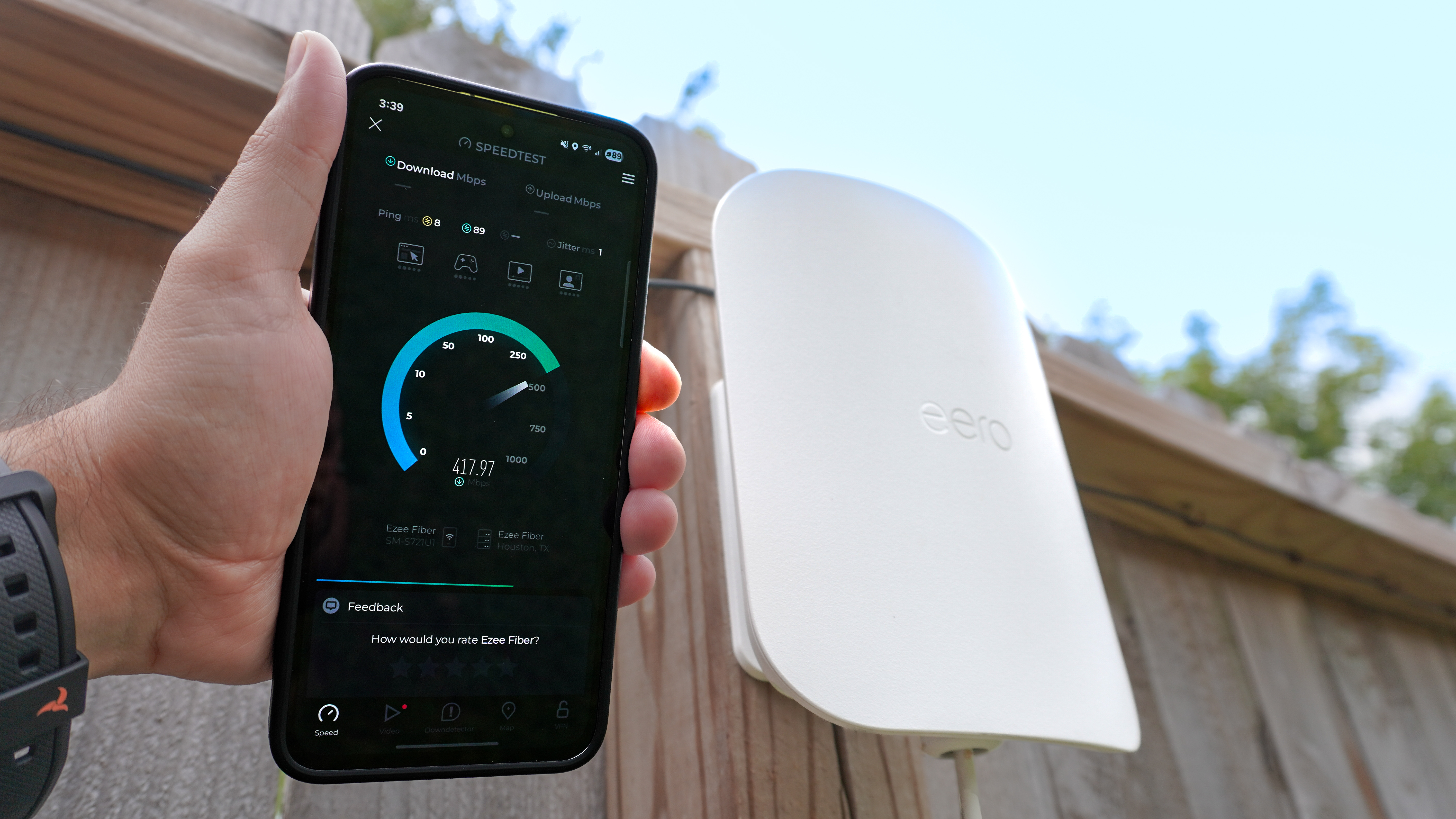
Credit: www.tomsguide.com
Prepare Your Network
Preparing your network is key before testing your budget router speed. Proper setup ensures accurate results. This step reduces errors caused by other devices or apps. It also helps isolate the router’s true performance.
Simple adjustments can give a clear picture of your internet speed. Take time to organize devices and connections carefully. This makes your speed test reliable and useful.
Connect Devices Properly
Use a single device to test your router speed. Avoid using multiple devices at once. Connect the device directly to your router for best results. Check cables and ports to ensure they work well. Loose or damaged connections can lower your speed test.
Limit Background Activities
Close all apps that use the internet. Streaming videos, downloads, and updates can slow your test. Pause any cloud backups or file syncing. These activities take bandwidth and affect your router’s speed. Keep your testing device free from extra internet load.
Use Wired Vs Wireless Connections
Wired connections give more stable and faster speeds. Use an Ethernet cable to connect your device to the router. Wireless connections can have interference and signal loss. Test both wired and wireless speeds for comparison. This shows how well your router handles different setups.
Perform Speed Tests
Testing your budget router’s speed helps check its real performance. Speed tests show how fast your internet connection runs through the router. These tests reveal if the router meets your needs or if it slows down your network.
Performing speed tests is simple but important. Follow a clear process to get accurate results. Test at different times and record the data for comparison.
Run Multiple Tests
Run several speed tests to get a clear picture. One test might show a peak speed or a slow moment. Multiple tests average out these changes. Use online tools like Speedtest.net or Fast.com for quick checks.
Test both download and upload speeds. Check ping or latency if the tool allows. This gives a full view of your router’s performance.
Test At Different Times
Test your router speed at various times during the day. Internet traffic can change in the morning, afternoon, and night. Peak hours may slow down your connection. Testing at different times shows how consistent your router speed is.
Test on weekdays and weekends. This helps catch patterns and possible slowdowns.
Record Your Results
Write down each test result for easy comparison later. Use a simple table or list to track speed, time, and date.
| Test Time | Download Speed (Mbps) | Upload Speed (Mbps) | Ping (ms) |
|---|---|---|---|
| 8:00 AM | 45 | 10 | 20 |
| 3:00 PM | 40 | 8 | 25 |
| 9:00 PM | 35 | 7 | 30 |
Tracking results helps spot trends and issues. It makes deciding on upgrades easier.
/images/2022/08/12/can-a-router-increase-internet-speed-speed-test-result.jpg)
Credit: allaboutcookies.org
Analyze Test Results
Test results reveal the true speed of your budget router under real conditions. Compare download and upload rates to spot any slowdowns or issues. This helps decide if the router meets your internet needs effectively.
Analyzing test results is essential after measuring your budget router’s speed. It helps you understand your network’s performance better. This process involves looking at different aspects of the test results. Each aspect reveals unique insights into your router’s capabilities.Compare Upload And Download Speeds
Upload and download speeds determine how quickly data moves through your network. Download speed refers to how fast data reaches your device from the internet. Upload speed measures how fast data travels from your device to the internet. Ideally, both speeds should meet your internet plan’s promises. Use online tools to compare these speeds with your ISP’s claims. Significant differences might indicate router issues or network congestion.Check Latency And Ping
Latency affects the time it takes for data to travel from source to destination. Lower latency means faster response times. Ping measures latency in milliseconds. It shows how quickly your network responds to requests. High ping can cause delays, affecting online activities. Check your ping values using network testing tools. Consistently high values might suggest network problems or router limitations.Identify Speed Fluctuations
Speed fluctuations indicate inconsistencies in your network’s performance. Stable speeds are crucial for smooth online experiences. Review your test results for sudden changes in speed. Large fluctuations can disrupt activities like streaming or gaming. Regular testing helps identify patterns and potential issues. If fluctuations persist, consider repositioning your router or checking for interference sources.Troubleshoot Common Issues
Troubleshooting common issues is key when testing the speed of your budget router. Often, simple fixes can improve performance dramatically without the need for expensive upgrades. Let’s dive into some practical steps you can take to identify and solve typical problems that slow down your connection.
Restart Your Router
Have you tried turning it off and on again? Restarting your router clears temporary glitches that may be affecting speed. It resets connections and refreshes your network settings.
If your internet feels sluggish, a quick reboot can make a surprising difference. Unplug the router, wait about 30 seconds, then plug it back in. This refresh often resolves common speed issues instantly.
Update Firmware
Outdated firmware can slow down your router without you realizing it. Manufacturers release updates to fix bugs and improve performance regularly.
Check your router’s admin page or app to find the firmware version and install any available updates. Staying current ensures your router runs smoothly and securely.
Optimize Router Placement
Where you place your router impacts your internet speed more than you might think. Walls, furniture, and even appliances can block signals.
Try to position your router in a central, open spot in your home. Avoid placing it near metal objects or inside cabinets. Have you noticed faster speeds when the router is in a different room? That’s a clear sign placement matters.

Credit: www.reddit.com
Improve Router Performance
Improving your router’s performance helps you get the most from your internet connection. Small changes to settings and device management can boost speed and reduce lag. Sometimes, a simple upgrade is the key to better results. These tips help you enhance your router’s efficiency easily.
Adjust Router Settings
Access your router’s control panel through its IP address. Change the wireless channel to avoid interference from nearby networks. Enable Quality of Service (QoS) to prioritize important devices or apps. Update the router’s firmware for the latest fixes and improvements. Turn off unused features that may slow down performance.
Limit Connected Devices
Too many devices on one router can cause slow speeds. Disconnect devices that are not in use. Avoid multiple devices streaming or downloading at the same time. Set limits on guest networks to reduce traffic. Manage bandwidth by assigning priorities to devices that need faster connections.
Consider Hardware Upgrades
Older routers may not support higher internet speeds. Invest in a newer model with the latest Wi-Fi standards like Wi-Fi 5 or Wi-Fi 6. Use a wired Ethernet connection for devices that need the fastest speeds. Add a Wi-Fi extender or mesh system to cover large areas. Replace old cables with high-quality ones for better signal strength.
Frequently Asked Questions
How Do I Check My Budget Router’s Speed?
Use online speed tests like Ookla or Fast. com. Connect your device via Ethernet for accurate results. Test multiple times at different hours for consistency. Compare results to your internet plan speeds to evaluate your router’s performance.
What Affects The Speed Of A Budget Router?
Factors include router hardware, firmware, distance from device, and interference from other electronics. Network congestion and ISP speed caps also impact performance. Regular firmware updates can improve router speed and stability.
Can Firmware Updates Improve Router Speed?
Yes, firmware updates fix bugs and enhance performance. They optimize signal strength and security. Regularly check the manufacturer’s website or router settings for available updates to ensure your router runs efficiently.
Is Wired Or Wireless Testing Better For Router Speed?
Wired testing provides more accurate speed results by eliminating wireless interference. Wireless speed tests show real-world performance but can vary due to distance and obstacles. Use both methods for a complete speed assessment.
Conclusion
Testing your budget router speed helps you know your internet quality. Use simple tools to check upload and download speeds. Compare results at different times for accuracy. Fix slow speeds by restarting or changing settings. Keep your router updated for best performance.
Regular tests ensure your connection stays strong and steady. This way, you get the most from your budget router. Easy to do, useful for everyone.