Want to know if your portable router is giving you the speed you paid for? Testing your router’s speed is easier than you think, and it can save you from slow connections and wasted time.
You’ll discover simple steps to check your portable router’s speed accurately. By the end, you’ll be confident that your internet is running at its best or know exactly what to do if it’s not. Keep reading to unlock faster, smoother browsing wherever you go.
Prepare For Speed Testing
Preparing for speed testing is key to get accurate results from your portable router. It helps to reduce errors and shows the true performance of your device. Follow simple steps to set up the right environment before testing.
Choose The Right Location
Select a spot with minimal interference from walls or other electronics. A clear line of sight between the router and your testing device improves signal strength. Avoid places near microwaves, cordless phones, or thick concrete walls.
Test in different areas to see how location affects speed. A central location often gives the best coverage.
Check Router Settings
Access your router’s admin panel to verify settings. Ensure firmware is up to date for optimal performance. Disable any bandwidth-heavy features like VPNs or parental controls during testing.
Set the router to the correct frequency band, either 2.4 GHz or 5 GHz, based on your device compatibility. Reset the router if speed seems unusually low before testing.
Ensure Device Compatibility
Use a device that supports the router’s maximum speed and frequency. Older devices may limit the speed test results. Close all apps and programs that use the internet on your test device.
Check that your device’s Wi-Fi adapter drivers are up to date. Connect directly to the router’s network for the most accurate readings.
Use Online Speed Test Tools
Using online speed test tools is a simple way to check your portable router’s internet speed. These tools measure download and upload speeds, along with latency. Testing helps identify network issues and confirms if your connection matches your plan. Many websites offer free, quick, and accurate speed tests accessible from any device.
Select Reliable Websites
Choose websites known for accurate and consistent results. Popular options include Speedtest by Ookla, Fast.com by Netflix, and Google’s speed test. Reliable sites avoid ads and unnecessary pop-ups. They use servers near your location for better accuracy. Avoid sites with too many ads or slow loading times.
Interpret Speed Results
Speed tests show download speed, upload speed, and ping (latency). Download speed measures how fast data arrives. Upload speed measures how fast data sends out. Ping shows the delay between your device and the server. High download and upload speeds mean better performance. Low ping means less delay, good for gaming and calls.
Repeat Tests For Accuracy
Run tests several times at different times of the day. Network speed can change due to traffic and server load. Multiple tests give a clearer picture of your router’s performance. Note down the results to compare later. Test in different locations if possible to check coverage.
Test With Mobile Apps
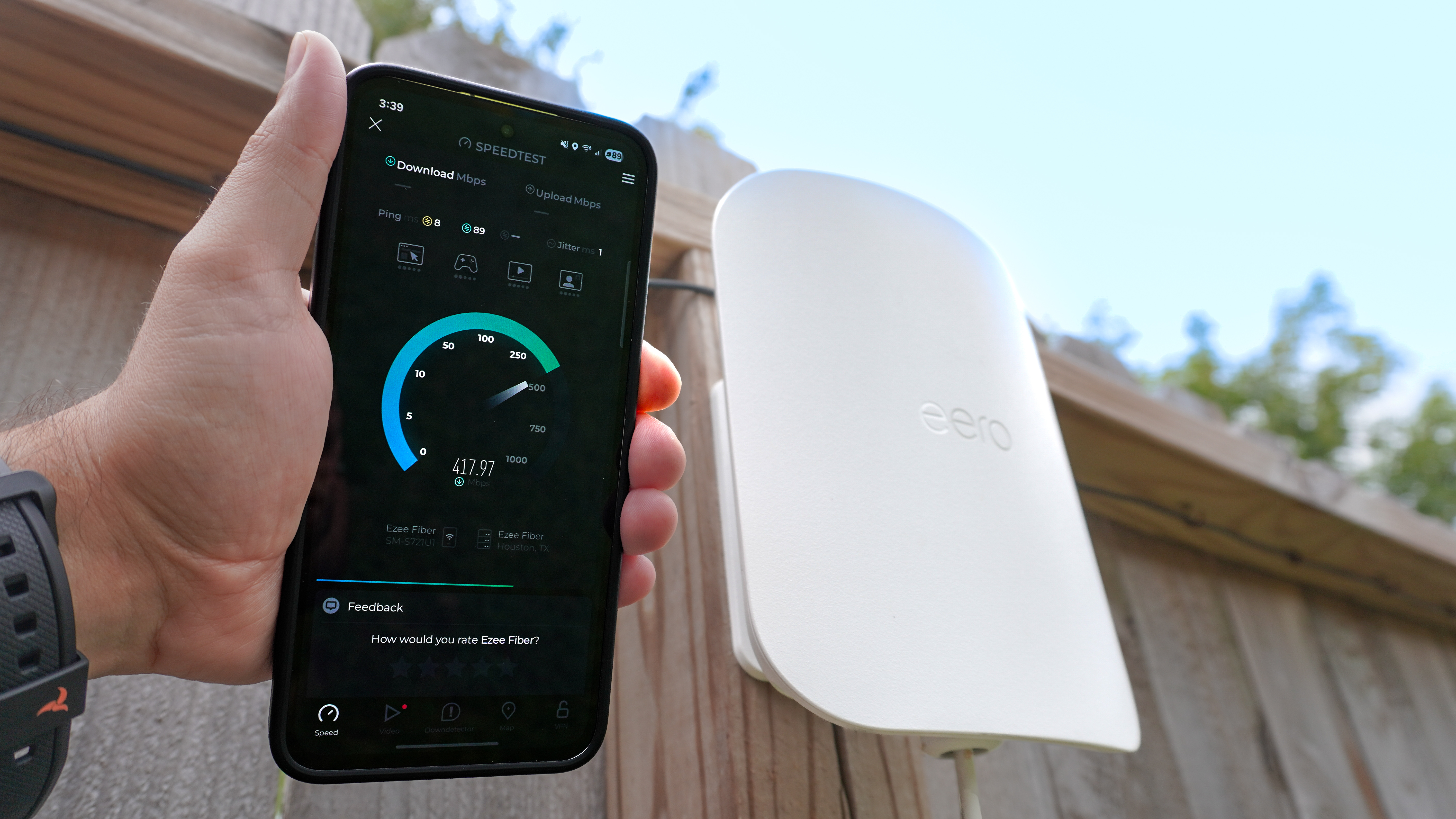
Testing your portable router speed using mobile apps is quick and convenient. These apps measure download and upload speeds, ping, and overall connection quality. You can perform tests anytime and anywhere with just your smartphone. This method helps you check the router’s real-world performance effectively.
Recommended Speed Test Apps
- Speedtest by Ookla – Easy to use and widely trusted.
- FAST Speed Test – Simple interface focused on download speed.
- OpenSignal – Provides speed tests and network coverage maps.
- nPerf – Offers detailed results including streaming quality.
- V-SPEED Speed Test – Measures speed with a user-friendly design.
Advantages Of Mobile Testing
- Tests reflect actual usage on mobile devices.
- Portable and can be done anywhere with Wi-Fi.
- Quick results with clear, easy-to-read data.
- No need for extra hardware or cables.
- Supports testing multiple networks easily.
Tips For Consistent Results
- Close other apps to avoid network interference.
- Run tests several times for average speed.
- Keep the phone close to the router during tests.
- Test at different times of the day for accuracy.
- Use the same app for all tests to compare results.
Credit: www.youtube.com
Manual Speed Testing Techniques
Testing portable router speed manually involves connecting a device and running simple speed tests online. Check download and upload speeds multiple times to ensure accuracy. Measure signal strength and test in different locations for best results.
Testing the speed of your portable router manually can provide you with insights into its performance. It allows you to understand how well it caters to your internet needs, whether you’re streaming, gaming, or working. Plus, manual testing techniques can be done without specialized tools, just your device and a few online resources. Let’s dive into some straightforward methods that you can use to gauge your router’s speed effectively.Download And Upload Checks
To measure download and upload speeds, start by connecting your device to the portable router. Use speed testing websites like Speedtest.net or Fast.com, which are reliable and easy to use. Initiate the test and observe the download and upload speed results. Download speed measures how quickly data is transferred from the internet to your device, while upload speed measures data transferred from your device to the internet. Consider testing at different times of the day to see how speeds vary, as network congestion can impact results.Ping And Latency Measurements
Ping and latency are crucial for real-time applications like gaming or video calls. These metrics show the time it takes for data to travel to a server and back. Using the same speed test websites, you’ll often find a ping result alongside the download and upload speeds. A lower ping, measured in milliseconds (ms), indicates a more responsive connection. Try testing with servers in different locations to see how distance affects latency. This can give you a broader perspective on your router’s performance.Compare Wired Vs Wireless Speeds
If your portable router supports both wired and wireless connections, it’s beneficial to compare these speeds. Connect your device to the router using an Ethernet cable and perform the speed test again. Then, switch back to a wireless connection and repeat the test. You might notice that wired connections often provide faster and more stable speeds. Consider factors like distance from the router and interference from other devices, as these can impact wireless performance. This comparison can help you decide when to opt for wired connections, especially for bandwidth-intensive activities. Testing your portable router’s speed manually not only ensures you’re getting the performance you need but also empowers you to make informed decisions about network setups. Are you ready to see how your router measures up?Troubleshoot Common Speed Issues
Speed issues with your portable router can be frustrating, especially when you expect seamless connectivity on the go. Troubleshooting these common problems can help you regain the fast internet you need without extra costs or complicated fixes. Let’s explore practical ways to pinpoint and solve these speed killers.
Identify Interference Sources
Interference is a major culprit behind slow router speeds. Devices like microwaves, cordless phones, and even other Wi-Fi networks can disrupt your signal. Have you noticed your connection dropping near the kitchen or when multiple devices connect?
Try moving away from electronic gadgets that emit radio waves. Also, check if neighbors are using the same Wi-Fi channel; switching to a less crowded channel can boost your speed. Using apps that scan for Wi-Fi interference can give you a clear picture of your environment.
Update Firmware And Software
Outdated firmware or software can limit your router’s performance and security. Manufacturers often release updates that fix bugs and improve speed. Do you know when you last updated your router?
Access your router’s settings through its web interface or app and look for update options. Regularly updating ensures your device runs efficiently and can handle the latest network demands. Don’t overlook the software on your connected devices either; outdated drivers can slow down your overall experience.
Optimize Router Placement
Where you place your portable router has a direct impact on its speed and range. Placing it inside a drawer or behind furniture can block signals. Have you tried positioning your router in an open, elevated spot?
Keep the router away from thick walls and metal objects that can absorb signals. Ideally, place it near the center of your usage area for balanced coverage. Sometimes, a simple change in placement can dramatically improve your browsing speed without extra gadgets.

Credit: www.youtube.com
Credit: www.tomsguide.com
Frequently Asked Questions
How Do I Check Portable Router Speed?
Use online speed tests like Ookla or Fast. com. Connect your device to the portable router first. Run the test to measure download and upload speeds. This helps ensure your router delivers the expected internet performance on the go.
What Affects Portable Router Speed Accuracy?
Factors include signal strength, network congestion, and device capability. Testing near the router improves accuracy. Avoid running other bandwidth-heavy apps during the test. These steps ensure you get reliable speed results for your portable router.
Can Portable Router Speed Vary By Location?
Yes, router speed depends heavily on location. Walls, interference, and distance from the router affect signal strength. Testing in different spots helps identify the best placement for optimal speed and connectivity.
Why Is Testing Portable Router Speed Important?
Testing verifies if your router meets speed expectations. It helps troubleshoot slow connections and optimize settings. Regular tests ensure a smooth internet experience during travel or remote work.
Conclusion
Testing your portable router speed helps ensure reliable internet. Use simple tools and run tests in different locations. Check both download and upload speeds for accuracy. Keep your device updated and avoid obstacles that block signals. Regular tests help spot problems early and keep connections strong.
Remember, a quick speed test saves time and frustration later. Stay connected with confidence by knowing your router’s true performance.