Traveling to different countries means staying connected can be tricky. You might worry about expensive roaming fees or unreliable public Wi-Fi.
But what if you could carry your own internet wherever you go? Using a portable router makes this possible, giving you control over your connection and keeping your devices safe. You’ll learn exactly how to use a portable router in different countries, so you can enjoy fast, secure internet no matter where you are.
Keep reading, and discover simple tips that will transform the way you stay online while traveling.

Credit: www.amazon.com
Choosing The Right Portable Router
Choosing the right portable router is essential for staying connected while traveling abroad. It’s not just about picking a device that fits in your bag, but one that meets your specific needs across different countries. The right router can save you from frustrating connectivity issues and unexpected costs.
Key Features To Consider
Look for routers that support multiple Wi-Fi bands like 2.4 GHz and 5 GHz to ensure faster and more reliable connections. Features such as VPN support and built-in security can protect your data when using public networks abroad.
Don’t overlook how many devices the router can connect simultaneously. If you travel with family or colleagues, a higher device limit becomes crucial. Also, check if the router offers easy setup options, especially if you’re not tech-savvy.
Compatibility With International Networks
Your portable router must work with various mobile networks worldwide. Some routers only support specific frequency bands, which may limit connectivity in certain countries. Before buying, verify the router supports 3G, 4G, or 5G bands used in your destination.
Consider routers unlocked for any SIM card. This flexibility lets you buy local SIM cards for cheaper data plans instead of paying roaming fees. Have you checked if the router supports the carrier frequencies where you’ll be traveling?
Battery Life And Portability
Battery life is critical when you spend long hours on the go without access to power outlets. Choose a router with a battery that lasts at least 8-10 hours to avoid frequent recharging. Some models offer quick charging or power bank functionality, which can be a lifesaver.
Size and weight matter too. You want a router that fits comfortably in your travel bag or pocket without adding bulk. Think about how often you’ll carry it around—lighter and smaller models often make for less hassle during your trips.

Credit: esim.holafly.com
Setting Up Your Portable Router Abroad
Setting up your portable router abroad requires a few key steps. These steps ensure your device works smoothly with local networks. Proper setup helps maintain fast, stable internet access wherever you travel.
Initial Configuration Steps
Start by charging your portable router fully. Power it on and connect to its default Wi-Fi network. Open a web browser and enter the router’s IP address to access settings. Use the default username and password to log in.
Change the default password for security. Set your preferred network name (SSID) to identify your router easily. Save these settings before moving to the next step.
Connecting To Local Sim Cards
Insert a local SIM card compatible with your router’s slot. Ensure the SIM is active and has a data plan. The router should detect the SIM automatically and connect to the local network.
If the connection fails, check the SIM card’s placement and restart the router. Use the router’s interface to select the correct mobile network manually if needed.
Adjusting Network Settings
Access the router’s settings to optimize network performance. Set the APN (Access Point Name) according to the local carrier’s instructions. Adjust frequency bands if your router supports multiple options.
Enable automatic network selection for seamless roaming across different areas. Monitor data usage through the router’s dashboard to avoid extra charges.
Optimizing Connectivity In Various Regions
Optimizing your portable router’s connectivity across different countries can save you from frustrating slowdowns and dropped connections. Each region has its own network standards, frequencies, and regulations that affect how your device performs. Understanding these nuances helps you adjust settings and choose the right SIM cards or data plans to maintain fast, reliable internet wherever you travel.
Europe Network Standards
Europe mostly uses the 4G LTE bands 3, 7, and 20, with 5G gaining ground in major cities. Your portable router should support these bands to ensure smooth internet access. Many European countries also require you to register your device or SIM, so check local rules before connecting.
Using a local SIM card can be cheaper and faster than roaming. Some providers offer prepaid data plans with no contracts, which suits short visits perfectly. Have you tried switching to a European SIM on your last trip? It often boosts your connection speed and reduces costs.
Asia Connectivity Tips
Asia’s network landscape varies widely. Countries like Japan and South Korea have ultra-fast 5G networks, while others still rely heavily on 3G or 4G. Make sure your router supports a wide range of frequency bands to cover these differences.
In some places, you’ll need to unlock your device before inserting a local SIM. Also, watch out for data caps and throttling policies, common with Asian carriers. Testing your portable router with a local SIM before relying on it fully can save you from unexpected connectivity issues.
North America Setup Advice
In the US and Canada, the main LTE bands are 2, 4, 5, and 12. Many portable routers support these, but not all handle 5G yet. Check your router’s compatibility with carriers like Verizon, AT&T, or Rogers before traveling.
Buying a local SIM or a travel SIM card with North American coverage often improves speeds and lowers costs. Setting up APN (Access Point Name) details manually can help you avoid connection problems. Have you ever had to adjust APN settings on the go? It’s a quick fix for many connectivity headaches.
Other Regions And Challenges
Regions like Africa, South America, and the Middle East can present unique challenges. Network infrastructure may be less consistent, with spotty 4G coverage or limited 5G availability.
Before traveling, research which carriers have the best coverage in your destination. Portable routers that support multiple SIM slots or eSIM technology can offer flexibility. How prepared are you to switch carriers if one network fails? Staying adaptable is key to maintaining online access in less predictable areas.
Security Measures For International Use
Secure your portable router with a strong password and enable encryption before traveling. Regularly update the router’s firmware to protect against vulnerabilities. Use a virtual private network (VPN) to keep your data private across different networks.
Traveling with a portable router offers you the freedom of connecting multiple devices, but it also introduces a range of security challenges. As you venture into different countries, ensuring the safety of your data becomes paramount. Understanding the security measures for international use can protect your personal information from potential threats.Protecting Your Data On Public Networks
Public Wi-Fi networks can be a hotbed for cyber threats. When you connect your portable router to such networks, your data can be vulnerable to hackers. Always ensure your network is password-protected. Use a strong, unique password that combines letters, numbers, and symbols. Avoid using common words or easily guessable combinations. This simple step can make a significant difference in safeguarding your data.Using Vpns With Portable Routers
A Virtual Private Network (VPN) provides an additional layer of security by encrypting your internet traffic. By setting up a VPN with your portable router, you can ensure that your online activities remain private. This is especially useful in countries with strict internet regulations or censorship. Choose a reliable VPN service that offers high-speed connections and a no-logs policy. This way, you can browse without worrying about prying eyes.Updating Firmware For Safety
Regularly updating your router’s firmware is crucial for maintaining security. Manufacturers often release updates to patch vulnerabilities and enhance performance. Before you start your travels, check for any available firmware updates. Most routers provide an easy update process through their web interface. Keeping your firmware current can protect you from known security flaws. Do you often overlook firmware updates? Make it a habit to check for them regularly, just like you would for your smartphone or computer. This proactive approach can save you from potential cyber threats. Taking these security measures seriously can ensure that your digital life remains secure, no matter where your travels take you. Remember, a safe connection is the key to enjoying your international adventures without worry.Troubleshooting Common Issues
Using a portable router abroad can sometimes come with unexpected hiccups. Troubleshooting these issues quickly helps you stay connected without stress. Let’s look at some common problems and how you can fix them on the go.
Signal Problems And Solutions
Weak or no signal is one of the most frustrating issues you might face. First, check if your router supports the local frequency bands. If it doesn’t, your connection will be unstable or nonexistent.
Try moving to a different spot—near a window or higher ground often improves reception. Sometimes, simply restarting the router resets the connection and boosts signal strength.
If you’re in a remote area, consider using an external antenna compatible with your router. This can dramatically improve signal quality and stability.
Sim Card Recognition Issues
Your router may not recognize the SIM card immediately, especially if it’s locked or not activated. Ensure the SIM card is properly inserted according to your router’s instructions.
Check if the SIM has an active data plan and is compatible with the router’s network bands. Sometimes, you need to enter the APN (Access Point Name) settings manually—these details come from your SIM provider.
If the router still doesn’t detect the SIM, try the card in a phone to verify it’s working. This quick test helped me avoid hours of troubleshooting during a trip to Europe.
Power And Charging Tips
Power issues can cut your internet access unexpectedly. Carry a reliable power bank with enough capacity to keep your router running during long travel days without outlets.
Use the original charger or a high-quality replacement to avoid damaging the battery. If you’re in a country with different plug types, pack a universal adapter so you can charge anywhere.
Remember, some routers consume more power when signal strength is low. Turning off unnecessary features or connecting fewer devices can extend battery life significantly.
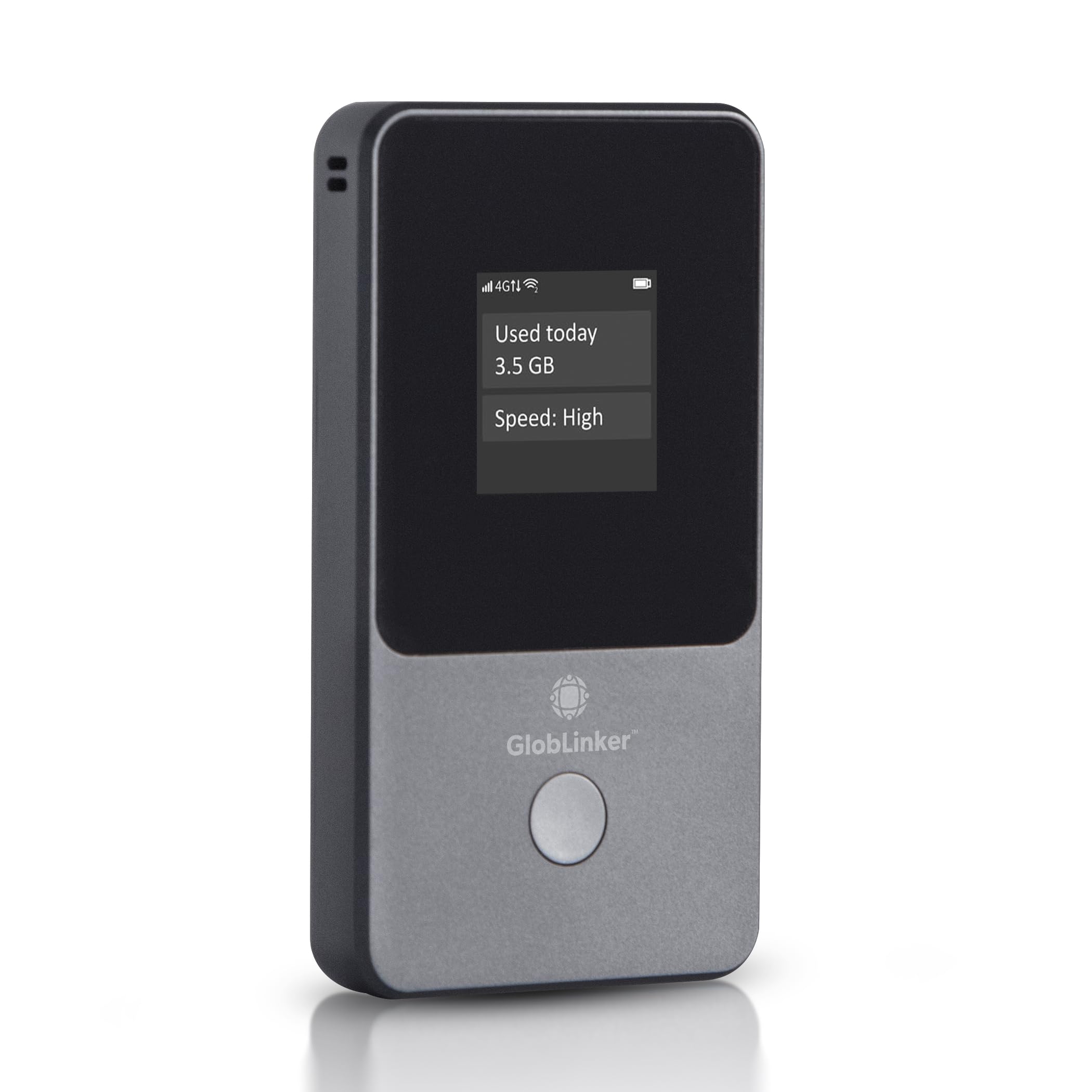
Credit: www.amazon.com
Maximizing Performance And Usage
Maximizing the performance and usage of a portable router in different countries ensures a smooth internet experience. Understanding how to manage data, connect devices, and extend your router’s range helps you stay productive and entertained. These tips will keep your connection stable and efficient wherever you travel.
Managing Data Usage
Data limits vary between countries and carriers. Monitor your usage regularly to avoid extra charges. Use apps or built-in router features to track data consumption. Set data alerts to receive warnings before limits are reached. Choose low-data activities like browsing or messaging to save data. Avoid automatic updates and heavy downloads while on mobile networks.
Connecting Multiple Devices
Portable routers can share internet with many devices. Connect smartphones, tablets, laptops, and more. Check the router’s maximum device limit to prevent slowdowns. Prioritize essential devices to maintain speed. Secure your network with a strong password to avoid unauthorized access. Turn off Wi-Fi on unused devices to reduce load.
Extending Router Range
Router range impacts connection quality in larger areas. Place the router centrally to cover all spaces. Avoid obstacles like walls and metal objects that block signals. Use external antennas if supported to boost signal strength. Consider Wi-Fi extenders or repeaters for wider coverage. Keep the router away from other electronics to reduce interference.
Frequently Asked Questions
How Do I Set Up A Portable Router Abroad?
To set up a portable router abroad, insert a compatible SIM card. Configure the APN settings for local networks. Power on the device and connect your devices to its Wi-Fi. Always check local network compatibility before traveling.
Can A Portable Router Work With Any Country’s Sim Card?
Most portable routers support multiple bands but verify compatibility first. Ensure the router is unlocked and supports the local carrier’s frequency bands. Using a local SIM improves speed and reduces roaming charges significantly.
What Power Adapters Do I Need For International Routers?
Portable routers usually use USB power. Bring a universal travel adapter with multiple plug types. Check voltage compatibility (100-240V) to avoid damage. This ensures your router charges safely in different countries.
Is Using A Portable Router Safer Than Public Wi-fi?
Yes, portable routers create private, encrypted connections. They reduce risks from hackers on public networks. Portable routers offer better security for personal data and online activities abroad.
Conclusion
Using a portable router in different countries keeps you connected on the go. Check local settings and power options first. Carry the right adapters to avoid problems. Secure your network to protect your data. Adjust settings for each country’s internet rules.
This small device makes travel easier and more fun. Stay online without relying on public Wi-Fi. Portable routers offer freedom and safety while abroad. Keep your devices connected wherever you travel. Simple steps ensure smooth internet access every time.