Imagine having a reliable internet connection wherever you go, powering all your smart devices effortlessly. If you’ve ever struggled with slow Wi-Fi or limited network options, a portable router might be the simple solution you need.
You’ll discover how to use a portable router to keep your smart devices connected smoothly and securely. By the end, you’ll know exactly how to set it up and get the most out of your tech—no stress, no confusion. Ready to unlock seamless connectivity for all your gadgets?
Let’s dive in.
Benefits Of Portable Routers
Portable routers offer a range of benefits that make them a smart choice for connecting your smart devices. They provide flexibility, convenience, and enhanced control over your network. Let’s look at how these benefits can improve your daily tech experience.
Enhanced Mobility
One major advantage of portable routers is the freedom to move around without losing internet access. You can take your router anywhere—whether you’re traveling, working from a café, or simply moving around your home. This means your smart devices stay connected wherever you go.
Imagine being on a trip and still having a stable connection for your smart thermostat or security cameras. It’s a game-changer for anyone who relies on smart tech in different locations.
Multiple Device Support
Portable routers can handle several devices at once, which is essential as most homes now have multiple smart gadgets. From smartphones and tablets to smart TVs and home assistants, you can connect them all without slowing down your network.
Think about a family where everyone streams videos, plays games, and controls smart lights simultaneously. Portable routers keep the connection strong and efficient, preventing frustrating lag or disconnects.
Improved Security
Security is critical when managing smart devices, and portable routers often come with advanced security features. You get options like VPN support, firewalls, and password protection that help safeguard your network from unauthorized access.
Have you ever worried about someone hacking your smart home devices? Using a portable router lets you create a secure, private network that shields your devices and personal data.
Choosing The Right Portable Router
Choosing the right portable router matters for a smooth connection with your smart devices. A good router fits your needs and works well with your gadgets. It should be easy to carry and last long on battery. Picking the right one saves time and avoids frustration.
Key Features To Consider
- Speed: Look for routers that support fast internet speeds.
- Security: Choose routers with strong encryption to protect your data.
- Number of connections: Make sure the router can handle all your smart devices.
- Range: Check if the router covers the area where you use your devices.
- Setup: Pick a router that is easy to set up and use.
Compatibility With Smart Devices
Not all portable routers work with every smart device. Confirm the router supports your devices’ Wi-Fi standards, like 802.11ac or 802.11n. Some routers offer dual-band support, which helps reduce interference and improve connection. Check if your smart devices need special apps or settings to connect.
Battery Life And Portability
Battery life is key for using a portable router on the go. Choose a router with long-lasting battery power, at least 8 hours. Smaller routers are easier to carry in bags or pockets. Also, check how fast the battery recharges. A lightweight, compact design fits well with travel and outdoor use.
Setting Up Your Portable Router
Setting up your portable router is a simple process. It allows your smart devices to connect to the internet anywhere. Follow clear steps to get your network ready fast. A good setup ensures smooth, secure connections for all devices.
Initial Configuration Steps
Start by powering on your portable router. Use the included cable or battery. Connect your computer or phone to the router’s Wi-Fi. Look for the default network name in the manual or on the device. Open a web browser and enter the router’s IP address. This opens the router’s setup page.
Enter the default username and password. Change these to something unique and easy to remember. Set your router’s network name (SSID). Choose a name that helps you identify your network. Save your settings to apply changes. Your router is now ready for the next step.
Connecting To The Internet Source
Identify how your router gets internet access. Common sources include mobile data SIM cards or wired Ethernet. Insert a SIM card if your router supports mobile data. For wired connections, plug in the Ethernet cable. Check the router’s status lights to confirm connection.
Access the router’s settings page again. Select the internet connection type in the menu. Enter any required details, like APN for mobile data. Save and apply the settings. The router connects to the internet source and shares access with your devices.
Securing Your Network
Security is key to protect your data and devices. Go to the wireless security settings in the router’s menu. Choose WPA2 or WPA3 encryption for best protection. Create a strong password with letters, numbers, and symbols. Avoid simple or common passwords.
Disable options like WPS that can reduce security. Enable the router’s firewall if available. Regularly update the router’s firmware for security patches. Now your portable router is safe for everyday use.

Credit: www.amazon.ca
Connecting Smart Devices
A portable router lets multiple smart devices connect to the internet easily. Simply turn it on, join its network, and enjoy wireless access anywhere. This helps keep your devices online without relying on fixed Wi-Fi.
Connecting Smart Devices to a portable router can seem daunting, but it opens up a world of convenience and efficiency for your tech-savvy household. Imagine controlling your lights, thermostat, and even your refrigerator from your smartphone, all thanks to a single portable router. If you’re ready to make your home smarter and more connected, let’s dive into the essentials of getting your smart devices online.Wi-fi Setup For Smartphones And Tablets
Begin by ensuring your portable router is powered on and ready to broadcast a Wi-Fi signal. Access the Wi-Fi settings on your smartphone or tablet and look for your router’s network name (SSID). Connect by entering the password provided with your router. Once connected, test the internet connection by browsing a website or streaming a video. If you encounter issues, double-check the SSID and password. Remember, sometimes a simple restart of the router can resolve connectivity problems.Linking Smart Home Gadgets
Smart home gadgets like light bulbs and security cameras need a stable Wi-Fi connection. Use the manufacturer’s app to set up each device. Most apps guide you through the connection process step-by-step, ensuring your devices link seamlessly to your portable router. Consider grouping devices based on rooms or functionality. This organization helps manage multiple gadgets efficiently. You’ll appreciate how simple it becomes to control everything with a single tap or voice command.Managing Device Access
Managing who can access your network is crucial for security. Dive into your router’s settings, often accessible via a web interface or mobile app. Here, you can see which devices are connected and control their access. Set up a guest network if you frequently have visitors. This allows guests to connect without accessing your main network. Also, regularly update your router’s firmware to protect against vulnerabilities. Have you ever found a mysterious device on your network? Regular checks ensure only trusted gadgets are connected, keeping your smart home secure.Optimizing Network Performance
Optimizing your portable router’s network performance can make a huge difference in how smoothly your smart devices run. Small changes in setup and management often lead to faster connections and fewer drops. Let’s look at some practical ways you can get the most out of your portable router.
Positioning And Signal Strength
Where you place your portable router matters more than you might think. Keep it in a central location, away from thick walls or metal objects that block signals. Elevate it on a shelf or table instead of the floor to boost signal reach.
Try moving around with your device to find spots with the strongest signal. Have you noticed certain corners of your home where streaming lags or video calls drop? Adjusting the router’s spot can often solve these issues without extra cost.
Bandwidth Management
Smart devices like cameras, speakers, and thermostats all share your router’s bandwidth. If too many devices use heavy data at once, your network slows down. Prioritize devices that need constant speed, like your work laptop or video calls.
You can usually set bandwidth limits or priorities in your router’s settings. This way, your smart thermostat won’t slow your streaming session. Take some time to learn what each device requires, then allocate bandwidth accordingly.
Troubleshooting Common Issues
Sometimes, your portable router might act up despite the best setup. Slow speeds or dropped connections are common complaints. Start by rebooting the router; it often clears temporary glitches.
If problems persist, check for firmware updates to keep your router running smoothly. Also, reset network settings on your smart devices if they can’t connect. Have you ever thought that a quick restart could save hours of frustration?
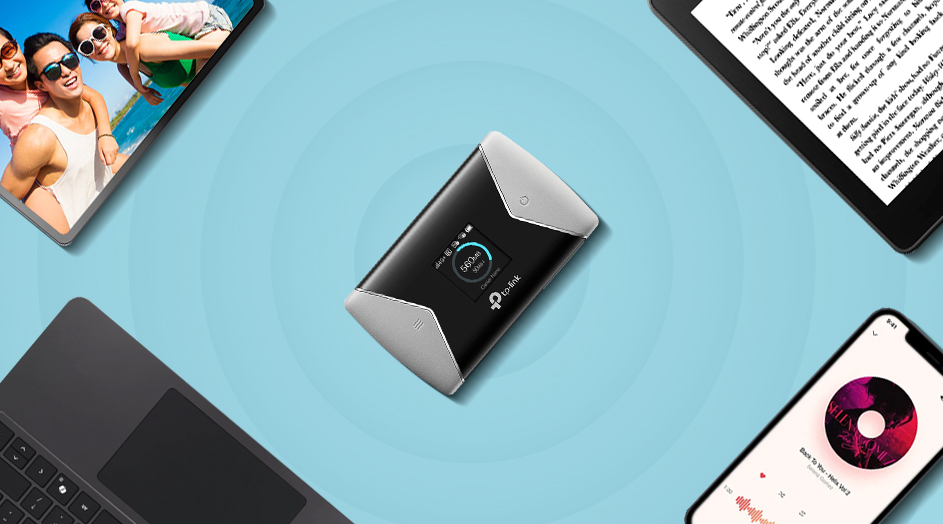
Credit: www.tp-link.com
Advanced Features And Tips
Portable routers offer more than just basic internet sharing. Understanding their advanced features can significantly enhance your smart devices’ connectivity experience. These tips not only improve performance but also help you manage your network securely and efficiently.
Using Vpn With Portable Routers
Connecting a VPN directly through your portable router protects all devices on your network without installing VPN software on each one. This setup encrypts your internet traffic, which is crucial when using public Wi-Fi or traveling. Have you considered how much safer your data could be if every device automatically routed through a VPN?
Most portable routers support VPN client mode. You just need to enter your VPN provider’s settings in the router’s admin panel. This way, your smart devices enjoy encrypted traffic without extra apps or battery drain.
Extending Coverage With Repeaters
Sometimes the portable router’s signal isn’t enough for every corner of your home or workspace. Adding a Wi-Fi repeater or extender can boost coverage and eliminate dead zones. This is especially helpful if your smart devices are spread out or if walls weaken the signal.
Repeaters pick up your router’s Wi-Fi and rebroadcast it, effectively increasing your network’s range. Setting up a repeater is usually straightforward—just place it halfway between your router and the area with weak signal. Have you checked if your portable router supports repeater mode, or if a separate device is needed?
Firmware Updates And Maintenance
Keeping your portable router’s firmware up to date is key to maintaining security and performance. Manufacturers often release updates that fix bugs, patch security vulnerabilities, and add new features. Ignoring these updates can leave your network exposed or running slowly.
Check your router’s admin interface regularly for update notifications. Some routers allow automatic updates, which can save you time. Maintaining your router also means rebooting it occasionally to clear temporary issues and keep your connection stable.

Credit: www.eiotclub.com
Frequently Asked Questions
What Is A Portable Router For Smart Devices?
A portable router is a compact device that creates a Wi-Fi hotspot. It connects smart devices to the internet anywhere. It offers flexibility and enhances connectivity on the go. Portable routers are ideal for travel and remote work setups.
How Do I Connect Smart Devices To A Portable Router?
Turn on the portable router and enable Wi-Fi. Go to your smart device’s Wi-Fi settings. Select the router’s network name and enter the password. Once connected, your device will access the internet via the router.
Can Portable Routers Improve Smart Home Device Performance?
Yes, portable routers can boost smart home device performance. They provide stable and dedicated Wi-Fi signals. This reduces interference from other networks. As a result, smart devices work faster and more reliably.
Are Portable Routers Secure For Smart Device Use?
Portable routers offer security features like WPA3 encryption and firewalls. Always update the router firmware to protect against vulnerabilities. Use strong passwords to prevent unauthorized access. This ensures your smart devices remain safe online.
Conclusion
Using a portable router helps connect your smart devices easily. It keeps your internet stable when you move around. Setting it up takes just a few simple steps. You can enjoy faster speeds and better coverage at home or on the go.
Portable routers give you more control over your network. Keep your devices connected without hassle. Try using one to improve your smart device experience today. Simple, fast, and reliable internet anytime, anywhere.