Are you tired of lag ruining your gaming sessions? You want smooth, fast connections that keep you in the game without frustrating delays.
But is mesh WiFi the answer you’ve been looking for? You might have heard it’s great for coverage, but does it actually boost your gaming performance? Keep reading to discover how mesh WiFi works, if it really makes a difference for gamers like you, and whether it’s the right choice to power up your gaming setup.
Don’t let poor WiFi hold you back—find out what could change your game today.
Mesh Wifi Basics
Understanding the basics of mesh WiFi is key if you want a smooth gaming experience. Mesh WiFi systems are designed to cover your entire home with strong, consistent wireless signals. This means fewer dead zones and less lag during your gaming sessions.
How Mesh Networks Work
Mesh networks use multiple devices called nodes to spread WiFi signals evenly across your space. Unlike traditional routers that rely on a single device, mesh nodes communicate with each other to create a seamless network.
This setup allows your gaming device to connect to the nearest node automatically, reducing lag caused by weak signals. If one node faces interference, others adjust to maintain your connection’s stability. Have you ever noticed your WiFi dropping right when you’re about to win a match? Mesh networks aim to fix that.
Components Of Mesh Systems
A typical mesh system includes:
- Main Router:Connects to your modem and acts as the network’s brain.
- Satellite Nodes:Placed around your home to expand WiFi coverage.
- Control App:Lets you manage settings and monitor your network easily.
These components work together to keep your gaming devices connected with minimal interruptions. The control app also helps you prioritize devices, so your gaming console or PC gets the best possible bandwidth. Ever wondered why your downloads slow down when someone else starts streaming? Prioritizing through mesh can solve that problem.

Credit: www.pcmag.com
Gaming Needs For Wifi
Gaming demands more from a WiFi network than simple browsing or streaming. A strong connection helps players react quickly and enjoy smooth gameplay. Understanding gaming needs for WiFi can improve the overall experience and reduce frustrations.
Speed Requirements
Games need fast download and upload speeds for updates and online play. Most multiplayer games require at least 3 Mbps download speed. Higher speeds reduce wait times for game downloads and updates. Streaming game content also demands faster connections to avoid buffering.
Latency And Lag Factors
Latency measures the delay between your actions and the game response. Lower latency means faster reaction times and better gameplay. Lag causes delays that can ruin competitive gaming. WiFi with low ping is essential for real-time games.
Stability Importance
A stable connection prevents sudden drops during gameplay. Interruptions can cause disconnections and lost progress. Consistent WiFi strength helps maintain constant communication with game servers. Stability is key for long gaming sessions without interruptions.
Mesh Wifi Vs Traditional Wifi
Mesh WiFi and traditional WiFi systems serve the same purpose but work differently. Understanding their differences helps choose the best option for gaming. Both affect how well your games run online. Let’s explore key aspects like coverage, speed, and device handling.
Coverage And Signal Strength
Traditional WiFi uses one router to cover your entire home. Signal strength drops as you move away from the router. This causes weak spots and slow connections in large spaces.
Mesh WiFi uses multiple nodes placed around your home. Each node boosts the signal and creates a wider coverage area. This means fewer dead zones and stronger signals everywhere.
Speed Consistency
Speed may vary with traditional WiFi. Walls and distance reduce speed and cause interruptions. This affects online gaming with lag and delays.
Mesh WiFi provides more stable speeds by routing traffic through the nearest node. It keeps your connection steady even when moving around the house.
Handling Multiple Devices
Traditional routers can slow down with many devices connected. This leads to lag and poor gaming experience.
Mesh WiFi handles multiple devices better by spreading the load across several nodes. This keeps your gaming device’s speed smooth and reliable.
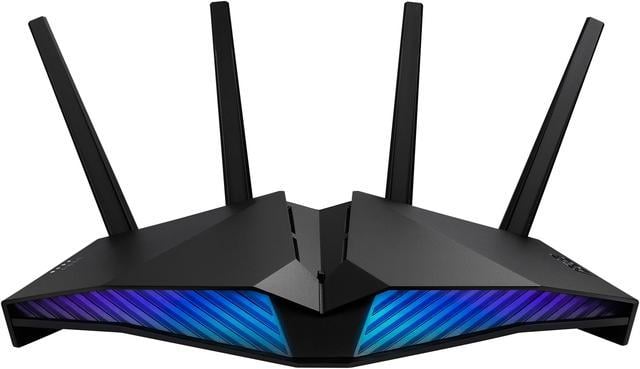
Credit: www.newegg.ca
Benefits Of Mesh Wifi For Gaming
When it comes to gaming, nothing is more frustrating than a lagging connection or a sudden drop in WiFi signal. This is where mesh WiFi can be a game-changer. Offering seamless connectivity across your home, mesh WiFi systems ensure that your gaming experience remains uninterrupted and smooth. Let’s dive into the specific benefits of mesh WiFi for gaming.
Reduced Dead Zones
Have you ever been in the middle of an intense game only to have your connection drop because you moved to a different room? Mesh WiFi eliminates this issue by covering your entire home with a strong, consistent signal. Each node in a mesh system acts like a mini-router, extending coverage to every corner of your home. This means you can game in the basement or the attic without fear of losing connection.
Improved Connection Stability
Mesh WiFi systems are designed to provide a stable connection by intelligently routing traffic between nodes. This means less interference and fewer dropped signals during peak gaming hours. With a more reliable connection, you can enjoy your gaming sessions without the constant anxiety of unexpected disconnections.
Lower Latency Potential
Latency can make or break your gaming performance. Mesh WiFi has the potential to reduce latency by optimizing the data path between your device and the router. When milliseconds matter, having a system that minimizes delay can give you the competitive edge you need. Imagine making split-second decisions without the lag holding you back.
Are you ready to experience gaming without boundaries? With mesh WiFi, you’re not just getting a network upgrade; you’re transforming your gaming environment into a seamless, high-performance arena.
Possible Downsides Of Mesh Wifi
Mesh WiFi offers many benefits, but it also has some downsides for gaming. Understanding these drawbacks helps you choose the best network setup. Some issues may affect your gaming experience and overall network performance.
Setup Complexity
Setting up a mesh WiFi system can be tricky. It needs more steps than a regular router. You must place nodes carefully to cover your gaming area well. Poor placement can cause weak signals and slow speeds. Some users find the setup process confusing and time-consuming.
Cost Considerations
Mesh WiFi systems cost more than standard routers. You pay for multiple devices, not just one. The price can be high, especially for advanced models. For gamers on a budget, this might not be the best option. Sometimes, a strong single router is enough and cheaper.
Bandwidth Sharing Issues
Mesh networks share bandwidth among nodes. This can reduce speed during heavy use. Online games need fast, stable connections. If many devices connect at once, your gaming may lag. Bandwidth sharing can cause delays and lower overall performance.
Optimizing Mesh Wifi For Gaming
Optimizing your mesh WiFi setup can make a significant difference in your gaming experience. Even the best hardware can underperform if not configured properly. Paying attention to specific details can reduce lag and keep your connection stable during intense gaming sessions.
Placement Tips
Position each mesh node where it has a clear line of sight to your gaming device and the main router. Avoid placing nodes near thick walls or metal objects, as these materials block WiFi signals. Try placing nodes at roughly equal distances to maintain a strong, even signal throughout your gaming area.
Think about where you usually play. If your gaming console or PC is in the basement or a far corner, place a node nearby to ensure the signal doesn’t have to travel through many obstacles. Small adjustments in node placement can sometimes cut your ping by a noticeable margin.
Firmware Updates
Keeping your mesh system’s firmware up to date is crucial. Manufacturers release updates to fix bugs, improve security, and optimize performance. Regular updates can reduce connection drops and improve speed, which directly benefits gaming.
Set your mesh system to update automatically if possible. Missing out on updates can leave you vulnerable to interference and slowdowns that affect your gameplay. Have you checked your router’s firmware lately?
Prioritizing Gaming Traffic
Many mesh systems allow you to prioritize gaming devices or gaming traffic through Quality of Service (QoS) settings. Enabling this feature ensures your games get bandwidth preference over other activities like streaming or downloads. This can lower latency and prevent unexpected lag spikes.
Look for options labeled “gaming mode” or “device prioritization” in your mesh system’s app or web interface. Prioritizing traffic means your gaming experience won’t be interrupted when someone else starts a video call or streams a movie. How much smoother could your gaming be if your connection always had top priority?
Alternative Solutions For Gaming Wifi
Gaming demands a strong and steady internet connection. Mesh WiFi is popular but not the only choice. Other options provide fast and stable connections for better gaming. These alternatives help reduce lag and improve gameplay quality.
Wired Connections
Using an Ethernet cable gives the most reliable connection. It avoids interference common with wireless signals. Wired connections offer lower latency and higher speeds. Gamers enjoy smooth gameplay without sudden drops or delays. This option is simple and effective for desktop setups.
Powerline Adapters
Powerline adapters use home electrical wiring to send internet signals. They create a wired connection without running new cables. These adapters plug into power outlets near your gaming device. Powerline adapters reduce lag and improve connection stability. They are easy to set up and good for rooms far from the router.
High-performance Routers
High-performance routers provide strong WiFi signals and advanced features. They handle multiple devices without slowing down. These routers often include QoS settings to prioritize gaming traffic. Many models offer dual-band or tri-band frequencies for better speed. A good router helps keep your gaming connection fast and steady.

Credit: www.pcmag.com
Frequently Asked Questions
Is Mesh Wifi Better Than Traditional Routers For Gaming?
Mesh WiFi offers more consistent coverage and fewer dead zones. This reduces lag and improves connection stability during gaming sessions compared to traditional routers.
How Does Mesh Wifi Reduce Gaming Lag?
Mesh WiFi uses multiple nodes to provide strong signals throughout your home. This minimizes interference and packet loss, leading to lower latency and smoother gameplay.
Can Mesh Wifi Handle Multiple Gaming Devices?
Yes, mesh WiFi efficiently manages multiple devices by balancing bandwidth. It prevents network congestion, ensuring all gaming devices perform optimally without slowdowns.
Does Mesh Wifi Improve Online Multiplayer Experience?
Mesh WiFi provides stable connections and reduces signal drops. This enhances the responsiveness and reliability needed for competitive online multiplayer gaming.
Conclusion
Mesh WiFi can improve your gaming experience by reducing dead zones. It offers steady and strong signals across your home. This helps lower lag and connection drops. Many gamers find it easier to play without interruptions. Still, your setup and internet speed also matter.
Choose a system that fits your space and budget. A good WiFi setup makes gaming more fun and less frustrating. Try mesh WiFi if you want smoother online play. It might just be the upgrade you need.