If you live in a three-story home, you might have noticed WiFi dead zones or slow internet on certain floors. It’s frustrating when your connection drops just as you need it the most.
You’re probably wondering if a mesh WiFi system is the answer to your problems. Is it really necessary, or just an extra expense? You’ll discover how mesh WiFi works, why it might be the perfect solution for your multi-level home, and what factors to consider before making a decision.
Keep reading to find out how you can enjoy strong, seamless internet on every floor without the hassle.

Credit: www.pcmag.com
Challenges Of Wifi In Multi-story Homes
WiFi signals often struggle in homes with many floors. Signals can weaken as they pass through floors and walls. This makes it hard to get strong internet everywhere.
Understanding the problems helps in choosing the right WiFi setup. Let’s look at three main challenges in multi-story houses.
Signal Loss Through Floors
Floors block WiFi signals. Materials like concrete and wood reduce signal strength. The higher the floor, the weaker the signal can be.
Signal loss can cause slow internet or dead zones on upper floors. The distance and floor type affect how much the signal drops.
Interference From Walls And Objects
Walls and furniture also block WiFi signals. Metal, brick, and thick walls cause the most interference. Household items can reflect or absorb signals.
- Metal appliances can block signals
- Large furniture absorbs WiFi waves
- Glass and mirrors reflect signals
- Thick walls reduce signal strength
Device Density And Bandwidth Needs
More devices in the house need more WiFi bandwidth. Streaming, gaming, and working online use a lot of data. Many users can slow down the network.
| Number of Devices | Bandwidth Use |
| 1-5 | Low to Moderate |
| 6-15 | Moderate to High |
| 16 or more | High to Very High |

Credit: forum.quartertothree.com
What Is Mesh Wifi?
Mesh WiFi is a system that spreads WiFi signals across large areas. It uses multiple devices to create one network.
This setup helps cover homes with many floors or thick walls where normal routers struggle.
Core Components
A mesh WiFi system has several parts that work together. The main parts are nodes and a main router.
Each node acts like a small router. They share the WiFi signal with each other to cover the whole house.
- Main router connects to the internet
- Nodes spread WiFi to far rooms
- App or software helps manage the system
How It Works Differently
Mesh WiFi uses many nodes that talk to each other. This helps avoid dead zones in your home.
Each node sends data to the next one until it reaches the router. This keeps the signal strong everywhere.
- Nodes create a single, large WiFi network
- Devices connect to the closest node automatically
- Signal moves smoothly between nodes
Comparison With Traditional Routers
Traditional routers send WiFi from one point. This can cause weak spots in big or tall homes.
Mesh WiFi covers more space by using many nodes. It gives better coverage in large or multi-story houses.
| Feature | Traditional Router | Mesh WiFi |
|---|---|---|
| Coverage Area | Limited, weak in far rooms | Wide, strong in all rooms |
| Number of Devices | One device only | Multiple nodes work together |
| Network Name | Single SSID | Single SSID across nodes |
| Setup | Simple, one device | Needs more devices, app help |
Benefits Of Mesh Wifi For 3-story Homes
Living in a three-story home can cause WiFi signals to weaken on different floors. Traditional routers may not cover every corner well. Mesh WiFi systems offer a solution to this problem.
Mesh WiFi uses multiple devices working together. This helps provide strong and steady internet throughout all floors of your home.
Seamless Coverage Across Floors
Mesh WiFi creates a single network with many access points. These points spread the WiFi signal evenly across every floor. This means fewer dead zones in your home.
- No need to switch networks when moving between floors
- Strong signal in basements, living rooms, and bedrooms
- Better performance for smart devices and streaming
Improved Connection Stability
Mesh WiFi systems reduce interruptions by using several nodes. If one node has a problem, others keep the connection steady. This prevents sudden drops in internet access.
| Traditional Router | Mesh WiFi System |
| Single device coverage | Multiple nodes for wide coverage |
| Signal weakens on other floors | Strong signal on all floors |
| Connection often drops | Stable connection with auto-failover |
Easy Scalability
You can add more mesh nodes as needed. This makes it simple to expand WiFi coverage. Adding nodes fits changing home sizes or new areas.
Advantages of Adding Mesh Nodes:
- Cover new rooms or floors easily
- Improve signal in tricky spots
- Simple setup without extra wiring
Alternatives To Mesh Wifi
Mesh WiFi is popular for large homes, but it is not the only option. There are other ways to improve WiFi coverage in a three-story house.
These alternatives can help you get better signal without setting up a full mesh system.
Range Extenders
Range extenders boost your existing WiFi signal to reach farther areas. They are easy to install and cost less than mesh systems.
- Plug into power outlets between router and dead zones
- Create a new WiFi network or extend the existing one
- Best for small coverage gaps
- May reduce internet speed in extended areas
Powerline Adapters
Powerline adapters use your home’s electrical wiring to carry internet signals. They connect your router to other floors without extra cables.
| Feature | Benefit |
| Easy setup | Plug adapters into outlets, no drilling needed |
| Stable connection | Less interference than WiFi extenders |
| Speed | Can match your internet plan speed if wiring is good |
| Limitations | Performance drops if wiring is old or complex |
Upgraded Single Routers
Modern single routers have stronger signals and better technology. They can cover larger homes with fewer dead spots.
- Look for routers with high WiFi standards like WiFi 6 or WiFi 6E
- Choose models with multiple antennas for wider coverage
- Place the router in a central spot on the middle floor
- Use router settings to optimize channel and frequency
Factors To Consider Before Choosing Mesh Wifi
Choosing the right WiFi system matters for your home’s internet experience. Mesh WiFi can help cover large spaces. It can also reduce dead zones. This guide looks at key factors to help you decide if mesh WiFi fits your 3-story home.
Look closely at your home’s size, internet needs, and budget. Each factor affects how well mesh WiFi will work for you.
Home Size And Layout
Large or multi-story homes often have WiFi dead zones. Walls and floors can block signals. Mesh WiFi uses several devices to spread coverage evenly. For a 3-story home, mesh systems can help reach every corner.
- Consider the total square footage of your home.
- Note the number of floors and wall materials.
- Check if current WiFi reaches all rooms well.
- Think about outdoor spaces needing coverage.
Internet Speed Requirements
Your internet plan speed affects WiFi needs. Mesh systems can support high speeds better than single routers. If you stream, game, or work online, fast and stable WiFi is key. Mesh helps keep speeds steady on all floors.
| Internet Activity | Recommended Speed (Mbps) |
| Web browsing and email | 5–10 |
| Video streaming (HD) | 10–25 |
| Online gaming | 25–50 |
| 4K video streaming | 50+ |
| Multiple users/devices | 100+ |
Budget Constraints
Mesh WiFi systems cost more than regular routers. Before buying, consider your budget. Sometimes a strong router with extenders is cheaper. Think about long-term value and ease of use too.
Here are budget points to think about:
- Initial purchase price of mesh system
- Cost of additional nodes if needed later
- Subscription fees for extra features
- Potential savings from better coverage and fewer issues
Setting Up Mesh Wifi In A 3-story Home
Setting up Mesh WiFi in a large home can improve internet coverage. It helps eliminate dead zones on different floors.
This guide will help you set up Mesh WiFi for a smooth connection throughout your 3-story home.
Optimal Placement Of Nodes
Placing nodes correctly is key to a strong mesh network. Nodes should be evenly distributed across all floors.
- Place one node on each floor to ensure coverage.
- Avoid placing nodes near thick walls or metal objects.
- Keep nodes elevated for better signal distribution.
Configuring Network Settings
Configuring network settings is essential for a secure and efficient network. Use the app provided by your Mesh WiFi system.
Ensure you set a strong password for network security. Enable guest network for visitors.
Troubleshooting Common Issues
Sometimes, you might face connectivity issues. Troubleshooting can help resolve them quickly.
| Issue | Solution |
| Slow speeds | Restart your router and nodes |
| Disconnected nodes | Check node placement and power |
| Interference | Move nodes away from electronic devices |
Popular Mesh Wifi Systems For Large Homes
In a three-story home, WiFi coverage can be a challenge. Mesh WiFi systems are designed to eliminate dead zones and provide strong signals throughout your house.
These systems are particularly popular for large homes due to their ability to cover multiple floors with consistent internet speeds.
Top Brands And Models
Several brands offer reliable mesh WiFi systems for large homes. Choosing the right one depends on your specific needs and preferences.
- Netgear Orbi
- Google Nest Wifi
- TP-Link Deco
- Amazon Eero
Features To Look For
When selecting a mesh WiFi system, certain features can enhance your experience. Look for these key elements to ensure optimal performance.
| Feature | Importance |
| Coverage Area | Ensures full home coverage |
| Number of Nodes | More nodes mean better coverage |
| Parental Controls | Manage internet access for kids |
| App Management | Ease of use and setup |
User Reviews And Ratings
User feedback can offer insights into the real-world performance of mesh WiFi systems. Reading reviews helps in understanding the pros and cons of each model.
Many users praise the ease of setup and consistent signal strength. Ratings often highlight customer service and product reliability.
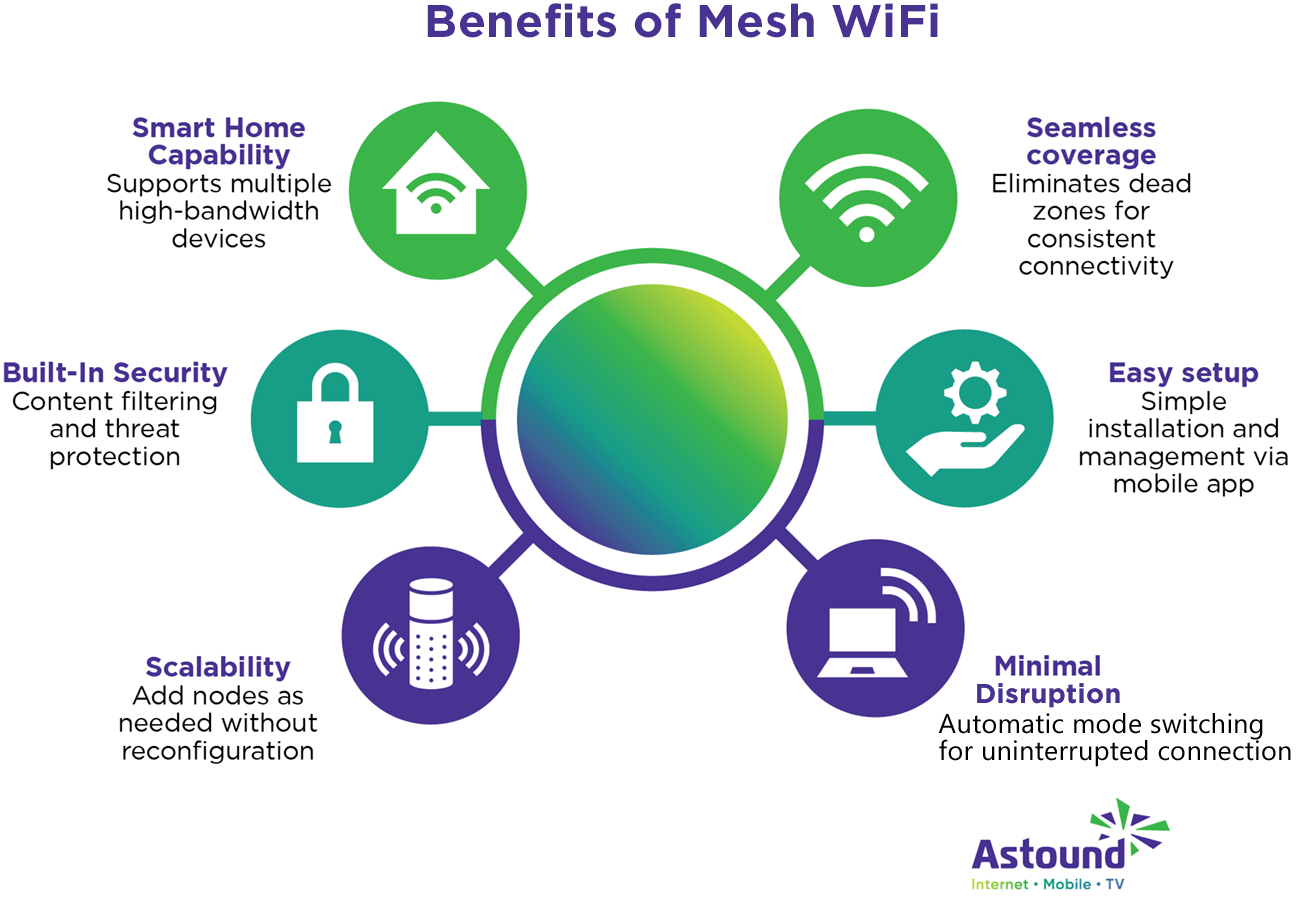
Credit: www.astound.com
Frequently Asked Questions
What Is Mesh Wifi And How Does It Work?
Mesh WiFi uses multiple nodes to create a seamless network. It improves coverage by eliminating dead zones, ideal for large or multi-story homes.
Is Mesh Wifi Necessary For A 3-story Home?
Yes, mesh WiFi is often necessary for 3-story homes. It ensures strong, consistent signals across all floors, preventing connectivity drops.
How Does Mesh Wifi Compare To Traditional Routers?
Mesh WiFi offers better coverage and reliability than traditional routers. It automatically connects devices to the strongest node, enhancing speed and stability.
Can Mesh Wifi Improve Internet Speed In A Large Home?
Mesh WiFi can improve internet speed by reducing interference and extending coverage. It ensures faster connections on every floor of a large home.
Conclusion
A mesh WiFi system can help cover all floors of a three-story home. It stops dead zones and keeps your signal strong everywhere. Regular routers often struggle with thick walls and distance. Mesh networks work together to give smooth internet on every level.
This means better streaming, gaming, and browsing without interruptions. Choosing the right setup depends on your home’s size and layout. A mesh system often fits well in larger, multi-story houses. It makes your internet simple and reliable throughout the house.