Are you struggling with slow internet in some rooms of your large home? You might be wondering if a tri band router is the solution you need.
With so many options out there, it’s easy to feel confused about what will really boost your Wi-Fi. This article will help you understand if a tri band router can handle your whole house smoothly and what factors you should consider.
By the end, you’ll know exactly what to look for to keep every corner of your home connected without frustration. Keep reading to find out if a tri band router is enough for your space.

Credit: www.popularmechanics.com
Tri Band Router Basics
Understanding the basics of a tri band router helps decide if it suits a large home. These routers offer multiple wireless bands, improving network speed and device handling. They are designed to reduce congestion and provide a smoother internet experience for many users at once.
How Tri Band Works
A tri band router uses three separate frequency bands to send and receive data. Typically, it includes one 2.4 GHz band and two 5 GHz bands. This setup allows devices to connect on different bands, spreading out the network load. It helps avoid interference and keeps the connection stable.
Benefits Over Dual Band
Tri band routers offer clear advantages over dual band ones. More bands mean more devices can connect without slowing the network. They reduce traffic jams on Wi-Fi and improve speed for streaming and gaming. Homes with many smart devices benefit the most from tri band technology.
Common Features
- Multiple antennas for better range and signal strength
- Advanced Quality of Service (QoS) to prioritize important traffic
- Beamforming technology to focus signals toward devices
- Easy setup and management through mobile apps
- Guest networks for secure visitor access
Coverage For Large Homes
Coverage for large homes is a key factor when deciding if a tri band router will meet your needs. Large spaces require strong, consistent Wi-Fi signals that reach every corner without losing speed. Understanding what affects signal reach can help you get the most out of your router.
Signal Range Factors
The signal range of a tri band router depends on several elements beyond just the hardware. The router’s power, antenna design, and frequency bands all influence how far the signal travels. Tri band routers typically offer one 2.4 GHz band and two 5 GHz bands, balancing range and speed.
Keep in mind that 2.4 GHz signals travel farther but offer slower speeds, while 5 GHz signals provide faster speeds but cover shorter distances. This means your router can cover a large area but may struggle to maintain high speeds at the farthest points of your home.
Obstacles And Interference
Physical barriers like walls, floors, and furniture can weaken Wi-Fi signals. Materials such as concrete, metal, and brick are especially tough on wireless signals. Have you noticed your Wi-Fi slows down when you move to another room?
Other electronics, including microwaves and cordless phones, create interference that disrupts signals. Even neighboring Wi-Fi networks can cause congestion, especially in dense residential areas. These factors can reduce the effective coverage of your tri band router.
Placement Tips
Where you place your tri band router dramatically affects coverage. Central locations on the main floor often provide the best balance of reach. Avoid placing your router near thick walls or inside cabinets.
Raising the router off the ground and positioning antennas vertically can help signals spread evenly. If your home is particularly large or multi-story, consider adding Wi-Fi extenders or mesh systems to fill dead zones.
Have you tried moving your router before? Small adjustments can sometimes boost your coverage more than upgrading equipment.
Performance In Busy Networks
Busy home networks can quickly become a challenge for any router. Multiple devices streaming, gaming, and working at the same time demand strong and consistent performance. Understanding how a tri-band router handles these pressures helps you decide if it fits your large home’s needs.
Handling Multiple Devices
Tri-band routers offer three separate wireless bands to spread out device connections. This means your smart TV, laptops, phones, and smart home gadgets can connect without fighting over the same frequency.
However, in very large homes with dozens of active devices, even tri-band routers can reach their limits. The router’s processor and memory must efficiently juggle all connections to avoid slowdowns. You might notice better performance if you assign devices to specific bands manually or use features like band steering.
Bandwidth Management
Managing bandwidth is crucial when many users share the network. Tri-band routers often come with Quality of Service (QoS) settings that let you prioritize important traffic like video calls or gaming.
This prioritization ensures critical tasks don’t get bogged down by background downloads or streaming. Still, if too many high-bandwidth activities run simultaneously, even the best QoS settings might struggle to keep everyone happy.
Latency And Speed
Latency matters a lot in busy networks, especially for gaming or video conferences. Tri-band routers reduce congestion by separating traffic, which can lower latency compared to single or dual-band routers.
Speed depends on many factors, including your internet plan and the router’s placement. For large homes, placing the tri-band router centrally or adding mesh nodes can maintain strong speeds throughout the space.
Have you noticed slowdowns during peak usage times? It might be worth testing how your tri-band router handles these busy moments before deciding if you need extra network upgrades.
Comparing Alternatives
Choosing the right router for a large home can be challenging. A tri-band router seems like a solid option, but there are alternatives. To make an informed decision, it’s important to compare different options.
Dual Band Routers
Dual band routers are a popular choice. They operate on two frequency bands, 2.4 GHz and 5 GHz. This can help manage network traffic and reduce interference. For smaller homes or fewer devices, dual band routers work well. They are often more affordable than tri-band routers.
Mesh Wi-fi Systems
Mesh Wi-Fi systems offer extensive coverage. They consist of multiple nodes placed around the home. This creates a seamless network without dead zones. Ideal for large homes with multiple floors. Mesh systems are easy to expand. Just add more nodes to increase coverage.
Wired Connections
Wired connections provide stable and fast internet. Ethernet cables connect directly to devices. This can eliminate interference from walls or other obstacles. Great for gaming or streaming. Wired connections ensure consistent performance.
Cost Vs. Benefit
Choosing a tri-band router for a large home involves weighing the cost against the benefits. The price can be high, but the advantages might justify it. Understanding the financial impact helps make a smart decision. This section breaks down key factors to consider.
Price Range
Tri-band routers usually cost more than single or dual-band models. Prices often start around $150 and can go over $400. High-end models offer faster speeds and better coverage. Budget models may lack advanced features but still provide good performance.
Long-term Value
Investing in a tri-band router can save money over time. It reduces network congestion by managing multiple devices better. This leads to fewer slowdowns and interruptions. For large homes with many users, it can improve internet experience significantly. A reliable router also lasts several years, lowering replacement costs.
Upgrade Considerations
Upgrading to a tri-band router depends on your current setup and needs. If your internet speed is high and many devices connect simultaneously, an upgrade may help. Consider future-proofing to avoid buying new routers soon. Check if your internet plan supports faster speeds to benefit fully. Sometimes, adding range extenders or mesh systems might be a better choice.
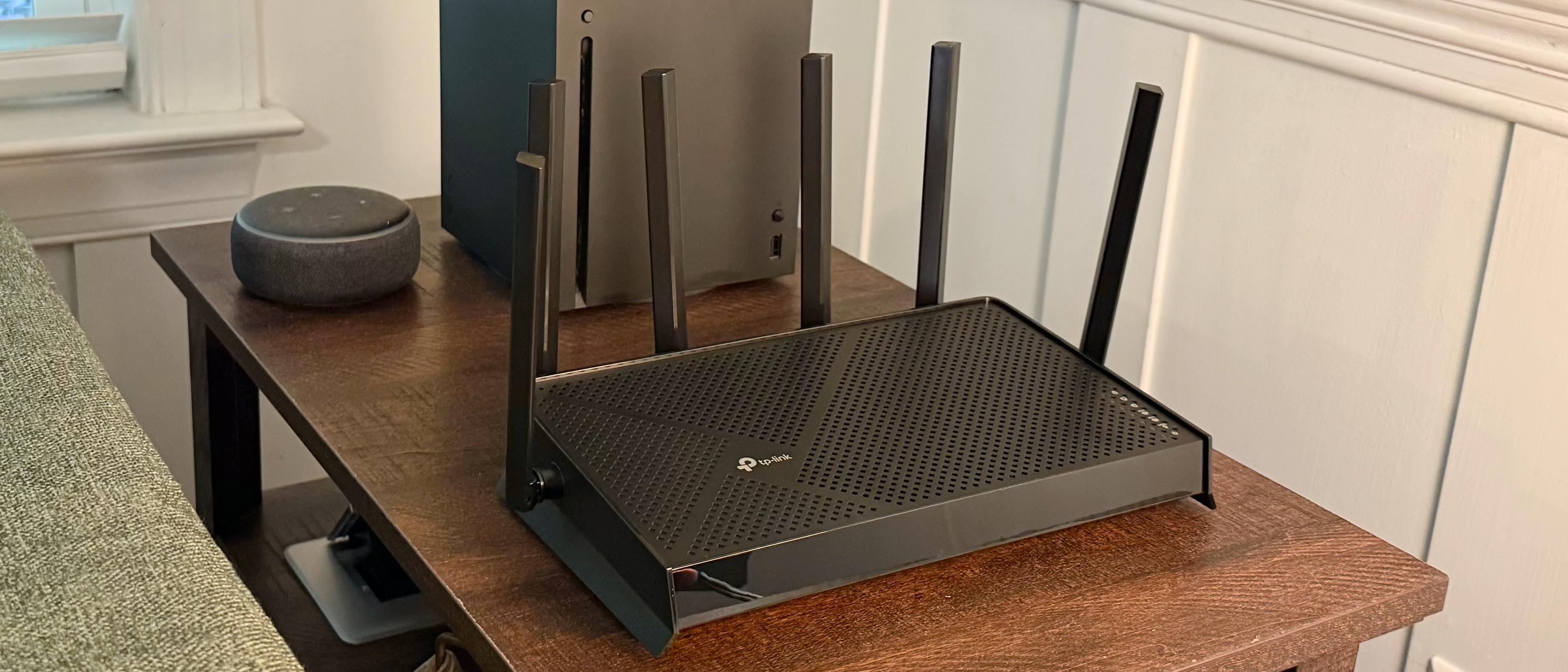
Credit: www.tomshardware.com
User Experience And Setup
Getting a tri-band router for your large home is just the start. How you set it up and interact with it daily shapes your entire experience. A smooth setup and intuitive controls can make a big difference, especially if you’re not a tech expert.
Installation Process
Most tri-band routers come with straightforward installation steps. You usually start by connecting the router to your modem and powering it up. Then, you access the router’s setup page through a browser or an app.
The setup wizard often guides you through naming your networks and setting passwords. You’ll want to place the router centrally in your home to maximize coverage. Have you thought about the best spot for your router yet? Placement can affect performance more than you realize.
User Interface
The user interface on tri-band routers varies but aims to be user-friendly. Many brands offer mobile apps that let you monitor your network, pause internet on certain devices, and even run speed tests.
Some interfaces provide detailed traffic reports and allow you to prioritize devices for faster speeds. If you like control without complexity, look for routers with clear menus and helpful tooltips. How easy is it for you to find what you need on your current router’s interface?
Troubleshooting Tips
Even the best routers occasionally face issues like slow speeds or dropped connections. Start by restarting your router; this simple step solves many problems. If that doesn’t work, checking for firmware updates can fix bugs and improve stability.
Use the router’s built-in diagnostic tools to identify weak signal areas in your home. If you notice consistent trouble spots, consider adding range extenders or repositioning the router. Have you noticed patterns in when or where your Wi-Fi struggles?

Credit: cybernews.com
Frequently Asked Questions
What Is A Tri Band Router?
A tri band router uses three separate wireless bands. It offers one 2. 4 GHz band and two 5 GHz bands. This reduces congestion and improves speed. It is ideal for homes with many devices.
Can Tri Band Routers Cover Large Homes Effectively?
Yes, tri band routers provide better coverage in large homes. Multiple bands reduce interference and increase range. However, placement and home layout also affect coverage quality.
How Does Tri Band Compare To Dual Band Routers?
Tri band routers offer an extra 5 GHz band versus dual band. This means more devices can connect without slowing down. Tri band is better for busy networks and larger homes.
Are Tri Band Routers Worth The Extra Cost?
If you have many devices or a large home, tri band routers are worth it. They provide faster speeds and better coverage. For small homes, a dual band router may suffice.
Conclusion
A tri band router can cover large homes well. It helps reduce Wi-Fi slowdowns when many devices connect. Still, walls and floors may block signals sometimes. Placement of the router matters a lot for coverage. Adding Wi-Fi extenders can improve signal in bigger spaces.
Consider your home’s size and device number before choosing. Tri band routers offer strong speeds but need good setup. This choice fits many families with many gadgets. Keep these points in mind for smooth internet at home.