Is your smart home struggling with weak WiFi signals and dead zones? You’re not alone.
When your devices can’t connect smoothly, it’s frustrating and slows down your daily routines. The good news is, mesh WiFi systems can help you get strong, reliable coverage everywhere in your home. But just setting one up isn’t enough—you need the right tips to make sure your mesh network works perfectly for your space.
Keep reading to discover simple, effective strategies that will boost your mesh WiFi coverage and keep every smart device in your home running at its best.
Choosing The Right Mesh System
Mesh WiFi systems help cover your whole home with strong internet. They work well in smart homes with many devices.
Choosing the right mesh system is important for good coverage and fast speeds. This guide will help you pick the best one.
Factors To Consider
Think about your home size and layout before buying a mesh system. Larger homes need more units for full coverage.
Check the speed your internet plan offers. Your mesh system should support that speed to avoid slowdowns.
- Number of devices your system can support
- Ease of setup and use
- Security features to protect your network
- Compatibility with your smart home devices
- Cost and warranty options
Popular Mesh Wifi Brands
Several brands offer good mesh WiFi systems. Choose one with strong reviews and good support.
- Google Nest Wifi – easy setup and reliable coverage
- Netgear Orbi – strong performance for large homes
- TP-Link Deco – budget-friendly with good features
- Amazon Eero – simple app and good security
- Asus ZenWiFi – fast speeds and advanced options
Look at user feedback and compare prices to find the best fit for your smart home.
Optimal Router Placement
Good router placement is key for strong mesh WiFi in smart homes. It helps devices connect well and keeps signals steady.
Placing routers in the right spots avoids dead zones and gives your smart devices better coverage.
Central Location Benefits
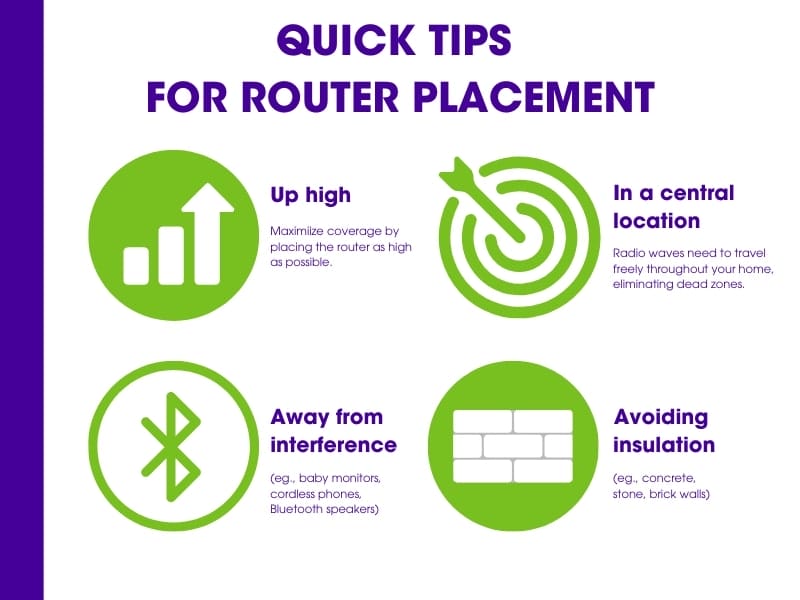
Put your main router in the center of your home. This helps the WiFi signal reach every room evenly.
A central spot reduces distance signals travel. This keeps your internet fast and reliable for all smart devices.
- Better coverage in all rooms
- Less signal loss over distance
- Improved connection for smart devices
Avoiding Interference Sources
Keep routers away from objects that block or weaken WiFi signals. Metal, walls, and electronics can cause interference.
Avoid placing routers near microwaves, cordless phones, or thick walls. These reduce signal strength and speed.
- Stay clear of large metal objects
- Avoid thick walls and floors
- Keep distance from other wireless devices
- Place routers high, not on the floor
Adding More Nodes
Mesh WiFi systems use nodes to spread internet across your home. Adding more nodes can enhance coverage. This helps eliminate dead zones and improves speed.
Understanding where to place these nodes is crucial. Proper placement ensures efficient performance of your network.
Where To Place Additional Nodes
Placing nodes in the right spots is key. This makes sure your WiFi network works well throughout your home. Avoid placing nodes too close to each other.
- Avoid corners and enclosed areas
- Place nodes in open spaces for better signal flow
- Ensure nodes are on the same level for best performance
Balancing Coverage And Speed
Balancing coverage and speed can be tricky. More nodes may provide better coverage, but too many can slow down the network.
Consider these points to find balance:
- Test speed in different areas after adding nodes.
- Adjust node placement based on speed results.
- Use manufacturer apps for optimal node spacing suggestions.
Credit: guardianprotection.com
Configuring Network Settings
Setting up your mesh WiFi network correctly helps your smart home devices work well. Adjusting network settings can fix weak signals and slow speeds.
Two key areas to focus on are channel selection and keeping your device firmware updated. These steps improve coverage and security.
Channel Selection Tips
Choosing the right WiFi channel reduces interference from other networks. This helps your smart devices get a stronger connection.
- Use a WiFi analyzer app to find the least crowded channel.
- For 2.4 GHz, pick channels 1, 6, or 11 to avoid overlap.
- Switch to 5 GHz channels for faster speeds and less interference.
- Set your mesh system to auto-select channels if available.
- Avoid channels used by nearby neighbors or other electronics.
Firmware Updates Importance
Firmware updates improve your mesh WiFi system’s stability and security. They can also add new features and fix bugs.
| Benefit | Why It Matters |
| Security patches | Protects your network from hackers |
| Performance improvements | Speeds up your WiFi connection |
| New features | Enhances smart home compatibility |
| Bug fixes | Reduces crashes and disconnects |
Check for firmware updates regularly. Most mesh systems allow automatic updates or manual checks in their app settings.
Using Wired Backhaul
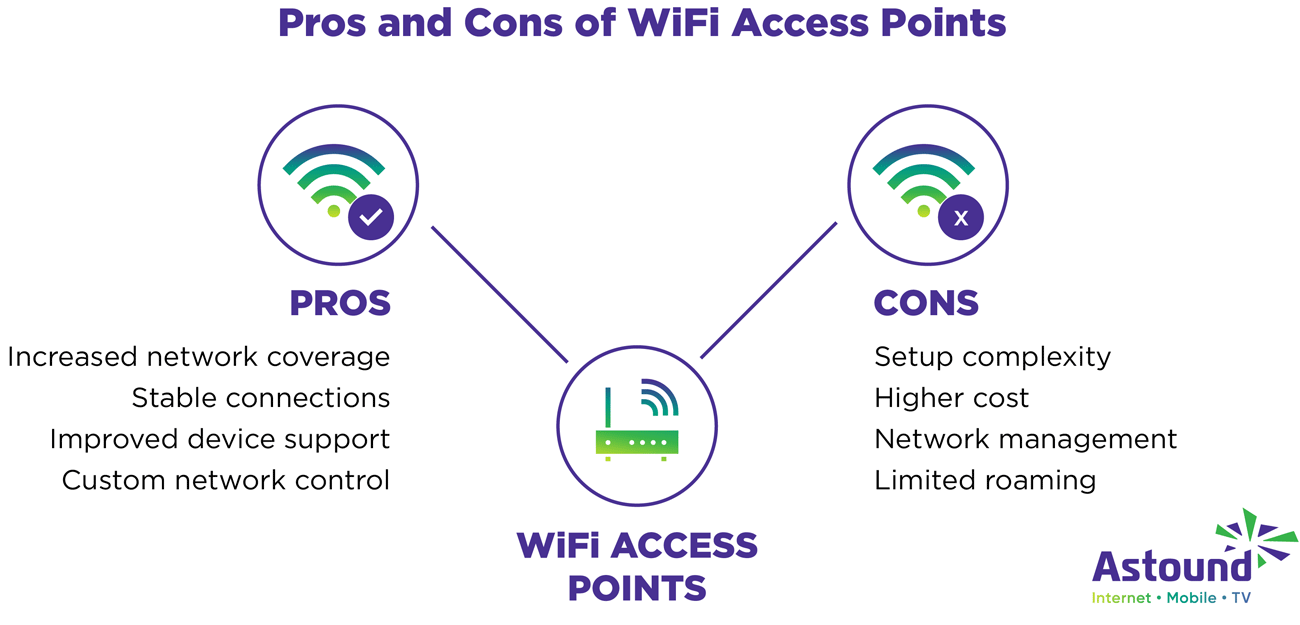
Wired backhaul is essential for stable mesh wifi in smart homes. It uses Ethernet cables to connect nodes, providing reliable speed.
This method ensures consistent coverage throughout your home. Wired connections minimize interference, enhancing overall wifi performance.
Benefits Of Ethernet Connections
Ethernet connections offer several advantages over wireless links. They deliver steady speeds and reduce latency issues.
- Stable and consistent connection
- Lower latency for gaming and streaming
- Reduced interference from other devices
Setup Best Practices
Proper setup is crucial for optimal performance. Follow these tips to ensure your wired backhaul is effective.
Ensure all cables are connected securely. Use high-quality Ethernet cables for the best results.
| Component | Recommendation |
| Router | Central location |
| Ethernet Cables | CAT6 or better |
| Nodes | Strategic placement |
Credit: www.astound.com
Managing Smart Home Devices
Smart home devices rely on strong wifi signals to work well. Good mesh wifi coverage helps keep them connected all the time.
Managing these devices smartly makes your network faster and more reliable. This guide shows simple ways to keep your smart home running smoothly.
Prioritizing Critical Devices
Some devices need faster connections than others. You can set your mesh wifi to give these devices higher priority.
- Identify devices like security cameras and smart locks.
- Use your mesh wifi app to prioritize these critical devices.
- Limit bandwidth for less important devices during busy times.
- Check device priority settings often and update as needed.
Avoiding Network Congestion
Too many devices using wifi at once can slow your network. Avoid congestion by managing how and when devices connect.
| Method | How It Helps |
| Separate networks | Keeps smart devices on a different channel |
| Schedule updates | Prevents devices from updating at the same time |
| Limit guest access | Reduces extra load on your main wifi |
| Use wired connections | Frees wifi for wireless devices |
Troubleshooting Signal Issues
Mesh WiFi systems help cover your smart home with a strong signal. Sometimes, you may face signal problems that slow down your devices.
Fixing these signal issues is important to keep your smart home running smoothly. This guide shows common problems and tools you can use.
Common Problems And Fixes
Signal problems often happen because of device placement or interference. Check these issues to fix your mesh WiFi.
- Weak Signal:Move mesh nodes closer to each other and avoid walls.
- Interference:Keep nodes away from microwaves and cordless phones.
- Too Many Devices:Limit devices connected to each node for better speed.
- Firmware Outdated:Update your mesh system software regularly.
- Obstacles:Remove large metal objects or thick walls between nodes.
Try restarting your mesh router and nodes if the signal is still weak. This can refresh the connection.
Tools For Signal Testing
Using testing tools helps find where the signal is weak. These tools show signal strength and help fix problems.
- WiFi Analyzer Apps:Check signal strength on your phone or tablet.
- Speed Test Apps:Measure internet speed at different spots in your home.
- Mesh System App:Most mesh systems have apps that show node status and signal quality.
- Heatmap Tools:Some apps create a map of WiFi coverage to see dead zones.
Test your signal in many rooms to find weak points. Move your mesh nodes based on these tests.

Credit: www.cnet.com
Frequently Asked Questions
What Is The Best Placement For Mesh Wifi Nodes?
Place mesh WiFi nodes centrally and away from walls or metal objects. Elevate them for better signal spread. Avoid placing nodes near microwaves or cordless phones to reduce interference. Proper placement ensures stronger coverage and fewer dead zones in your smart home.
How Many Mesh Wifi Units Do I Need?
The number of mesh units depends on your home size and layout. Generally, one unit covers 1,500-2,000 sq ft. Add extra nodes for multi-story homes or thick walls. More units improve coverage but avoid excessive overlap to maintain speed.
Can Mesh Wifi Improve Smart Home Device Performance?
Yes, mesh WiFi provides consistent, strong signals to all smart devices. This reduces lag, dropouts, and connection issues. It supports multiple devices simultaneously, ideal for busy smart homes. Improved coverage enhances automation reliability and streaming quality.
How Do I Optimize Mesh Wifi For Smart Home Devices?
Use the latest firmware updates and place nodes near device clusters. Separate 2. 4 GHz and 5 GHz bands if possible. Prioritize devices with Quality of Service (QoS) settings. Regularly reboot the system to maintain peak performance.
Conclusion
Strong mesh WiFi coverage makes your smart home work better. Place nodes in open areas to avoid signal blocks. Keep devices updated for smooth and secure connections. Test your network often to find and fix weak spots. Simple steps help you enjoy faster, reliable internet all around.
Smart homes run best with steady WiFi everywhere. Stay patient and adjust your setup as needed. Small changes bring big improvements in coverage and speed.