Are you tired of your smart home devices losing connection at the worst moments? Imagine controlling your lights, thermostat, and security cameras smoothly, without any frustrating delays or drops.
That’s exactly what mesh WiFi can do for your home automation setup. If you want your devices to work together flawlessly and your smart home to feel truly smart, understanding how mesh WiFi fits in is essential. Keep reading to discover how this technology can transform your home experience and solve common network problems you might not even realize you have.

Credit: www.pcmag.com
Benefits Of Mesh Wifi
Mesh Wifi systems help connect many devices in your home. They work well with home automation tools like smart lights and cameras.
Using Mesh Wifi can improve your home network. It makes your smart devices work better and stay connected.
Enhanced Coverage
Mesh Wifi covers every corner of your home. It uses several nodes that spread the signal far and wide.
This stops dead zones where your devices lose connection. Your smart home devices get strong signals in all rooms.
- Nodes placed in different rooms increase coverage
- Better signal in basements and backyards
- Works well in large or multi-story houses
Improved Reliability
Mesh Wifi keeps your connection stable. If one node has trouble, others keep the network running.
This means your home automation devices stay online without interruptions. It helps smart locks, cameras, and sensors work all the time.
- Automatic rerouting of data if a node fails
- Less chance of dropped connections
- Consistent speed for all devices
Easy Network Expansion
You can add more nodes to your Mesh Wifi anytime. This makes it simple to grow your network as you add smart devices.
Adding nodes does not need complex setup. The system automatically connects new nodes and shares the signal.
- Add nodes to cover new rooms or areas
- No need for extra wiring or technical skills
- Flexible and scalable for changing needs
Key Features For Home Automation
Mesh WiFi systems help connect many devices in a home. They support smart lights, cameras, and other gadgets easily.
Good mesh WiFi makes sure devices work fast and stay secure. This is important for smooth home automation.
Low Latency Connections
Low latency means data moves quickly between devices and the router. This helps devices respond without delay.
Fast responses are needed for tasks like turning lights on or off instantly. Mesh WiFi reduces waiting time.
- Improves real-time control of devices
- Reduces lag in voice assistant commands
- Supports smooth video streaming from cameras
Device Prioritization
Device prioritization lets you give important devices faster internet. This keeps them working well even if many devices connect.
You can set your smart security cameras or door locks as high priority. This keeps them reliable and responsive.
- Ensures critical devices have steady connections
- Prevents slowdowns during heavy network use
- Helps maintain device performance
Security Protocols
Strong security protects your home network from hackers. Mesh WiFi uses updated protocols to keep data safe.
Secure connections stop unauthorized access to your smart devices. This prevents data theft and privacy issues.
- Uses WPA3 encryption for stronger protection
- Regular firmware updates fix security gaps
- Supports guest networks to limit access
Choosing The Right Mesh System
Mesh wifi systems help connect smart home devices smoothly. Picking the right one makes your home automation reliable.
Focus on compatibility, scalability, and budget to find the best mesh system for your needs.
Compatibility With Devices
Ensure the mesh system supports the types of devices in your home. Check if it works with popular smart hubs and appliances.
- Supports Wi-Fi standards used by your devices
- Works with voice assistants like Alexa or Google Home
- Offers security features compatible with your devices
- Allows easy setup through mobile apps
Scalability Options
Choose a mesh system that grows with your home. More devices or rooms may need more coverage and nodes.
| Feature | Benefit |
| Expandable Nodes | Add more units to cover larger areas |
| Easy Integration | Connect new devices without hassle |
| Automatic Updates | Keep system secure and stable |
Budget Considerations
Find a mesh system that fits your budget. Consider both upfront costs and long-term value.
Compare costs and features:
- Basic systems for small homes cost less
- Mid-range systems offer better speed and coverage
- High-end systems support many devices and advanced features
Think about warranty and customer support too.

Credit: www.pcmag.com
Setting Up Mesh Wifi For Automation
Mesh Wifi makes your home network strong and steady. It helps all your smart devices stay connected. Setting it up right is important for smooth automation.
This guide covers where to place your nodes, how to configure your network, and how to fix common problems.
Optimal Placement Of Nodes
Place nodes where they get good signal and cover all rooms. Avoid walls and metal objects that block signals. Keep nodes away from microwaves and cordless phones.
- Put the main node near your modem or router.
- Place other nodes in open areas, not hidden inside cabinets.
- Keep nodes at a medium height, like on a shelf or table.
- Space nodes evenly to cover your whole home.
- Test signal strength before final placement.
Network Configuration Tips
Use simple settings to connect your devices fast. Choose a strong password to keep your network safe. Update your mesh system firmware regularly for best performance.
| Setting | Recommendation |
| SSID Name | Use a unique name for easy identification |
| Password | Use at least 12 characters with letters and numbers |
| Firmware | Check for updates monthly |
| Channel | Set to auto or select the least crowded channel |
| Device Priority | Give priority to important automation devices |
Troubleshooting Common Issues
Sometimes your mesh wifi might lose signal or slow down. Restart nodes and check if all cables are secure. Move nodes closer if the signal is weak.
- Restart mesh nodes to refresh connection.
- Check cables and power supplies for damage.
- Move devices away from interference sources.
- Reset network settings if problems continue.
- Contact support if issues persist after basic fixes.
Optimizing Performance
Mesh WiFi helps many home automation devices connect smoothly. It creates strong wireless signals across your home.
To keep your smart devices working well, you must optimize your mesh WiFi system. This guide shows easy ways to improve performance.
Firmware Updates
Firmware updates improve the mesh WiFi system’s security and speed. They fix bugs and add new features for better device support.
Check your mesh router’s app or website regularly. Install updates as soon as they are available to keep your network stable.
Managing Interference
Interference from other devices can slow down your mesh WiFi. Common sources are microwaves, cordless phones, and other WiFi networks.
Place your mesh units away from these devices. Also, use different WiFi channels to reduce signal overlap and keep your network clear.
- Keep mesh units in open spaces
- Avoid metal objects near routers
- Change WiFi channels in settings
- Limit devices using the same frequency
Bandwidth Allocation
Bandwidth is the data your network can send and receive. Smart home devices need enough bandwidth to work well.
Set bandwidth limits for less important devices. Prioritize essential devices like security cameras or smart locks for better performance.
- Use your router’s Quality of Service (QoS) settings
- Assign higher priority to critical devices
- Limit streaming or gaming devices during peak times
- Monitor network traffic regularly
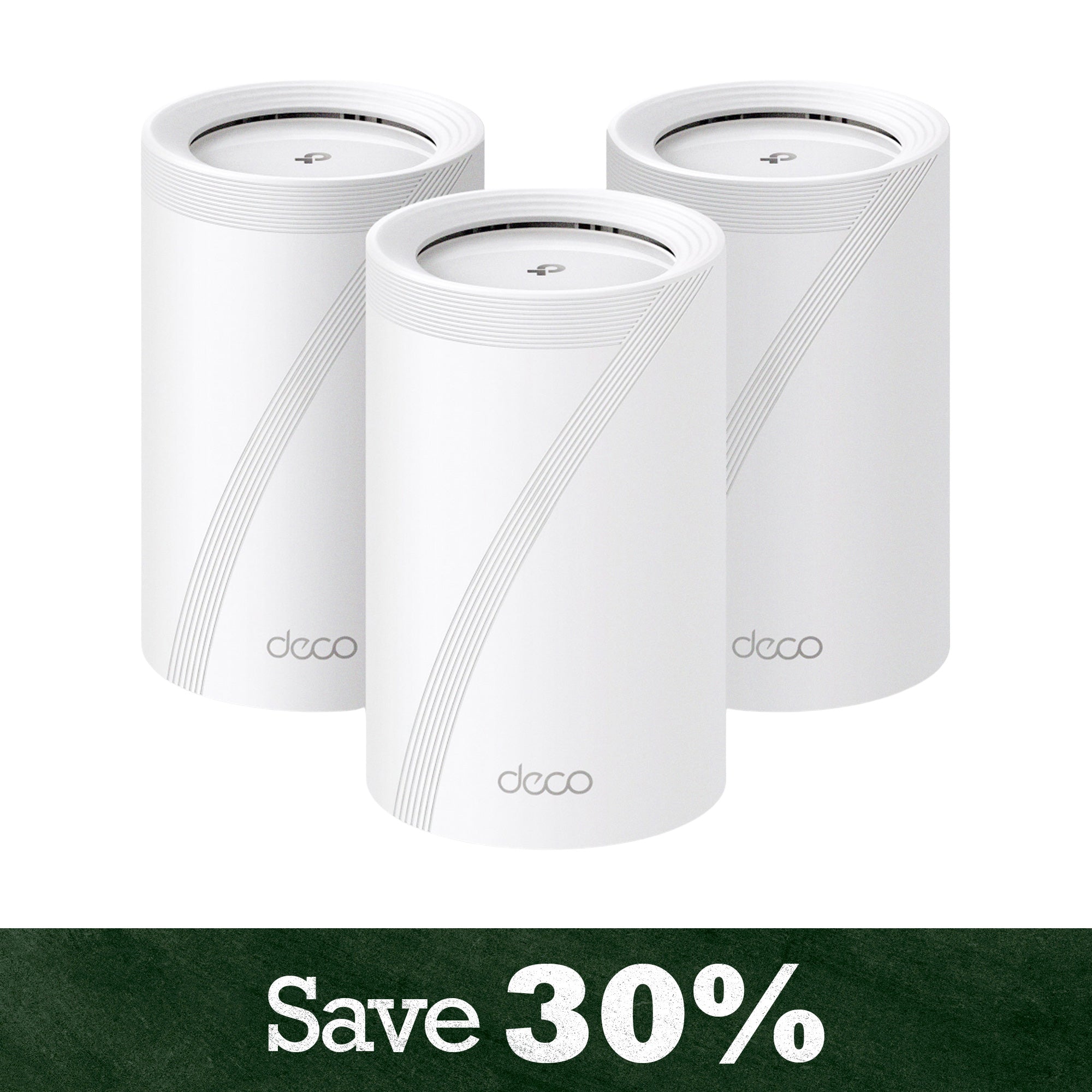
Credit: us.store.tp-link.com
Future Trends In Mesh Wifi
Mesh Wifi is growing more popular in homes. It helps connect all smart devices smoothly. Future trends show even more exciting developments.
As technology advances, mesh Wifi will play a bigger role. It will integrate with many smart devices and systems.
Integration With Iot Standards
Mesh Wifi will work well with IoT standards. This means devices from different brands can connect easily. Homes will become smarter and more efficient.
- Better compatibility between devices
- Improved security for smart homes
- Easier setup for new devices
Advancements In Wifi Technology
New Wifi technology will make mesh networks faster. This helps when streaming video or playing online games. Devices will connect quicker and stay connected longer.
- Faster internet speeds
- Lower latency for gaming
- Increased range for large homes
Smart Home Ecosystem Growth
As more people use smart devices, the smart home ecosystem grows. Mesh Wifi supports this growth by providing a stable connection. This makes smart homes more reliable.
- More smart devices in homes
- Better user experience
- Increased energy efficiency
Frequently Asked Questions
What Is Mesh Wifi For Home Automation Devices?
Mesh WiFi is a system using multiple nodes to create seamless, strong WiFi coverage. It ensures smart devices stay connected without interruptions. This improves the performance of home automation by reducing dead zones and enhancing signal reliability.
How Does Mesh Wifi Improve Smart Home Connectivity?
Mesh WiFi spreads WiFi signals evenly throughout your home. It eliminates weak spots and boosts device connections. This results in faster response times and stable connections for smart home devices like lights, cameras, and thermostats.
Can Mesh Wifi Handle Many Home Automation Devices?
Yes, mesh WiFi supports multiple devices simultaneously. It balances network traffic efficiently, preventing congestion. This ensures all smart devices work smoothly without slowing down your internet speed.
Is Mesh Wifi Better Than Traditional Routers For Smart Homes?
Mesh WiFi outperforms traditional routers by offering wider coverage and better signal strength. It adapts to your home layout, providing consistent connectivity for automation devices. This leads to fewer dropouts and improved smart home performance.
Conclusion
Mesh WiFi helps keep your home automation devices connected. It spreads WiFi signals evenly in every corner of your house. This means fewer dead zones and stronger connections. Your smart lights, cameras, and speakers work without interruptions. Setup is simple and fits any home size.
Choose a mesh system to make your smart home reliable. Enjoy smooth control and faster responses every day. Trust mesh WiFi to support all your smart gadgets easily.