Are you tired of slow internet and constant buffering? You might be wondering if a tri band router is the solution you need.
With so many options out there, it’s easy to feel overwhelmed. But what if one device could give you faster speeds, better coverage, and smoother connections for all your devices? You’ll discover what a tri band router really is, how it can impact your home network, and whether it’s the right choice for you.
Keep reading to find out how to boost your Wi-Fi experience and make your internet work smarter, not harder.
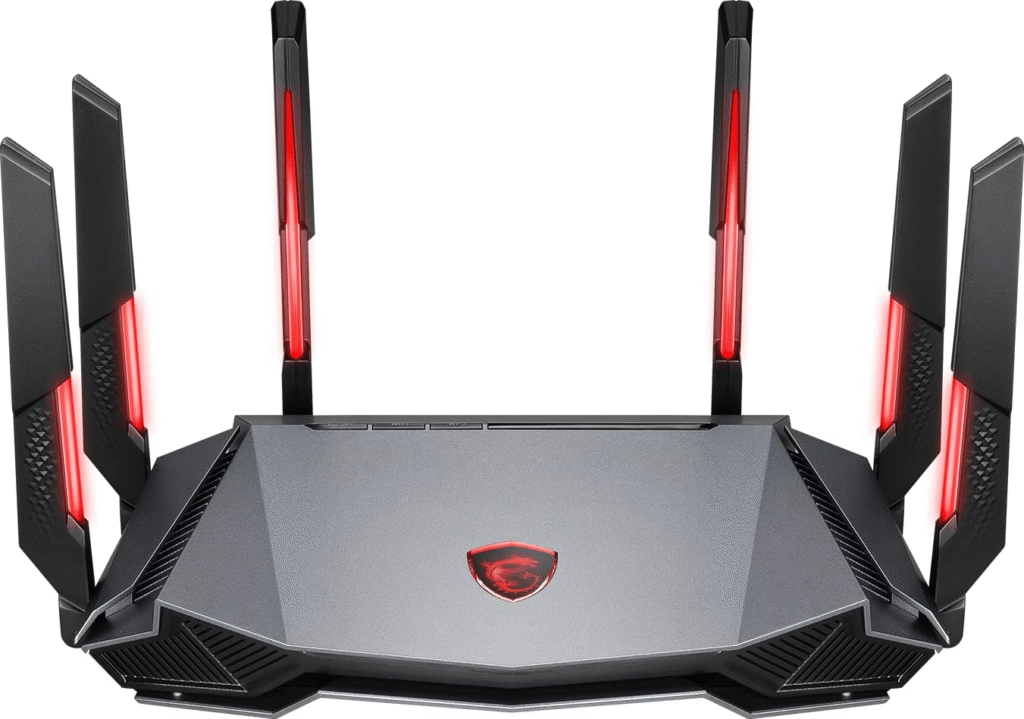
Credit: blog.jazzcybershield.com
Tri Band Router Basics
Understanding the basics of a tri band router is essential before deciding if it fits your home or office network needs. These routers offer more than just additional bands; they aim to improve your internet experience by managing traffic more efficiently. Let’s break down what tri band routers are all about and how they might impact your connection.
How Tri Band Works
A tri band router broadcasts three separate wireless bands: one 2.4 GHz band and two 5 GHz bands.
This setup allows more devices to connect without slowing down the network, as each band handles different traffic.
Think of it as having three lanes on a highway instead of one or two, reducing congestion and improving overall speed.
Differences From Dual Band
Dual band routers offer two frequency bands: 2.4 GHz and 5 GHz.
Tri band adds an extra 5 GHz band, providing more capacity for devices and less interference during heavy use.
If you have many smart devices or stream high-definition content, this extra band can make a noticeable difference.
Common Uses
- Homes with multiple users streaming, gaming, or working simultaneously
- Offices where many devices connect and require stable, fast internet
- Smart homes with numerous IoT devices that need consistent connectivity
Ask yourself: Are your current devices slowing down your network? If so, a tri band router could help manage the load better.
Wi-fi Speed Factors
Wi-Fi speed depends on many factors. Some affect how fast data moves. Others influence how stable the connection stays. Understanding these helps decide on the right router. Tri band routers can offer better speed but only if other factors align well.
Router Hardware Impact
The router’s hardware plays a big role in speed. A strong processor handles data faster. More antennas improve signal strength. Newer models support faster Wi-Fi standards. Older routers may slow down with many devices. Tri band routers have extra bands. This lets them manage traffic better on busy networks.
Network Congestion
Network congestion happens when many devices use Wi-Fi. This slows down speed for everyone. Tri band routers separate devices across three bands. This reduces traffic on each band. Less traffic means better speed and less lag. Crowded areas with many networks also cause congestion. Tri band routers help reduce interference from other networks.
Device Compatibility
Device compatibility affects Wi-Fi speed too. Some devices only support one or two bands. Older devices may not use tri band features. Newer devices work better with tri band routers. Using devices that match router bands improves speed. Mixing old and new devices can limit performance. Check device specs before upgrading your router.
Benefits Of Tri Band Routers
Tri band routers offer several benefits for home and office networks. They provide faster speeds, better device handling, and less interference. These advantages help improve your internet experience. Understanding these benefits can help you decide if a tri band router fits your needs.
Improved Speed
Tri band routers have three separate bands to carry data. Two bands operate on 5 GHz and one on 2.4 GHz. This setup allows more devices to connect without slowing down the network. It helps maintain fast internet speeds for streaming, gaming, and video calls.
Better Device Management
With tri band routers, devices can be spread across three bands. This reduces traffic on each band, making connections more stable. The router can assign devices to the best band automatically. It improves performance for multiple users at the same time.
Reduced Interference
Tri band routers reduce signal interference from other wireless devices. Using two 5 GHz bands separates traffic and minimizes congestion. This leads to a clearer and stronger Wi-Fi signal. It is especially useful in crowded areas or homes with many gadgets.
When To Choose Tri Band
Choosing a tri-band router can significantly enhance your internet experience. These routers offer an extra band, providing more channels for your devices. Knowing when to opt for a tri-band router is crucial. Let’s explore the scenarios where a tri-band router becomes essential.
Large Homes And Offices
In large homes, Wi-Fi coverage often becomes a challenge. Walls and distance weaken signals. A tri-band router can help. It covers expansive areas more effectively. It ensures strong connectivity in every corner. Offices with multiple rooms benefit similarly. Employees enjoy seamless internet without dead zones. This boosts productivity and satisfaction.
Multiple High-demand Devices
Modern homes have many smart devices. Phones, tablets, and smart TVs, all need internet. Tri-band routers manage this load efficiently. They allocate separate bands to devices. This reduces interference and congestion. Each device receives optimal bandwidth. The result is smoother performance and faster connections.
Gaming And Streaming Needs
Gamers and streamers require stable connections. Lag or buffering can ruin the experience. Tri-band routers offer dedicated channels. They provide low-latency connections for gaming. Streaming HD content becomes hassle-free. The additional band keeps high-demand activities uninterrupted. This ensures enjoyment without frustration.
Potential Drawbacks
Tri band routers promise faster speeds and better device management, but they are not without their downsides. Before deciding to buy one, it’s important to weigh the potential drawbacks carefully. Let’s take a closer look at some challenges you might face.
Higher Cost
Tri band routers usually come with a higher price tag compared to dual band or single band models. This extra cost might not always translate into noticeable benefits for everyone. If your household doesn’t have many devices or heavy internet users, you could be spending more without getting much in return.
Think about how much you’re willing to invest in your network. Are the speed improvements worth the extra dollars in your situation?
Complex Setup
Setting up a tri band router can be more complicated than simpler models. You’ll need to manage three different frequency bands, which might confuse users who are not tech-savvy. This can lead to frustration and wasted time if you’re not comfortable with network settings.
Even with good instructions, some users find that optimizing the router for best performance takes trial and error. Are you ready to spend time learning and tweaking your network?
Compatibility Issues
Not all devices can fully take advantage of tri band technology. Some older smartphones, laptops, or smart home gadgets might only support single or dual band connections. This means you won’t see much benefit if your devices can’t connect to the additional band.
Additionally, some network extenders or mesh systems may not work seamlessly with tri band routers. This could limit your ability to expand your network smoothly.
Have you checked whether your current devices and future upgrades will benefit from a tri band router? It’s an important step before making your purchase.
Comparing Popular Models
Choosing the right tri-band router can feel overwhelming with so many models on the market. Comparing popular options helps you find one that fits your budget, meets your speed needs, and performs reliably. Let’s dive into what makes some models stand out and how user feedback can guide your choice.
Top Tri Band Routers
Some tri-band routers consistently top the charts for speed and coverage. Models like the Asus ROG Rapture GT-AX11000and Netgear Nighthawk AX12offer excellent performance for gaming and streaming. They support multiple devices without slowing down, which is crucial if you have a busy household or a smart home setup.
However, these high-end routers come with premium price tags. If your usage is lighter, you might not need all the advanced features these models provide.
Value For Money
If you want a tri-band router that balances cost and performance, consider the TP-Link Archer AX90or the Linksys MR9600. They deliver strong Wi-Fi speeds and good coverage but at a more accessible price. These routers often have user-friendly apps for setup and management, making them ideal if you prefer a hassle-free experience.
Ask yourself: Are you paying for features you’ll actually use? Sometimes a mid-range model offers everything needed without the extra cost of flagship devices.
User Reviews
Reading user reviews uncovers real-world performance and potential issues. For instance, some users praise the Netgear Nighthawkfor stable connections, but others mention occasional firmware bugs. The community feedback on forums and retailer sites can highlight whether a router handles multiple devices well or struggles with certain internet providers.
Pay attention to common complaints and how the manufacturer responds. A company that regularly updates software and listens to customers can save you headaches later.
Tips To Maximize Wi-fi Speed
Maximizing your Wi-Fi speed enhances your internet experience significantly. Small changes around your home can boost signal strength and reduce interruptions. These simple tips help you get the most from your tri band router and internet plan. Follow these easy steps to enjoy faster, more stable connections.
Optimal Router Placement
Place your router in a central location inside your home. Avoid corners, walls, and metal objects that block signals. Higher positions, like shelves or tables, improve signal reach. Keep the router away from devices that cause interference, such as microwaves or cordless phones. Open spaces allow the signal to travel better.
Firmware Updates
Regularly update your router’s firmware for better performance and security. Updates fix bugs and improve speed and stability. Check your router’s settings or the manufacturer’s website to find updates. Set automatic updates if the router supports it. Staying current ensures your router runs smoothly.
Network Security
Secure your Wi-Fi network to prevent unauthorized access. Use strong passwords with a mix of letters and numbers. Enable WPA3 or WPA2 encryption for better protection. Limit the number of connected devices to avoid slowdowns. A secure network keeps your internet fast and safe from intruders.
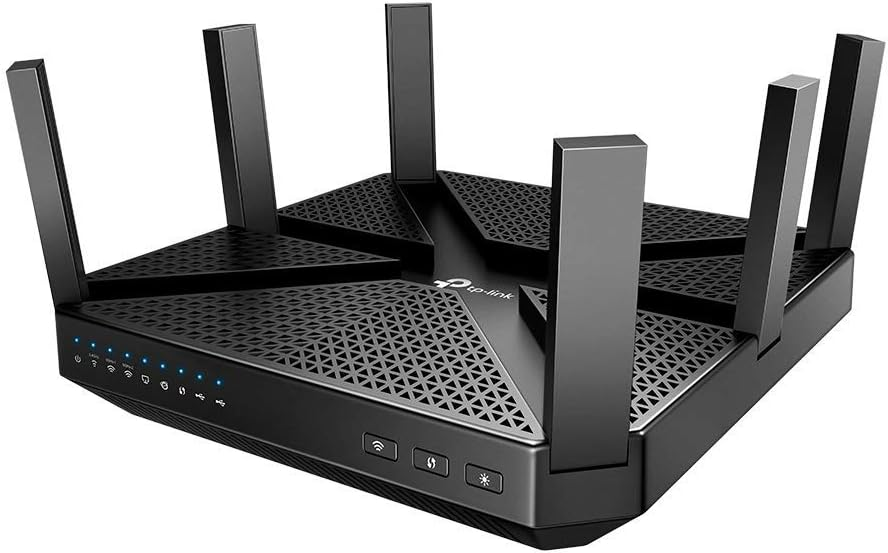
Credit: blog.jazzcybershield.com

Credit: www.amazon.ca
Frequently Asked Questions
What Is A Tri Band Router?
A tri band router has three separate frequency bands. It includes one 2. 4 GHz and two 5 GHz bands. This setup reduces network congestion and improves overall speed and connectivity.
Who Should Buy A Tri Band Router?
People with many devices or heavy internet use benefit most. Tri band routers handle multiple connections smoothly, ideal for gaming, streaming, or smart homes.
How Does A Tri Band Router Improve Wi-fi?
It balances traffic across three bands, reducing interference. This leads to faster speeds, better coverage, and fewer dropped connections in busy networks.
Is A Tri Band Router Worth The Extra Cost?
If you need strong, fast Wi-Fi for many devices, yes. It offers better performance and future-proofs your network, justifying the higher price.
Conclusion
A tri band router can improve your internet experience. It offers more connections and less traffic. This helps when many devices use Wi-Fi at once. It suits large homes or busy networks well. Yet, it costs more than simpler models.
Think about your needs and budget first. Choose what fits your daily internet use best. A good router makes online time smoother and faster. Consider tri band if you want steady and fast Wi-Fi for many devices.