A frustrating home network changes how you work, stream, game, and even relax. If you have dead zones, video calls that freeze, or a router that needs constant rebooting, a mesh Wi-Fi system is the most practical fix for most households. Two names dominate the conversation: TP-Link Deco and Amazon's Eero. Both replace a single router with multiple nodes that work together to blanket your home in consistent signal.
But they are not interchangeable. They take different approaches to hardware, software, subscription pricing, and ecosystem integration. In this guide, you will learn how the current Deco and Eero lineups compare on speed, coverage, setup, security, long-term cost, and real-world reliability — so you can choose the system that actually fits your floor plan and budget. For more on this, see our guide on best long range wifi extender with 360 coverage.
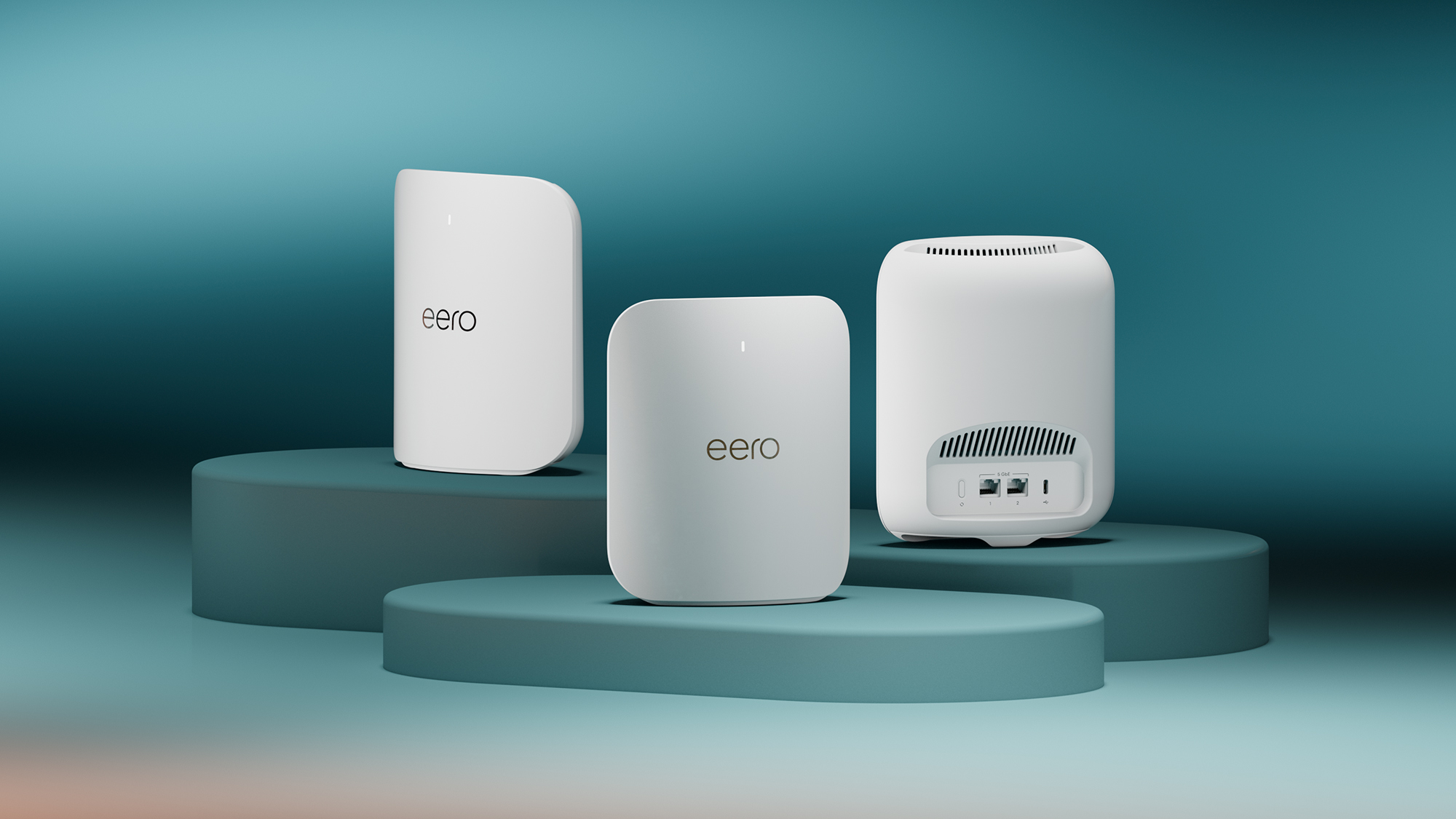
Both brands offer compact nodes that blend into a room, but internal hardware and software differ significantly.
At a Glance: Deco vs Eero in 2026
| Category | TP-Link Deco | Eero |
|---|---|---|
| Wi-Fi standards | Wi-Fi 5 up to Wi-Fi 7 | Wi-Fi 5 up to Wi-Fi 7 |
| Entry price | Usually lower | Usually higher |
| Advanced security | HomeShield subscription | eero Plus subscription |
| Smart home integration | Alexa, Google, IFTTT | Alexa-first, Thread border router |
| App complexity | Feature-rich | Simplified, guided |
| Backhaul flexibility | Ethernet + wireless | Ethernet + wireless on select models |
| Best for | Budget, customisation, Android | Simplicity, Apple homes, Alexa homes |
This table is a starting point. The right answer depends on your home size, internet speed, device mix, and how much control you want.
Understanding Mesh Wi-Fi: Why It Matters
Before comparing products, it helps to know what a mesh system actually does. A traditional router broadcasts from one point. Walls, floors, appliances, and distance weaken that signal. A mesh system uses two or more nodes placed around your home. These nodes communicate with each other to create a single seamless network with one name and one password. For more on this, see our guide on best long range wifi extender with fast setup.
When you walk from the living room to the bedroom, your phone automatically switches to the strongest node without dropping the connection. This is different from a router plus a basic range extender, which often creates a second network name and can cut throughput in half.
Key terms you will see in this comparison:
- Node: one physical mesh unit.
- Backhaul: the connection between nodes. Wired backhaul uses Ethernet; wireless backhaul uses a dedicated radio band on higher-end tri-band systems.
- Band steering: the system's ability to guide devices to the least congested band (2.4 GHz, 5 GHz, or 6 GHz).
- Client steering: similar, but it directs a device to the strongest node rather than letting it cling to a distant one.
- MU-MIMO and OFDMA: technologies that let a node talk to multiple devices simultaneously rather than one at a time.
In practice, a well-placed two-node mesh kit often outperforms an expensive single router in a multi-storey home. That is why the category has grown so quickly. For more on this, see our guide on best outdoor wifi mesh extender.
Current Lineups: What You Can Buy Now
Both brands refreshed their hardware significantly in the last few years. As of 2026, you will find a mix of older budget models still on shelves and newer Wi-Fi 6E and Wi-Fi 7 systems at the top end.
TP-Link Deco Models Worth Considering
TP-Link's Deco line spans a wide price range, which is one of its biggest strengths. You can spend a little or a lot and still get the same core app experience. For more on this, see our guide on wifi 6 vs wifi 7 for offices.
- Deco S4: a budget Wi-Fi 5 option, still sold in many markets. Fine for smaller homes and basic browsing, but not future-proof.
- Deco X55 and X60: solid mid-range Wi-Fi 6 kits. Good balance of price and performance for homes with internet plans up to around 1 Gbps.
- Deco XE75 and XE75 Pro: Wi-Fi 6E with a 6 GHz band, which adds capacity and reduces interference in dense areas.
- Deco BE65 and BE85: Wi-Fi 7 systems with multi-gig Ethernet ports and support for the newest client devices. The BE85 is aimed at large homes and heavy multi-gig connections.
- Deco BE63: a more affordable Wi-Fi 7 entry point, often compared directly with the Eero Pro 7.
The Deco line also includes outdoor units, powerline hybrid options, and PoE models in select regions. This breadth means you can usually find a kit that matches your exact square footage without overpaying.
Eero Models Worth Considering
Eero keeps its lineup smaller and easier to navigate. The philosophy is simplicity: fewer choices, clearer recommendations. For more on this, see our guide on best high end router with wifi 7.
- Eero 6+: the current entry Wi-Fi 6 model. Supports up to 75+ devices and is designed for homes up to about 1,500 square feet per node.
- Eero Pro 6E: adds a 6 GHz band and faster wireless backhaul. A strong mid-range option for gigabit connections.
- Eero Max 7: the flagship Wi-Fi 7 system with 10-gig and 2.5-gig Ethernet ports, tri-band design, and support for the latest smart home standards.
- Eero PoE 6: a newer option for custom installations, powered over Ethernet, aimed at ceiling or wall mounting in structured wiring setups.
- Eero Beacon: an older plug-in extender, still available on the secondary market, but largely replaced by newer hardware.
Eero hardware is designed in-house and tightly integrated with Amazon services. If you use Alexa heavily, the Max 7 doubles as a Thread border router and smart home hub, which is a genuine differentiator.
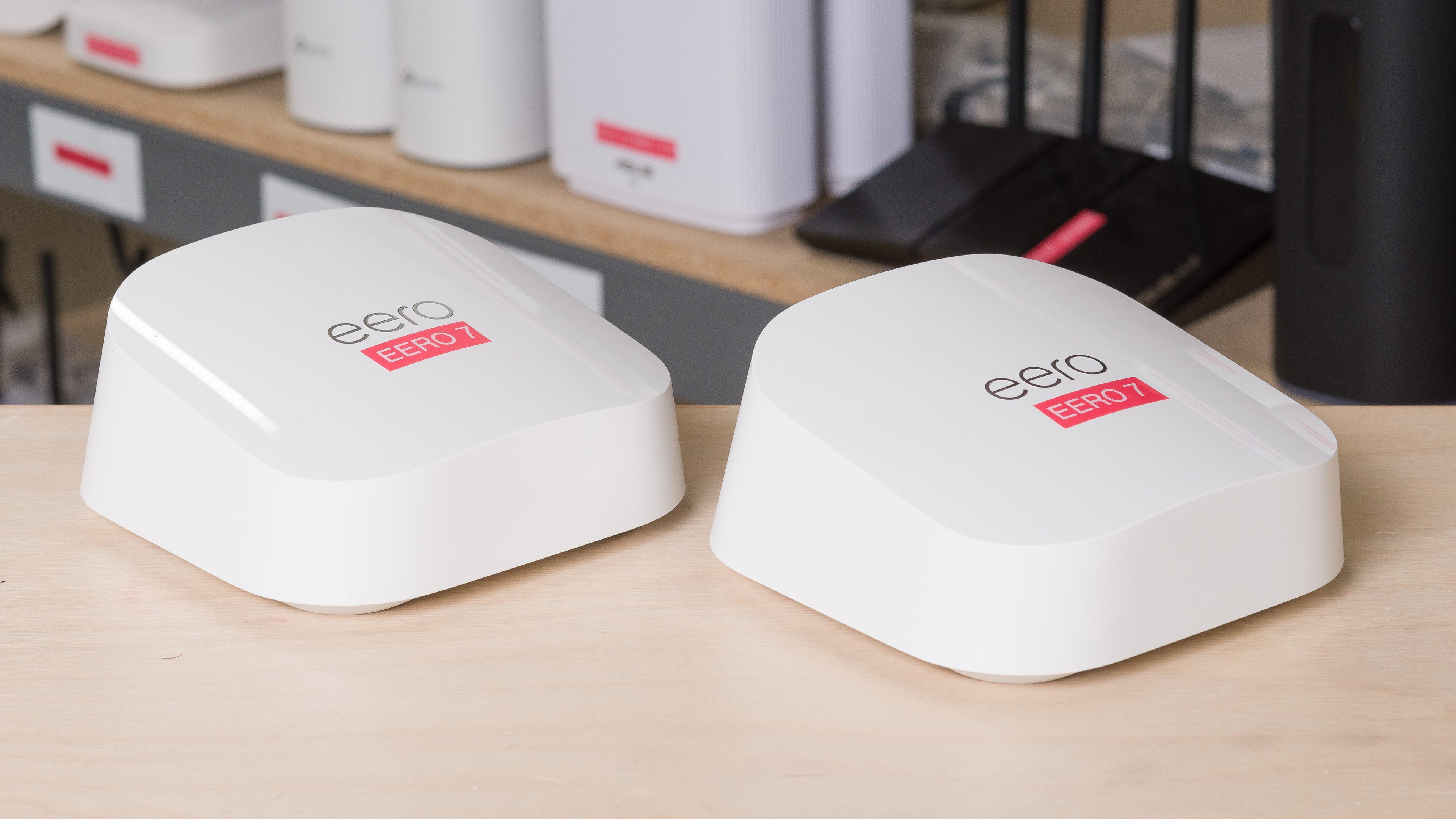
The Eero Max 7 shows Eero's signature minimalist design, built to sit in the open rather than hide in a cabinet.
Head-to-Head: Speed and Coverage
Real-World Performance Patterns
Raw speed specifications do not tell the full story. What matters is sustained throughput at distance, through walls, and with many devices active.
In practice, Deco and Eero systems are close in everyday use. Both deliver enough bandwidth for 4K streaming, video calls, and online gaming. The difference appears at the edges of coverage and under heavy simultaneous load.
Deco Wi-Fi 7 systems like the BE85 and BE63 tend to hold higher speeds at longer distances in large homes, especially when using wired backhaul. Eero's Max 7 counters with excellent latency consistency and strong software-based traffic management.
A common mistake is buying a Wi-Fi 7 system while still using a 100 Mbps internet plan and older client devices. The mesh kit will not magically make that connection faster. The system can only distribute what it receives.
Signal Strength at Distance
Signal strength depends on node placement, construction materials, and interference from neighbours. Both brands recommend placing nodes in open areas, not inside cabinets or behind large furniture.
| System | Typical Coverage Per Node | Backhaul Type |
|---|---|---|
| Deco S4 / X55 | ~1,500–2,000 sq ft | Wireless, dual-band |
| Deco XE75 | ~2,200 sq ft | Wireless, dedicated 6 GHz |
| Deco BE85 | ~3,000 sq ft | Wireless + wired 10G option |
| Eero 6+ | ~1,500 sq ft | Wireless, dual-band |
| Eero Pro 6E | ~2,000 sq ft | Wireless, dedicated 6 GHz |
| Eero Max 7 | ~2,500–3,000 sq ft | Wireless + wired 10G option |
These are manufacturer-guideline ranges. Real-world coverage is often lower in older homes with plaster or concrete walls. If you live in a dense building with many competing networks, a tri-band system with a dedicated backhaul band usually performs better. For more on that trade-off, our guide to routers built for dense living environments explains how interference affects throughput.
Device Capacity and Traffic Handling
Modern homes easily have 50 to 100 connected devices: phones, laptops, TVs, speakers, cameras, thermostats, and more. Both systems handle this well, but their approaches differ.
Deco systems tend to expose more manual controls, such as per-device priority settings and bandwidth limits. Eero leans on automation, using its software to balance traffic without requiring user intervention.
For high-traffic households with heavy simultaneous use — such as multiple 4K streams, large downloads, and video calls at once — either brand works, but you will want at least a tri-band model. Dual-band budget kits begin to show strain earlier. If your household pushes a network harder than most, our guide to routers for busy households covers what to look for beyond the marketing numbers.
Setup Experience: The First 15 Minutes
Both brands have refined their setup into a guided smartphone experience. You plug in the first node near your modem, open the app, and follow on-screen prompts. The app then helps you place additional nodes by measuring signal quality between them.
- Deco setup: the Deco app detects each node automatically, runs a placement check, and lets you name rooms. It also offers more options during setup, such as choosing connection type and review settings early.
- Eero setup: the Eero app is arguably the simplest in the industry. It uses Bluetooth to find the first node, applies firmware updates automatically, and gives clear visual confirmation when each satellite has a strong connection.
In practice, both can be running in under 15 minutes if your modem and cabling are ready. Eero feels slightly more polished for first-time users; Deco rewards people who want to adjust settings during initial install rather than after.
One tip: keep the first node out in the open near your modem. If you bury it behind a TV or inside a media cabinet before setup, the app will likely report poor placement and the rest of the network will suffer.
App and Network Management
The app is how you will live with the system long after setup. This is where the brands diverge most clearly.
Deco app: feature-rich and occasionally busy. You can see every connected device, run speed tests, set QoS priorities, create guest networks, view usage reports, and manage parental controls. Advanced users can adjust DNS, enable IPTV/VLAN settings, and fine-tune band steering. The trade-off is that some settings are hidden behind several taps, and the app has been known to push HomeShield subscription prompts.
Eero app: clean, minimal, and intentionally opinionated. It surfaces what most people need — device lists, pause internet, guest access, and speed tests — without much configuration depth. Advanced users may feel constrained, but the experience is consistent and hard to break.
If you want the network to "just work" with minimal input, Eero is the stronger choice. If you want to inspect, tinker, and fine-tune, Deco gives you more room. This is similar to the broader router market, where simplified consumer options and security-first home networking tools serve different users.
Security, Privacy, and Updates
Built-in Protection
Both systems support WPA3 encryption, automatic firmware updates, and guest networks out of the box. They also scan for threats at the network level and block known malicious sites when their subscription services are active.
Automatic updates are a genuine security advantage for both brands. Unlike many standalone routers that go months or years without a patch, Deco and Eero push updates in the background. You do not need to remember to log in and update manually.
Subscription Plans: HomeShield vs eero Plus
Both brands now gate advanced security behind a paid subscription. This is important because it changes the long-term cost of ownership.
- TP-Link HomeShield: includes parental controls, usage reports, IoT protection, and real-time threat detection. Basic features stay free, but the full security suite requires a subscription.
- eero Plus: includes advanced threat scanning, content filtering, ad blocking, and a password manager. Eero also offers a separate eero for Business tier in some regions.
Neither brand forces you to subscribe for core Wi-Fi performance. But if you want the strongest protection and family controls, factor the annual fee into your budget. The subscription model is now standard across mesh Wi-Fi, and both companies are transparent about what is free versus paid on their official product pages.
Price and Long-Term Value
Entry Kits
TP-Link Deco almost always wins on upfront cost. Budget two-packs and three-packs frequently undercut equivalent Eero kits, especially during sales. If you are covering a modest home and do not need the newest standard, a Deco Wi-Fi 6 kit can be excellent value.
Eero positions itself as a premium, design-led product. You pay more for the hardware, the polished app, and the Amazon ecosystem integration. Some Eero models include a built-in smart home hub, which can replace a separate Zigbee or Thread border router.
Expansion Costs
Both systems sell nodes individually so you can add coverage later. Deco add-on nodes are usually cheaper. Eero expansion is straightforward, but individual units can cost noticeably more, particularly for the Max 7 and Pro models.
The Subscription Factor
Here is where value gets complicated. A cheap Deco kit plus a HomeShield subscription may cost more over five years than a mid-range Eero kit with one year of eero Plus included. When comparing prices, look at the total: hardware plus expected subscription fees, not just the sticker price.
Which System Suits Your Needs?
Best for Large Homes
For homes over 3,000 square feet or multi-storey layouts, a tri-band or Wi-Fi 7 system with strong backhaul matters most. The Deco BE85 and Eero Max 7 are the flagship picks. Deco often provides more flexibility with wired backhaul across multiple nodes, while Eero Max 7 offers excellent wireless performance and smart home features. If you want the newest Wi-Fi 7 hardware, both brands deliver; the choice comes down to app preference and budget.
Best for Budget-Conscious Buyers
TP-Link Deco is the clear winner here. A Deco X55 or X60 kit covers most homes at a fraction of the cost of a comparable Eero setup. You sacrifice some polish and smart home integration, but core Wi-Fi reliability is excellent. If you are price-sensitive, start with Deco.
Best for Smart Homes and Apple Households
Eero has an edge if your home revolves around Alexa, Apple HomeKit, or Thread devices. Many Eero models act as a Thread border router and integrate deeply with Amazon's ecosystem. Apple users also report smooth experiences with Eero, though Deco works fine with iPhones and Macs too. For Apple-centric homes looking for the simplest path, our guide to Apple-friendly high-end routers offers additional context.
Best for Advanced Users and Gamers
Deco gives advanced users more control: manual channel selection, detailed QoS, and broader compatibility with third-party settings. Gamers may also appreciate the ability to prioritise specific devices. However, if gaming latency is your top priority, you may want to compare these mesh kits against a dedicated gaming router built for that purpose.
Common Mistakes to Avoid When Choosing
- Buying too much system for your internet plan. A Wi-Fi 7 mesh kit on a 100 Mbps connection will not feel faster than a Wi-Fi 6 kit. Match the hardware to your plan.
- Ignoring subscription costs. A low upfront price can hide a higher five-year total once security subscriptions are added.
- Placing nodes poorly. Mesh nodes need to talk to each other. Spacing them too far apart, or hiding them inside cabinets, cripples performance more than any spec difference.
- Overlooking wired backhaul potential. If your home has Ethernet ports, using them to connect nodes can transform performance on both systems. Check whether your chosen model supports it before buying.
- Assuming more nodes always equals better coverage. Too many nodes in a small home can cause interference and frequent handoffs. Start with the recommended count for your square footage and add only if needed.
Conclusion: The Right Choice for Most People
If you want the best value, broader hardware options, and more manual control, TP-Link Deco is the stronger pick. It covers almost every budget, offers Wi-Fi 7 options that rival Eero's flagships, and gives advanced users room to tinker.
If you want the simplest setup, a cleaner app, and tight integration with Alexa or Apple HomeKit, Eero is worth the premium. It trades customisation for consistency and remains one of the most reliable mesh experiences available.
For most households, a mid-range Deco Wi-Fi 6E or Wi-Fi 7 kit delivers fast, stable coverage at the best price. For those who value ease and smart home integration over cost, Eero is the natural fit. Whichever you choose, prioritise total cost of ownership, placement quality, and your actual internet speed — that is how you get fast, dependable coverage in every room.
If you are still weighing broader router options beyond mesh, our guide to Wi-Fi 6 versus Wi-Fi 7 in practical terms can help you decide which standard your home actually needs.