If you’re serious about gaming, you know how frustrating lag and slow connections can be. Your heavy gaming setup demands more than just any router—it needs power, speed, and stability.
That’s where a tri band router comes in. Imagine having multiple channels working at once, giving your games the smooth, uninterrupted connection they deserve. Ready to level up your gaming experience? Keep reading to discover why a tri band router is the game-changer your setup needs.
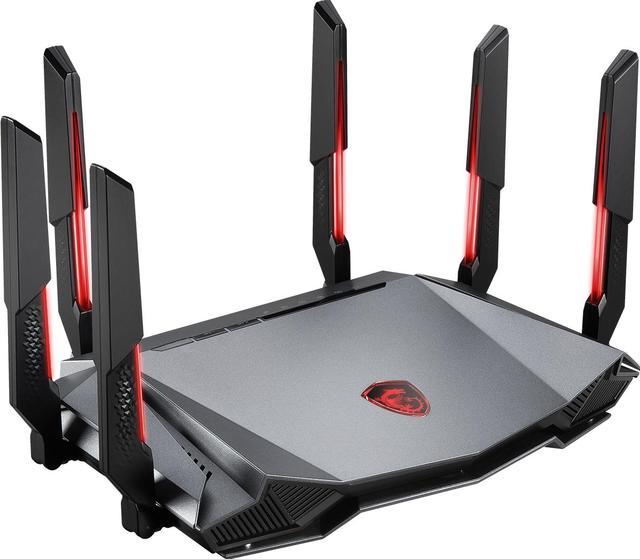
Credit: www.newegg.ca
Why Tri Band Matters For Gaming
Choosing a tri band router can make a noticeable difference in your gaming setup. It’s not just about faster speeds but about managing your network traffic smartly. With multiple bands, your devices get more breathing room, which is vital during intense gaming sessions where every millisecond counts.
Bandwidth Benefits
Tri band routers offer three separate channels to transmit data. This means you get one 2.4 GHz band and two 5 GHz bands working simultaneously. The extra 5 GHz band is a game changer for gaming because it handles high-speed data with less interference.
If you’ve ever experienced lag spikes despite having a fast internet plan, your bandwidth might be shared by too many devices. A tri band router lets you dedicate one 5 GHz band exclusively to your gaming console or PC, while other devices use the remaining bands. This setup ensures your game data flows smoothly without competing for bandwidth.
Reducing Network Congestion
Network congestion can kill your gaming experience. When multiple devices try to use the same channel, the network slows down, causing lag or dropped connections. Tri band routers help by spreading devices across three bands, reducing traffic jams on your network.
Imagine a household where everyone streams videos, joins video calls, and plays games at the same time. A dual band router might struggle, but a tri band router keeps things running without hiccups. Have you noticed how your gameplay improves when fewer devices share the same band? Tri band routers give you that advantage consistently.
Key Features To Look For
Choosing the right tri band router makes a big difference for heavy gaming setups. Certain features help keep your connection fast and stable. These features reduce lag and improve overall gameplay. Knowing what to check saves time and avoids frustration.
High-speed Wireless Standards
Look for routers supporting the latest wireless standards like Wi-Fi 6 or Wi-Fi 6E. These standards offer faster speeds and better performance. They handle many devices at once without slowing down. This feature is important for smooth gaming and streaming.
Advanced Qos Settings
Quality of Service (QoS) settings prioritize gaming traffic over other internet use. This keeps your game data moving quickly even if others use the network. Advanced QoS lets you control bandwidth allocation for different devices. It helps reduce lag and interruptions during intense gaming sessions.
Multiple Gigabit Ports
Wired connections are faster and more stable than wireless. A good tri band router has several gigabit Ethernet ports. This allows you to connect gaming consoles, PCs, and other devices directly. Multiple ports support multiple devices without losing speed or quality.
Top Tri Band Routers For Gamers
Choosing the right tri band router is vital for a smooth gaming experience. These routers offer three separate frequency bands. This setup reduces lag and keeps your connection stable. Gamers benefit from faster speeds and less interference. Here are some top tri band routers suited for heavy gaming setups.
Best Overall Performance
- High-speed connections across multiple devices
- Strong coverage for large gaming areas
- Advanced QoS to prioritize gaming traffic
- Robust build and reliable firmware updates
These models handle intense gaming sessions without dropping signals. They support multiple players and devices smoothly. Perfect for gamers who demand top-tier performance.
Budget-friendly Options
- Affordable prices with solid features
- Good speed and coverage for small to medium rooms
- Easy setup and user-friendly interfaces
- Decent gaming prioritization options
These routers balance cost and quality well. Ideal for gamers who want good performance without high costs. They ensure stable gameplay and reduce lag.
Premium Models
- Cutting-edge technology and fastest speeds
- Multiple high-gain antennas for wide coverage
- Customizable settings for expert users
- Extra features like gaming dashboards and security
Premium routers offer the best gaming experience possible. They support ultra-fast connections and many devices. Designed for gamers who want the ultimate setup.
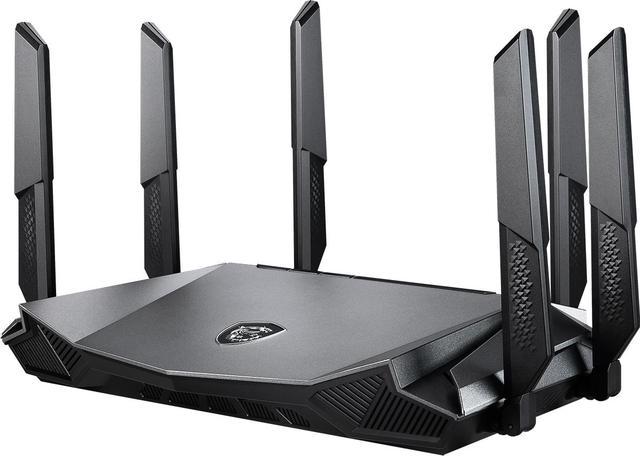
Credit: www.newegg.ca
Optimizing Router Settings
Optimizing your tri-band router settings enhances your heavy gaming setup. Proper adjustments can reduce lag and improve connection quality. By focusing on a few key areas, you can maximize your gaming experience.
Channel Selection Tips
Choosing the right channel reduces interference from other networks. Check your router’s admin page. Identify channels with less traffic. Avoid common channels like 1, 6, and 11. Use a Wi-Fi analyzer tool. It helps pinpoint the best channel for your network.
Firmware Updates
Keep your router firmware updated for optimal performance. Manufacturers release updates for security and speed enhancements. Visit the router’s support page regularly. Download and install the latest firmware. This helps ensure your router runs smoothly.
Security Enhancements
Securing your network protects against unauthorized access. Change the default admin password. Use a strong, unique password for your Wi-Fi. Enable WPA3 encryption if available. Turn off WPS for added security. Regularly review connected devices and block unknown ones.
Setting Up For Heavy Gaming
Setting up a tri band router for heavy gaming needs careful planning. Every detail affects your gaming experience. From where you place the router to how you connect your devices, each step matters. A strong and stable connection reduces lag and keeps your gameplay smooth. Follow these tips to build the best gaming setup.
Placement Strategies
Place the router in a central spot in your home. Avoid walls and large metal objects that block signals. Higher locations often work better than the floor. Keep the router away from other electronics that cause interference. Open spaces help signals travel farther. Test different spots to find the best signal strength.
Wired Vs Wireless Connections
Wired connections offer the fastest and most stable link. Use Ethernet cables for your main gaming devices. Wireless connections give more freedom but can have delays. Use the 5GHz band for faster speeds and less interference. Keep wireless devices close to the router for better performance. Use wired connections for consoles and PCs, wireless for phones and tablets.
Managing Multiple Devices
Tri band routers handle many devices better than single or dual band models. Assign devices to different bands to reduce congestion. Use the 5GHz bands for gaming and video streaming. Let less critical devices use the 2.4GHz band. Prioritize gaming traffic in your router’s settings to keep lag low. Regularly check connected devices and disconnect those not in use.

Credit: www.ign.com
Troubleshooting Common Issues
Troubleshooting common issues with a tri band router helps maintain smooth gaming. Problems like lag, signal interference, and connectivity drops can disrupt gameplay. Addressing these quickly keeps your setup running at its best.
Dealing With Lag And Latency
Lag and latency hurt your gaming experience. Check your router’s placement first. Keep it away from walls and metal objects. Use the 5GHz band for gaming devices to reduce interference. Close background apps that use bandwidth. Restart your router to clear temporary issues. Update your router’s firmware for better performance.
Signal Interference Solutions
Signal interference comes from other wireless devices. Microwaves, cordless phones, and Bluetooth gadgets cause problems. Change your router’s channel to avoid crowded frequencies. Use a Wi-Fi analyzer app to find the best channel. Position the router centrally in your home. Use wired Ethernet connections for critical gaming devices. This reduces interference and improves speed.
Reset And Restore Options
Resetting the router fixes many issues. A soft reset restarts the device without losing settings. A hard reset restores factory defaults and erases all settings. Use a soft reset first if possible. Back up your settings before a hard reset. Reconfigure your network settings after the reset. This often clears persistent bugs and connection problems.
Frequently Asked Questions
What Is A Tri Band Router For Gaming?
A tri band router offers three separate Wi-Fi bands. It reduces network congestion, providing faster speeds and lower latency. This is ideal for heavy gaming setups where multiple devices need reliable connections simultaneously.
How Does A Tri Band Router Improve Gaming Performance?
Tri band routers allocate devices across three bands, minimizing interference. This reduces lag and ensures stable connections during intense gaming sessions. Gamers experience smoother gameplay and faster response times with optimized bandwidth distribution.
Can Tri Band Routers Handle Multiple Gaming Devices?
Yes, tri band routers efficiently support multiple gaming devices. They prevent bandwidth bottlenecks by spreading traffic over three bands. This keeps each device connected with optimal speed, enhancing multiplayer and streaming experiences.
Is A Tri Band Router Better Than Dual Band For Gamers?
Tri band routers offer more bandwidth and less interference than dual band models. This results in improved network stability and speed for gaming. Heavy gamers benefit from the enhanced capacity and reduced lag tri band routers provide.
Conclusion
Tri band routers offer strong and stable connections for heavy gaming. They reduce lag by managing multiple devices smoothly. Gamers experience faster speeds and less interference with these routers. Choosing the right tri band router improves your overall gaming setup.
It keeps your games running without interruptions or slowdowns. Investing in a quality router makes gaming more enjoyable. A solid network means fewer distractions and better focus. Tri band routers are a smart choice for serious gamers. Your heavy gaming setup deserves reliable and fast internet.