Are you tired of sluggish internet speeds and frustrating dead zones in your home? You might have invested in a tri-band WiFi extender to boost your connectivity, but are you maintaining it properly to ensure peak performance?
Just like any other tech gadget, your WiFi extender needs a bit of TLC to keep it running smoothly. You’ll discover simple yet effective maintenance tips that will ensure your extender performs at its best. Imagine seamless streaming, quick downloads, and uninterrupted browsing—all within your grasp.
Keep reading to unlock the secrets to maximizing your WiFi extender’s potential and making your internet experience smoother than ever.
Choosing The Right Location
Avoid placing the extender near devicesthat cause signal interference. Common culprits include microwaves, cordless phones, and baby monitors. Keep the extender away from thick walls or metal objects that block WiFi signals.
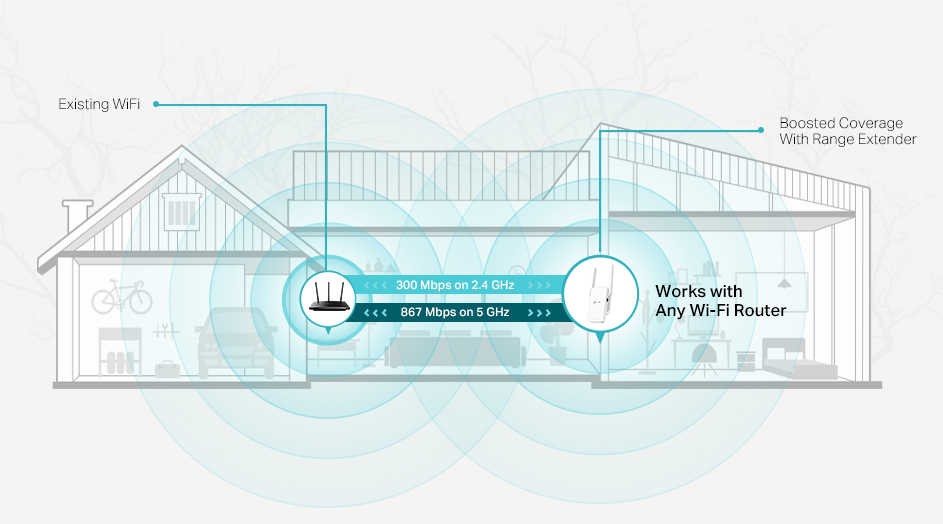
Maintain an optimal distance from the routerto ensure a strong connection. Too far weakens the signal; too close wastes coverage. Usually, a distance of 15 to 30 feet works well, depending on your home layout.
Elevated placement helps. Placing the extender on a shelf or high surface can boost signal reach. Avoid placing it on the floor or behind furniture for better performance.
Regular Firmware Updates
Checking for firmware updates helps keep your tri band WiFi extenderrunning smoothly. Updates fix bugs and add new features. Some extenders update automatically, while others need manual checks. Automatic updates save time and ensure you always have the latest software. Manual updates give you more control but require regular attention.
Firmware updates can improve speedand stability. They also fix security holes that could let hackers in. Without updates, your extender may slow down or lose connection often. Checking for updates monthly is a good habit.
| Update Type | Pros | Cons |
|---|---|---|
| Automatic | Happens without you, always current | Less control over timing |
| Manual | You choose when to update | May forget, risk outdated firmware |
Cleaning And Physical Care
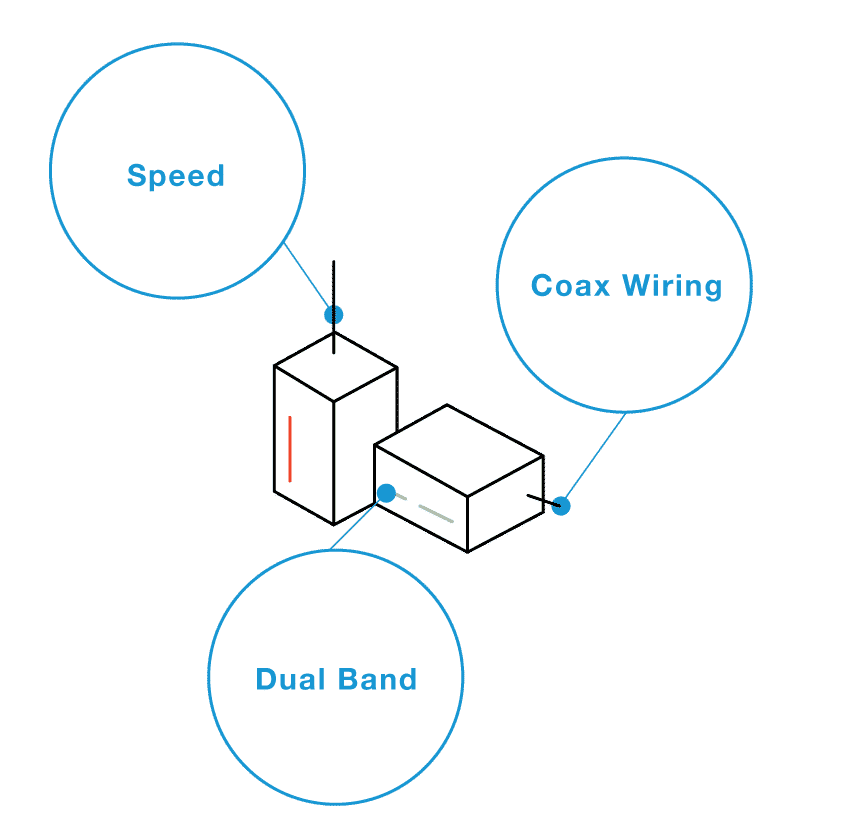
Dust buildupcan block vents and cause overheating. Use a soft brush or cloth to clean the extender gently. Avoid using water or liquid cleaners to prevent damage.
Keep the extender in a place with good airflow. Avoid placing it inside cabinets or near walls. Proper ventilation helps the device stay cool and work well.
- Use the original power adapter for stable power supply.
- Avoid unplugging the extender often to prevent power surges.
- Check power cords regularly for damage or wear.
- Keep the power connection dry and away from water sources.
Credit: www.screenbeam.com
Resetting And Rebooting
Resettingyour tri-band WiFi extender is useful when the device stops working well or loses connection. It clears old settings and fixes many problems quickly.
Rebootingmeans turning the extender off and on again. This can help improve performance without deleting settings.
- Unplug the extender from power.
- Wait about 10 seconds before plugging it back in.
- Allow the device a few minutes to fully restart.
- Check if the WiFi connection improves.
Frequent resets can cause wear and may hide bigger issues. Use resets only when necessary. Instead, try moving the extender to a better location or updating its firmware first.
Monitoring Network Performance
Speed test toolshelp check your network’s real-time performance. They show downloadand upload speeds. Use them at different spots to find weak areas.
Bottlenecks slow down your internet. Common causes include too many devices, distance, or interference. Spotting bottlenecks helps you fix slowdowns fast.
Adjusting extender settings can improve speed. Try changing the channelor band. Move the extender closer to your router. Restart devices after changes for best results.
Credit: www.tp-link.com
Securing Your Extender
Strong passwordsprotect your tri band wifi extender from hackers. Use a mix of letters, numbers, and symbols. Avoid simple words or easy-to-guess phrases. Change your password regularly to keep your network safe.
Encryptionhelps keep your data private. Always enable the highest level available, like WPA3 or WPA2. This stops outsiders from accessing your wifi signals and data.
Conduct regular security auditsto check for any weak spots. Update your extender’s firmware to fix bugs and improve security. Use apps or tools that scan your network for unusual activity.
Managing Connected Devices
Device prioritizationhelps manage your network better. Assign higher priority to devices you use most. This ensures smooth streaming and faster downloads on those devices.
Limiting bandwidth hogsstops some devices from slowing down others. Set limits on devices that use a lot of data. This keeps your internet fast for everyone.
Updating device firmwarekeeps your devices secure and working well. Check for updates often and install them. Updated firmware fixes bugs and improves performance.
Credit: www.signalbooster.com
Frequently Asked Questions
How Often Should I Update My Tri Band Wifi Extender Firmware?
Updating firmware every 3 to 6 months ensures optimal performance and security. Check the manufacturer’s website regularly for updates. Firmware updates fix bugs and improve device compatibility with new routers.
What Is The Best Location For A Tri Band Wifi Extender?
Place the extender halfway between your router and the weak signal area. Avoid obstacles like walls and metal objects. This position maximizes coverage and maintains strong signal strength for all devices.
How Do I Clean My Tri Band Wifi Extender Safely?
Unplug the device before cleaning. Use a soft, dry cloth to remove dust and debris. Avoid using water or cleaning sprays, which can damage internal components.
Why Should I Reboot My Tri Band Wifi Extender Regularly?
Rebooting clears cache and resolves connectivity issues. Restart the extender once a month to maintain stable performance. This simple step helps prevent network slowdowns and disconnections.
Conclusion
Keeping your tri-band WiFi extender clean helps maintain strong signals. Check and update its firmware regularly for best performance. Place the extender away from thick walls and electronic devices. Restart the device occasionally to clear any temporary issues. Simple care extends the life and improves the speed of your WiFi network.
Small steps make a big difference in your internet experience. Stay consistent with these tips for smooth, reliable coverage at home or work. Your WiFi will thank you.