Are you tired of slow WiFi and dead zones in your home? Finding the best Eero mesh WiFi system can change the way you connect to the internet.
Imagine seamless coverage in every corner, faster speeds, and no more frustrating drops. But with several Eero models available, how do you know which one fits your needs perfectly? This guide will help you choose the best Eero mesh WiFi system for your home, so you can enjoy strong, reliable WiFi right where you need it.
Keep reading to discover the key features, benefits, and expert tips that will make your decision easy.

Credit: www.amazon.ca
Eero Mesh Wifi Systems Overview
Eero mesh wifi systems help spread wifi signals across your home. They create a strong, fast internet connection in every room.
These systems include multiple devices that work together to cover large areas. This reduces dead zones and keeps your devices connected.
Eero Product Lineup
Eero offers different models for various home sizes and needs. Each model focuses on easy setup and reliable coverage.
| Model | Coverage Area | Speed | Number of Units |
| Eero 6 | Up to 1,500 sq ft | Up to 900 Mbps | 1-3 units |
| Eero Pro 6 | Up to 2,000 sq ft | Up to 1 Gbps | 1-3 units |
| Eero 6+ (Plus) | Up to 1,500 sq ft | Up to 900 Mbps | 1-3 units |
Key Features Across Models
All Eero models share features that improve wifi performance and ease of use. These features help keep your network secure and fast.
- Automatic updates for security and performance
- Easy app setup and network management
- Supports Wi-Fi 6 for faster speeds
- Works with Alexa for voice control
- Parental controls to manage device access
- Seamless roaming between units
How Mesh Wifi Works
Mesh wifi systems use several devices to create one large network. Each device is called a node. Nodes talk to each other to share the internet signal.
When you move around your home, your device connects to the closest node. This keeps your connection strong without dropping.
Mesh Wifi Benefits:
- Eliminates dead wifi spots
- Easy to add more nodes for bigger coverage
- Single network name for all nodes
- Better speed and reliability than range extenders
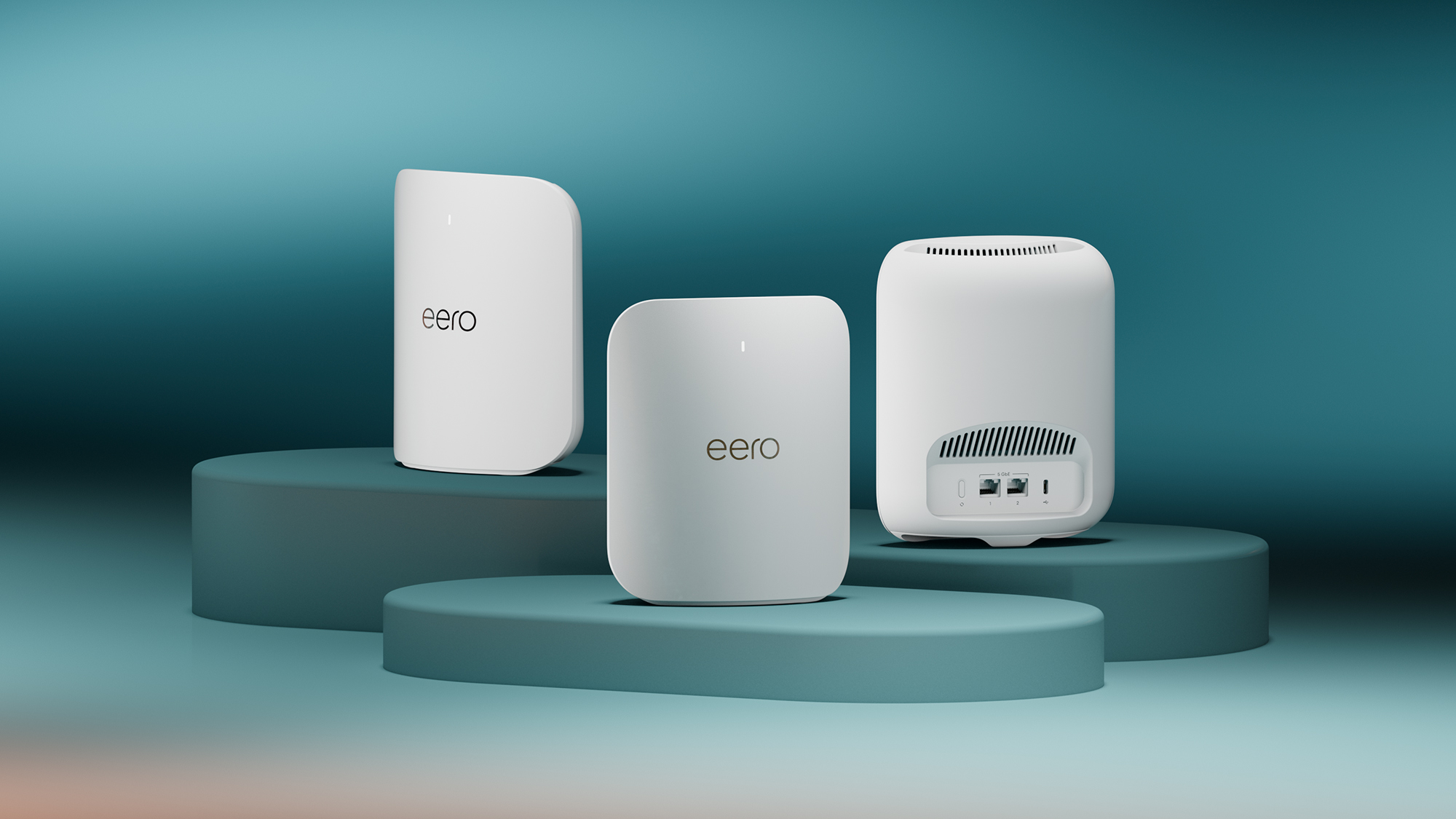
Credit: www.t3.com
Choosing The Right Eero System
Eero mesh WiFi systems help spread strong internet signals across your home. Picking the right system depends on your needs.
Think about your space, devices, and internet speed to find the best match for you.
Coverage Area Needs
Measure the size of the area where you want WiFi coverage. Bigger spaces need more Eero units.
Choose a system that fits your home’s square footage to avoid weak signals.
- Small apartments: 1 or 2 Eero units
- Medium homes: 2 to 3 units
- Large homes or multi-story: 3 or more units
Device Compatibility
Check if your devices support the WiFi standards used by the Eero system. Most support common devices.
Ensure your smartphones, laptops, smart TVs, and other gadgets will connect smoothly.
- Supports WiFi 5 (802.11ac) or WiFi 6 (802.11ax)
- Works with most smart home devices
- Compatible with major operating systems
Internet Speed Requirements
Match your Eero system to your internet plan speed. Higher speeds need systems that handle fast data.
If you have gigabit internet, pick a system with WiFi 6 for best results.
- Basic plans: Eero models with WiFi 5 are enough
- Faster plans: Choose WiFi 6 models
- Heavy streaming or gaming: Higher-end Eero units work better
Top Eero Models In 2025
Choosing the right mesh wifi system can improve your home network. Eero offers several models with different features.
Here are some of the top Eero models available in 2025. Each model suits different needs and budgets.
Eero Pro 6e
The Eero Pro 6E supports the latest Wi-Fi 6E standard. It offers faster speeds and less interference.
This model is ideal for large homes and heavy internet users. It can handle multiple devices at once without slowing down.
Eero 6 Plus
The Eero 6 Plus is a solid choice for most households. It supports Wi-Fi 6 and delivers reliable coverage.
- Good speed for streaming and gaming
- Easy setup and management
- Affordable price point
- Works well with Alexa devices
Eero Beacon
The Eero Beacon is a compact extender. It plugs directly into a wall outlet and boosts your wifi signal.
| Feature | Detail |
| Size | Small and plug-in design |
| Coverage | Extends network range by up to 1,500 sq ft |
| Compatibility | Works with all Eero routers |
| Additional Ports | None |
Performance Comparison
The Eero mesh WiFi system offers several models with different features. Comparing their performance helps you pick the right one.
This comparison focuses on speed, range, and stability. These factors affect your internet experience at home.
Speed Tests
Eero mesh systems provide fast WiFi speeds, but results vary by model. The latest models support WiFi 6, which is faster.
Older models like Eero Pro 2 offer good speeds but are slower than Eero 6 or Eero 6 Pro. Speed depends on your internet plan too.
- Eero 6 Pro supports speeds up to 1 Gbps.
- Eero 6 offers speeds up to 500 Mbps.
- Eero Pro 2 reaches about 350 Mbps.
Range And Coverage
The mesh system’s range depends on the number of units and their type. Eero Pro models cover larger areas than standard Eero units.
Adding more nodes improves coverage. Eero 6 Pro has the strongest signal and covers big homes well.
| Model | Coverage per Unit |
|---|---|
| Eero 6 Pro | Up to 2,000 sq ft |
| Eero 6 | Up to 1,500 sq ft |
| Eero Pro 2 | Up to 1,750 sq ft |
Latency And Stability
Latency measures delay in data transfer. Lower latency means smoother video calls and gaming. Eero mesh systems show low latency across all models.
Stability depends on the firmware and network traffic. Eero updates often improve stability and fix bugs. Eero 6 Pro handles many devices with less lag.
- Eero 6 Pro has the best stability with many devices.
- Eero 6 is stable but best for fewer devices.
- Eero Pro 2 offers solid stability for medium use.
Setup And Ease Of Use
The best Eero mesh WiFi system offers a simple setup process. It makes connecting multiple devices easy. Users can extend WiFi coverage without hassle.
This guide explains the installation steps, mobile app features, and security options. These points help you understand the ease of use.
Installation Process
Setting up the Eero mesh system is quick and straightforward. You start by connecting the main Eero device to your modem. Then, place additional Eero units around your home.
- Plug in the main Eero device and connect it to your modem.
- Download the Eero mobile app on your smartphone.
- Follow the app instructions to create your network.
- Add extra Eero units in other rooms for better coverage.
- Wait for the app to confirm all units are connected.
Mobile App Features
The Eero app helps you control your WiFi network from anywhere. It shows connected devices and network status. You can pause internet access or run speed tests with the app.
| Feature | Description |
| Network Setup | Guides you through connecting all devices. |
| Device List | Displays all devices using the network. |
| Speed Test | Checks your internet speed instantly. |
| Pause Internet | Allows you to pause WiFi for specific devices. |
| Notifications | Sends alerts for updates and security. |
Parental Controls And Security
Eero mesh systems include parental controls and security features. These help protect your family and network from threats. You can manage screen time and block harmful sites.
- Set schedules for internet access by device.
- Block websites with inappropriate content.
- Receive alerts about suspicious activity.
- Automatic software updates keep security strong.
- Secure guest network separates visitors from your main network.
Pricing And Value
The Eero Mesh WiFi system is a popular choice for home networking. Understanding its pricing and long-term value can help you make an informed decision.
This guide will explore the costs involved and what you get for your money. Let’s break down the pricing, subscription plans, and long-term value of Eero.
Cost Breakdown
The initial cost of an Eero system depends on the model you choose. There are different packages available to fit various needs.
- Basic Eero set: Starts around $99
- Eero Pro set: Approximately $199
- Advanced Eero Pro 6: Around $299
Subscription Plans
Eero offers optional subscription plans that add extra features. These plans help enhance your network’s performance and security.
| Plan Type | Monthly Cost | Features |
| Eero Secure | $2.99 | Basic security and parental controls |
| Eero Secure+ | $9.99 | Advanced security, VPN, and more |
Long-term Value
Investing in an Eero system can offer great long-term benefits. Its reliability and scalability ensure consistent internet access throughout your home.
User Reviews And Feedback
The Eero Mesh Wifi System is popular among users. It promises better connectivity across homes.
Let’s explore what users say about their experiences. We’ll look at both positive feedback and common issues.
Positive Experiences
Many users praise the Eero Mesh Wifi System for its ease of use. Setting it up is simple and quick.
They also appreciate the strong signal coverage. It reaches every corner of their homes.
- Seamless connectivity across multiple devices
- Simple installation process
- Consistent internet speeds
Common Issues
Some users face issues with the Eero Mesh Wifi System. They report occasional dropouts in connectivity.
Others mention that the system can be a bit pricey. This is especially true for larger homes requiring more units.
- Intermittent connection drops
- Higher cost for larger setups
- Limited advanced settings for tech-savvy users
Customer Support
Users often highlight the quality of customer support. Eero provides helpful and timely assistance.
Support staff are friendly and knowledgeable. They help resolve issues quickly.
- Responsive customer service
- Friendly and knowledgeable staff
- Quick resolution of issues

Credit: blog.eero.com
Alternatives To Eero
Eero is a well-known mesh WiFi system. Many users look for other options to suit their needs or budgets. There are several alternatives that offer strong performance and features.
This article reviews some popular brands besides Eero. It also explains their benefits and drawbacks. You will learn when it might be better to pick a different system.
Comparing Popular Brands
Some top alternatives to Eero include Google Nest Wifi, Netgear Orbi, and TP-Link Deco. Each brand has its own strengths and weaknesses.
- Google Nest Wifiis easy to set up and fits well with smart home devices.
- Netgear Orbioffers strong range and fast speeds, good for large homes.
- TP-Link Decois budget-friendly and simple to manage.
Pros And Cons
Each mesh system has benefits and some downsides to consider. Choosing the right one depends on your home size and internet needs.
| Brand | Pros | Cons |
|---|---|---|
| Google Nest Wifi | Easy setup, good for smart homes | Limited advanced settings, fewer ethernet ports |
| Netgear Orbi | Strong coverage, fast speeds | More expensive, larger hardware |
| TP-Link Deco | Affordable, simple app | Not as fast as others, limited customization |
When To Consider Other Options
Choose a different mesh system if you need more speed, wider coverage, or advanced features. Budget and ease of use also matter.
- If your home is very large, pick a system with strong range like Orbi.
- If you want simple controls and smart home compatibility, try Nest Wifi.
- For tight budgets, Deco offers good value.
- If you need many wired connections, check the number of ethernet ports.
Frequently Asked Questions
What Makes Eero Mesh Wifi The Best Choice?
Eero mesh WiFi offers seamless coverage, easy setup, and reliable performance. Its user-friendly app and automatic updates enhance security and usability. Eero adapts well to various home sizes, providing fast, consistent WiFi. This combination makes it a top choice for mesh systems.
How Does Eero Mesh Improve Home Wifi Coverage?
Eero uses multiple nodes to blanket your home with strong WiFi signals. These nodes communicate to eliminate dead zones and maintain stable connections. This mesh design ensures all devices get fast, reliable internet, even in large or multi-story homes.
Is Eero Mesh Wifi Easy To Install And Manage?
Yes, Eero is known for its simple, app-guided setup process. The intuitive app allows easy network management, device monitoring, and parental controls. Automatic software updates keep the system secure without manual intervention, making it user-friendly for all skill levels.
Can Eero Mesh Wifi Support Many Smart Devices?
Eero systems handle numerous devices simultaneously with minimal speed loss. They prioritize traffic efficiently to prevent lag during heavy use. This capability makes Eero ideal for smart homes with multiple connected gadgets and streaming needs.
Conclusion
Choosing the best Eero mesh WiFi system depends on your home size and needs. Eero offers easy setup and strong coverage. It keeps your devices connected without slowdowns. Small homes may need fewer units, while larger spaces need more. Consider your budget and desired features too.
This system suits most users wanting steady internet everywhere. Reliable WiFi makes work and fun smoother at home. Eero’s mesh system stands out for simple, stable connections. Trust your choice to keep your WiFi fast and steady.