Looking to upgrade your home internet but unsure which router will work with your Xfinity service? Choosing the right router can boost your Wi-Fi speed, expand your coverage, and save you money on rental fees.
But with so many options out there, it’s easy to feel overwhelmed. Don’t worry—you’re in the right place. This guide will help you find the best routers compatible with Xfinity, so you can enjoy fast, reliable internet without the hassle.
Keep reading to discover which routers fit your needs and how to get the most from your connection.

Credit: www.amazon.ca
Xfinity Router Requirements
Xfinity requires routers to meet specific compatibility criteriafor smooth internet service. A router must support the right standardsto work well with Xfinity. It should handle the latest Wi-Fi protocolslike 802.11ac or 802.11ax for faster speeds.
Understanding the difference between a modemand a routeris important. A modem connects your home to the internet through Xfinity’s network. A router shares that internet connection with all your devices inside your home.
| Feature | Modem | Router |
|---|---|---|
| Function | Connects to Xfinity network | Distributes internet to devices |
| Required for | Internet access | Wi-Fi and device connection |
| Standards | DOCSIS 3.0 or 3.1 | Wi-Fi 5 (802.11ac) or Wi-Fi 6 (802.11ax) |
Benefits Of Using Compatible Routers
Using a router compatible with Xfinity offers many benefits. Improved speedmeans faster internet for streaming, gaming, and browsing. Compatible routers work better with Xfinity’s network, reducing slowdowns and lag.
Better coverageensures a stronger Wi-Fi signal throughout your home. This helps avoid dead zones where the internet is weak or absent. A compatible router spreads the signal evenly, reaching all rooms.
Advanced featureslike parental controls, guest networks, and security updates keep your connection safer and easier to manage. These features often come built-in with compatible routers, enhancing your internet experience.
Top Routers For Xfinity
Choosing a router that works well with Xfinity can save you money and improve internet speed.
Budget-friendly routers offer good performance for small homes or light internet use.
- TP-Link Archer A7:Reliable with fast Wi-Fi speeds.
- Netgear R6700:Easy setup and stable connection.
- D-Link DIR-878:Affordable with good range.
Mid-range picks suit families with multiple devices and streaming needs.
- Asus RT-AC66U B1:Strong signal and good security features.
- Netgear Nighthawk R7000:Great speed and coverage.
- Linksys EA7500:Smooth streaming and easy to manage.
High-end models provide fast speeds for gaming and 4K streaming.
- Asus RT-AX88U:Latest Wi-Fi 6 technology with excellent range.
- Netgear Nighthawk AX12:Powerful and future-proof.
- Google Nest Wifi:Easy mesh setup for large homes.
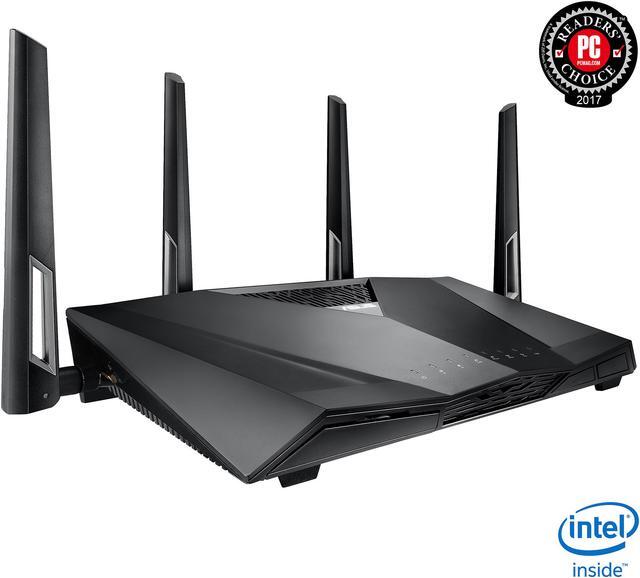
Credit: www.humboldt.ca
Mesh Routers With Xfinity
Mesh routerscreate a strong Wi-Fi network by using multiple devices. They cover large areas better than single routers. This means fewer dead spots and smoother internet in every room.
Popular mesh systems work well with Xfinity. They help connect many devices without slowing down. These systems often come with easy-to-use apps for setup and control.
| Mesh System | Key Features | Price Range |
|---|---|---|
| Google Nest Wifi | Simple app, good coverage, integrates with Google Home | $$ |
| Netgear Orbi | High speed, strong signal, good for large homes | $$$ |
| Eero Pro 6 | Easy setup, supports many devices, fast Wi-Fi 6 | $$$ |
- Place mesh nodes in open areas for best signal.
- Connect main node to Xfinity modem with Ethernet cable.
- Use the mesh system app to finish setup.
- Keep firmware updated for better security and speed.
Router Setup With Xfinity
Start by connecting the router to your modem. Use an Ethernet cable for this. Power on the router and wait for lights to stabilize. Open a web browser on your computer. Enter the router’s IP address in the address bar. Follow the on-screen instructions to activate. You may need your Xfinity account details. Check for the activation confirmation.
Access the router’s settings through the web interface. Change the default username and password. This keeps your network safe. Choose the best channel for Wi-Fi to reduce interference. Adjust the bandwidth settings for better speed. Enable parental controls if needed. Save the changes and restart the router.
- Check if all cables are connected properly.
- Restart your router and modem.
- Update the router’s firmware for better performance.
- Reset the router to factory settings if problems persist.
If issues continue, contact Xfinity support for help. They can guide you further.

Credit: www.amazon.ca
Future-proofing Your Wifi
WiFi 6offers faster speeds and better performance for many devices. It helps handle many devices connected at once without slowing down. Choosing a router with WiFi 6 makes your home network ready for future tech.
Security featuresprotect your data and privacy. Look for routers with WPA3 encryptionand built-in firewalls. These keep hackers away and keep your network safe.
Firmware updateskeep your router working well and fix bugs. A router that gets regular updateswill have better security and improved features over time. Make sure the router supports automatic updates for ease.
Frequently Asked Questions
What Routers Work Best With Xfinity Internet?
Compatible routers include models from Netgear, TP-Link, Asus, and Linksys. Look for DOCSIS 3. 0 or higher. These ensure fast speeds and reliable connections with Xfinity services.
Can I Use My Own Router With Xfinity?
Yes, you can use your own router if it supports Xfinity’s network. Ensure it meets DOCSIS standards and is approved on Xfinity’s compatibility list for smooth connectivity.
Does Xfinity Provide A Router Or Modem-router Combo?
Xfinity offers both standalone modems and gateway devices combining modem and router functions. Renting their gateway simplifies setup but using your own router may save rental fees.
How To Check If A Router Is Compatible With Xfinity?
Visit Xfinity’s official website and access their approved device list. Confirm the router supports DOCSIS 3. 0 or higher and matches your subscribed internet speed tier.
Conclusion
Choosing the right router keeps your Xfinity internet fast and steady. Many popular routers work well with Xfinity’s service. Check compatibility before buying to avoid issues later. A good router gives better coverage and fewer dropouts. Simple setup means you start surfing quickly and easily.
Remember, a reliable router helps you enjoy streaming, gaming, and browsing. Stay connected with the right device for your needs. Make your internet experience smooth and hassle-free every day.