Are you tired of slow WiFi that cuts out just when you need it most? If your home feels like a WiFi dead zone, it’s time to think about speed mesh WiFi.
But how fast should your mesh WiFi be to cover a medium-sized home perfectly? Choosing the right speed isn’t just about numbers—it’s about making sure every device in your home connects smoothly, whether you’re streaming, gaming, or working. Keep reading, and you’ll discover exactly what speed mesh WiFi you need to power up your home without breaking the bank or overcomplicating things.
Your perfect internet experience is closer than you think.
Mesh Wifi Basics
Mesh wifi systems use multiple devices to spread internet coverage across your home.
This setup helps reduce dead zones and keeps your connection strong in every room.
How Mesh Networks Work
Mesh networks have several nodes that connect with each other wirelessly.
These nodes share internet signals to cover large areas without losing speed.
- One node connects to your modem to get internet.
- Other nodes spread the signal around your home.
- Devices connect to the nearest node for the best speed.
- The network adjusts automatically to keep connections strong.
Benefits For Medium Homes
Medium homes often have 3 to 4 bedrooms and multiple floors.
Mesh wifi suits these homes by providing reliable internet in all rooms.
| Benefit | Description |
| Wide Coverage | Covers large areas without signal loss. |
| Easy Setup | Nodes link automatically for quick installation. |
| Strong Signals | Devices connect to the best node nearby. |
| Flexible Expansion | Add more nodes to cover bigger areas. |
Factors Affecting Wifi Speed
Wifi speed depends on many factors inside your home. These factors can slow down or improve your internet connection.
Knowing these factors helps you choose the right mesh wifi system for a medium home.
Number Of Devices
The more devices connected to your wifi, the slower the speed may become. Each device uses part of the bandwidth.
- Smartphones
- Laptops
- Smart TVs
- Smart home devices
- Gaming consoles
Internet Plan Limitations
Your internet plan sets the maximum speed you can get. A mesh wifi cannot increase your plan’s speed.
| Internet Plan | Max Speed |
| Basic | 50 Mbps |
| Standard | 150 Mbps |
| Premium | 300 Mbps |
Home Layout And Size
Walls and floors block wifi signals. Larger homes need more mesh nodes for good coverage.
Factors that affect signal strength:
- Wall material (brick, wood, drywall)
- Number of floors
- Distance between router and devices
Recommended Speeds For Medium Homes
Choosing the right speed for your mesh WiFi is important in a medium-sized home. The right speed helps all devices work well at the same time.
Different activities need different internet speeds. Let’s look at what speeds fit your needs.
Light Usage Needs
Light users mostly check emails, browse websites, and do video calls. They don’t use much data at once.
A speed of 25 to 50 Mbps is enough for light internet use in a medium home.
- Check emails and social media
- Browse websites
- Make video calls
Moderate Streaming And Gaming
Moderate users watch HD videos and play online games. These activities need faster, stable speeds.
A speed between 100 and 200 Mbps works well for streaming and gaming in medium homes.
- Stream HD videos on multiple devices
- Play online games with low lag
- Video conference with good quality
Heavy Usage Scenarios
Heavy users stream 4K videos, download large files, and connect many devices. These need very fast internet.
Speeds of 300 Mbps or higher are best for heavy use in medium homes.
- Stream 4K or higher quality videos
- Download large files quickly
- Connect many smart devices and gadgets
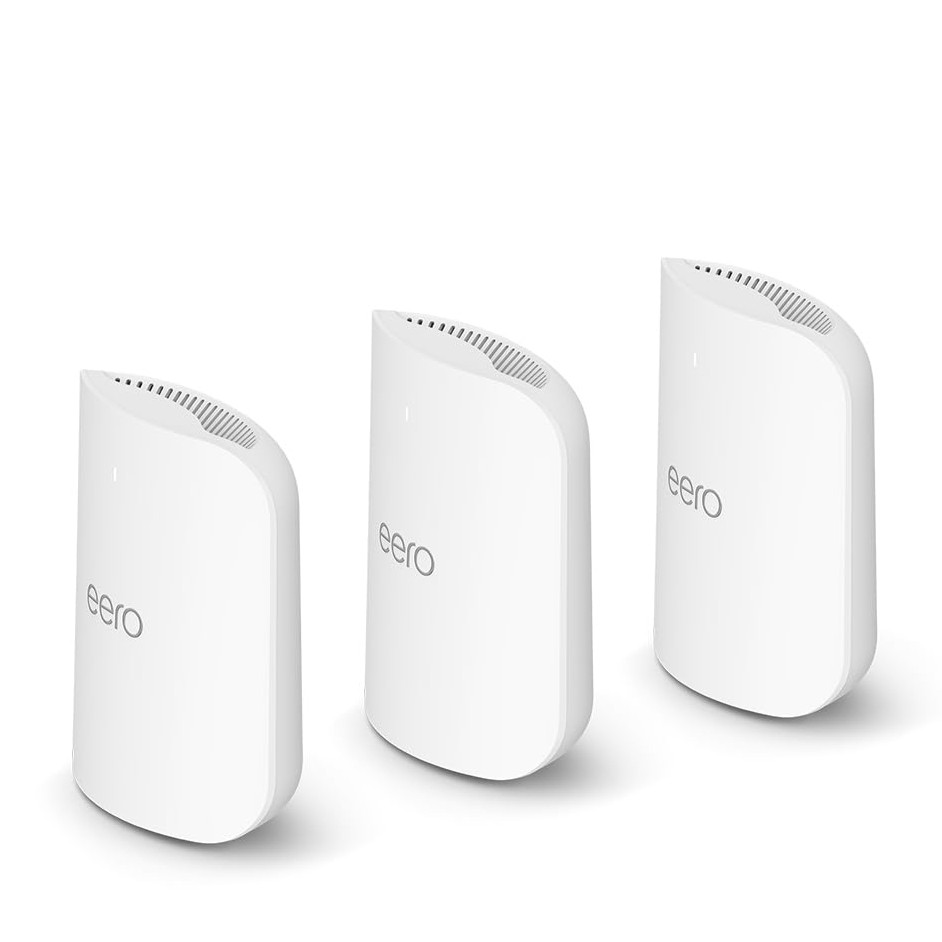
Credit: www.tomsguide.com
Choosing The Right Mesh Wifi System
Choosing the right mesh wifi system is important for a medium-sized home. The system should cover the whole house and support all your devices.
You need to think about coverage, speed, and device compatibility to pick the best mesh wifi.
Coverage And Range
Coverage means how far the wifi signal reaches. Range is the size of the area covered by the mesh network.
For a medium home, choose a system with enough nodes to cover all rooms without dead spots.
- Look for systems with 3 or more nodes for better coverage
- Each node should cover about 1,500 to 2,000 square feet
- Place nodes evenly to avoid weak signals
Speed Ratings And Standards
Speed ratings show how fast the wifi can transfer data. Faster speeds help with streaming and gaming.
Look for mesh systems that support Wi-Fi 5 (802.11ac) or Wi-Fi 6 (802.11ax) for better performance.
- Wi-Fi 5 offers good speed for most homes
- Wi-Fi 6 is faster and better for many devices
- Check the combined speed rating in Mbps (megabits per second)
Device Compatibility
Your mesh wifi system must work well with your devices like phones, laptops, and smart home gadgets.
Choose a system that supports both 2.4 GHz and 5 GHz bands to connect all types of devices.
- 2.4 GHz band covers longer distances but is slower
- 5 GHz band is faster but covers shorter distances
- Check if the system supports the latest wifi standards your devices use
Optimizing Mesh Wifi Performance
Mesh Wifi systems offer seamless internet coverage. They are ideal for medium-sized homes. To get the best speed, optimize the setup.
This guide helps improve your mesh network. Follow these simple tips for top performance.
Placement Tips For Nodes
Correct placement of nodes is vital. It ensures strong signal strength across your home.
- Place nodes at a central location.
- Avoid obstructions like walls and furniture.
- Keep nodes at least 2 meters apart.
Firmware Updates And Maintenance
Regular updates keep your Wifi secure and efficient. Maintenance ensures your network runs smoothly.
| Task | Frequency |
| Check for firmware updates | Monthly |
| Reboot nodes | Weekly |
| Inspect cables and connections | Quarterly |
Managing Network Traffic
Efficient traffic management ensures stable speeds. It prevents network congestion.
- Use Quality of Service (QoS) settings.
- Limit bandwidth for non-essential devices.
- Schedule heavy downloads during off-peak hours.

Credit: www.pcmag.com
Common Issues And Fixes
Choosing the right speed mesh WiFi for a medium home is important. Many users face problems that affect their connection quality. Understanding common issues helps improve your network.
This guide covers common problems like signal interference, slow speeds, and connection drops. Each section offers practical fixes to keep your WiFi stable and fast.
Signal Interference
Signal interference happens when other devices block or weaken your WiFi signal. Common sources include microwaves, cordless phones, and thick walls.
- Move mesh nodes away from electronic devices.
- Place nodes in open areas, not behind furniture.
- Switch to 5 GHz band for less interference.
- Use WiFi analyzer apps to find the best channels.
Slow Speeds Troubleshooting
Slow speeds reduce your internet experience. Causes include too many devices, outdated firmware, or poor placement of nodes.
| Cause | Fix |
| Too many devices connected | Limit active devices or upgrade your plan |
| Old firmware | Update mesh system software regularly |
| Node too far from router | Move nodes closer for better signal |
| Network congestion | Change WiFi channel or use 5 GHz band |
Connectivity Drops
Connection drops cause frustration and interruptions. They may happen due to weak signals or software glitches in your mesh system.
Try these fixes to reduce drops:
- Restart your mesh router and nodes regularly.
- Check for firmware updates and install them.
- Place nodes evenly around your home for full coverage.
- Reduce interference from other wireless devices.

Credit: www.pcmag.com
Frequently Asked Questions
What Speed Mesh Wifi Suits A Medium-sized Home?
A medium home needs mesh WiFi with speeds between 300-600 Mbps. This range supports streaming, gaming, and multiple devices seamlessly.
How Many Mesh Wifi Units Cover A Medium Home?
Typically, 2 to 3 mesh units cover a medium home. This setup ensures stable WiFi signals throughout all rooms.
Is 500 Mbps Enough For Mesh Wifi In Medium Homes?
Yes, 500 Mbps is sufficient for most medium homes. It handles HD streaming, video calls, and smart home devices effectively.
Do Mesh Wifi Speeds Depend On Internet Plan?
Yes, mesh WiFi speed depends on your internet plan. Choose a mesh system that matches or exceeds your ISP speed for best results.
Conclusion
Choosing the right speed for mesh WiFi is key for a medium home. A steady 100-300 Mbps usually fits most needs well. It keeps all devices connected without slowdowns or drops. Think about how many people and gadgets use the internet daily.
Good coverage in every room matters too. This helps avoid dead zones and weak signals. Spend wisely on a system that balances speed and range. Reliable WiFi makes streaming, working, and browsing easier. A smart choice brings smooth internet for everyone at home.