If your Wi-Fi still drops in the kitchen, stutters during video calls, or slows down the moment everyone is online, a Wi-Fi 6E mesh system is one of the most effective upgrades you can make. The technology has matured since the first 6E routers appeared, and in 2026 it sits squarely in the sweet spot between performance and price.
The short answer to the main question is: Asus, Netgear, Linksys, TP-Link, and Amazon eero all offer reliable Wi-Fi 6E mesh systems today. The longer answer is that your best choice depends on home size, internet plan, device mix, and how much you value custom controls over convenience.
This guide breaks down the leading brands, compares real-world trade-offs, and gives you a clear process for choosing the right system without overpaying.
Why Wi-Fi 6E Mesh Is Still Worth Buying in 2026
Wi-Fi 6E is no longer the flashy new thing. That position now belongs to Wi-Fi 7. But that is exactly why 6E mesh systems deserve a closer look. Prices have dropped, firmware has matured, and the 6 GHz band remains a major upgrade for most homes.
The big difference is the 6 GHz band. Older Wi-Fi uses 2.4 GHz and 5 GHz, both of which are crowded by neighbors, smart-home hubs, and every other router in the area. Wi-Fi 6E opens up a cleaner slice of spectrum. It reduces interference, lowers latency, and gives you more room for bandwidth-hungry devices.
It also handles mixed-device homes well. Older laptops, phones, and smart plugs connect over 2.4 GHz or 5 GHz, while newer devices can use 6 GHz. That separation matters most in packed households where every person has a phone, laptop, tablet, and a streaming dongle running at once.
What Is Wi-Fi 6E and How Does Mesh Change It?
The 6 GHz Difference
Regulators, including the Federal Communications Commission, opened the 6 GHz band to unlicensed Wi-Fi use, making nearly 1,200 MHz of new spectrum available. Before 6E, Wi-Fi was working with a much smaller set of channels.
In practical terms, this means:
- Lower latency for gaming and video calls
- More available channels in apartment buildings
- Better performance for VR headsets, large downloads, and cloud backups
- Less congestion when many devices are active
One important caveat: 6 GHz signals do not travel as far as 5 GHz. Walls, floors, and even large furniture weaken it faster. That is why mesh design matters so much.
Credit: www.walmart.com
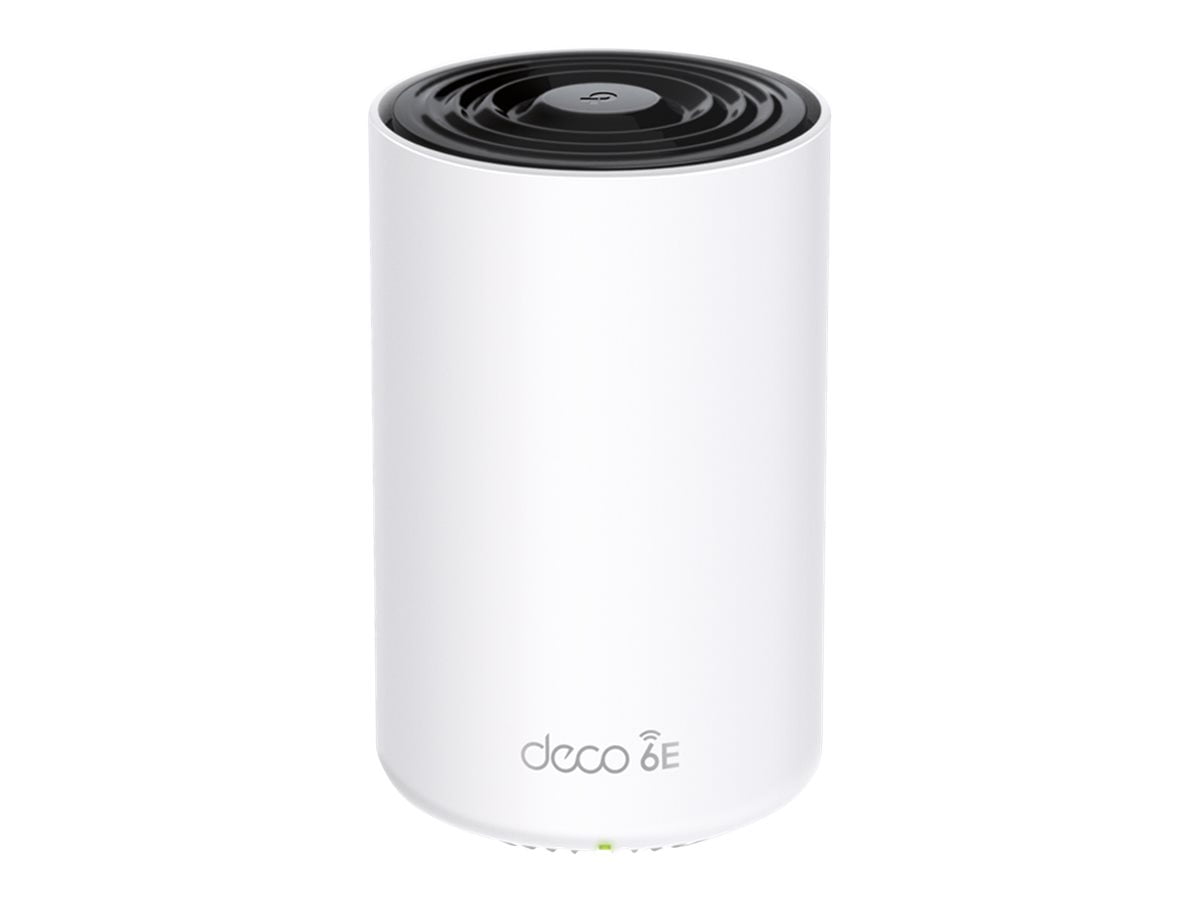
A Wi-Fi 6E mesh node contains multiple radios, including a dedicated 6 GHz-capable radio for newer devices.
How a Mesh Network Works
A mesh system replaces your single router with two or more nodes that talk to each other. Instead of one router trying to cover a whole house, the nodes work as one unified network. Your phone or laptop automatically switches to the strongest node as you move around.
Good mesh systems also handle handoff better than older range extenders. With extenders, your device often clings to a weak signal. With mesh, the transition is smoother because all nodes share the same network name and management system.
This is especially valuable in dense apartment layouts, where neighboring networks compete for the same channels and signal coverage is interrupted by walls.
What to Look For in a Wi-Fi 6E Mesh System
Not every 6E mesh system is built the same. Look for these details before buying:
- Tri-band radios: A dedicated 6 GHz radio plus 2.4 GHz and 5 GHz radios.
- Backhaul flexibility: Some systems use 6 GHz as a dedicated backhaul link between nodes, while others leave 6 GHz available for client devices. Both designs can work well, but understand which one you are getting.
- Multiple ethernet ports: Wired backhaul is still the most stable option if your home has ethernet cabling.
- WPA3 security: This should be standard on any 6E system.
- Automatic firmware updates: Mesh systems improve over time with fixes and new features.
- App quality: You will use the app for setup, parental controls, and diagnostics, so it should feel genuinely usable.
Which Brands Offer Wi-Fi 6E Mesh in 2026?
Five brands dominate the Wi-Fi 6E mesh market in North America. Each has a slightly different personality.
Asus: Power and Customization
Asus builds feature-rich systems for users who like control. The ZenWiFi ET8 generation is a good example of the brand's approach: tri-band 6E, strong security options, and a management interface that gives you deeper visibility than most consumer routers.
Asus also supports AiMesh, which allows you to mix compatible Asus routers into the same mesh. That is rare flexibility. If you already own an Asus router, you can expand coverage without replacing everything.
Serious players should note that mesh systems are not always the best fit for tournament-level play. If your priority is absolute minimum latency, a dedicated low-latency router might be a better companion for your gaming setup.
Netgear: Strong Backhaul and Range
Netgear’s Orbi line is aimed at larger homes. The flagship Wi-Fi 6E Orbi systems use a dedicated wireless backhaul link between the router and satellites, which can preserve speed in rooms that are far from the main node.
Netgear also tends to include more ethernet ports on satellites, which is useful for connecting a TV, console, or desktop directly to the network. Setup is app-based, and the parental controls are more granular than many rivals.
The trade-off is price and size. Orbi nodes are larger and more expensive than most competitors. If you need whole-home coverage without visible clutter, this might matter.
Linksys: Simplicity and Reliable Coverage
Linksys’s Velop family has a strong reputation for stable, predictable mesh performance. The Velop Pro 6E models focus on straightforward setup, consistent roaming, and easy network management.
Linksys does not offer as many advanced tweaks as Asus, but that is the point. If you want a system that works well out of the box and stays out of your way, Linksys is a solid option.
TP-Link: Best Balance of Price and Features
TP-Link’s Deco XE75 is one of the most popular Wi-Fi 6E mesh systems for a good reason. It offers tri-band 6E, easy app control, built-in antivirus, and robust parental controls at a price that undercuts most rivals.
TP-Link also has a large ecosystem. You can start with a two-pack and add another Deco node later if your coverage needs change. That expandability makes it a strong first mesh system.
The main knock against TP-Link is that the most affordable models use plastic housings and feel less premium than Asus or Netgear. Performance, however, is hard to argue with at this price.
Amazon eero: Best for App Simplicity
The eero Pro 6E and eero 6E systems are built around the eero app, which remains one of the easiest mesh apps available. Setup takes minutes, the system updates itself automatically, and network management is genuinely simple.
eero’s mesh nodes are small and unobtrusive, which makes them a good fit for apartments and modern homes. The platform also works well with Alexa if you use voice controls. For Apple-heavy homes, eero’s simple HomeKit integration is another plus.
The downside is less manual control. eero intentionally hides advanced settings, so it is not ideal for people who want to configure separate bands, adjust channel widths, or dig into logs.
Performance Comparison: How the Top Brands Stack Up

Credit: www.pcmag.com
Performance reviews measure throughput, roaming stability, and how well nodes handle changing conditions around the home.
Speed and Coverage
Asus and Netgear generally lead in raw throughput and range. Asus benefits from flexible configuration, while Netgear’s dedicated backhaul keeps satellite speeds high. TP-Link performs admirably for the price but may not maintain peak speeds at the far edge of a large home. eero and Linksys prioritize stable speeds over maximum speed.
Ease of Setup
Eero and Linksys are the easiest to install. Their apps guide you through placement and connection checks. TP-Link is almost as simple, and Asus has more options but a slightly steeper learning curve. Netgear’s app has improved, but the initial setup can take longer because of the system’s complexity.
Reliability and Stability
Linksys and eero have the most consistent reputations for stable connections over long periods. Netgear handles large homes well, though some users report needing occasional reboots after firmware updates. Asus offers powerful features, but users who customize heavily can create stability issues for themselves.
Security Features
All five brands support WPA3 encryption and automatic firmware updates. Asus and Netgear offer more advanced security suites, including network-wide protection options. TP-Link includes HomeShield with built-in antivirus, and eero keeps security simple with automatic updates and optional subscription-based extras.
Pricing and Value in 2026
Wi-Fi 6E mesh pricing has come down significantly since the first models launched. You no longer need to spend a fortune for a capable system.
| Brand | Typical System Type | Best Fit |
|---|---|---|
| Asus | Premium two- and three-pack systems | Power users, gamers, and tinkerers |
| Netgear | Premium whole-home systems | Large homes and wired peripherals |
| Linksys | Mid-range two-pack systems | Families that value simplicity and stability |
| TP-Link | Budget-friendly two-pack systems | Smart homes and first-time mesh buyers |
| eero | Mid-range, subscription-friendly systems | Apartment dwellers and Apple users |
Feature-per-Dollar Analysis
TP-Link offers the most features per dollar. You get tri-band 6E, parental controls, antivirus, and expandable mesh coverage at a price that leaves room for other tech upgrades.
Linksys and eero offer premium experiences without flagship pricing. What you pay for is simplicity, design, and ongoing support.
Asus and Netgear are more expensive because they offer faster processors, more ethernet ports, and deeper control. Those features matter most in large homes or for people with many connected devices.
Best Budget-Friendly Choice
If you want reliable Wi-Fi 6E mesh without stretching your budget, TP-Link’s Deco XE75 is the clearest recommendation. It covers most homes well, supports the 6 GHz band, and includes security features that typically cost extra with other brands.
How to Choose the Right Wi-Fi 6E Mesh System
Factors to Consider
Before buying, think through these questions:
- What internet speed do you pay for? If your plan is under 300 Mbps, a modest 6E system is plenty. Multi-gigabit plans call for a premium system.
- How large is your home? A two-pack handles most apartments and smaller houses. Larger homes often need three nodes.
- How many devices are online at once? More devices means you benefit more from 6 GHz spectrum.
- Can you wire the nodes together? Wired backhaul lets you use a less expensive system without sacrificing performance.
- Do you need parental controls? Check whether useful controls are included or locked behind a subscription.
Home vs Office Needs
Home networks need good coverage across multiple rooms, plus easy parental controls and support for streaming. Office networks need higher device capacity, reliable video conferencing, and better network management.
For a home office, a mesh system with strong QoS and stable roaming is essential. If you regularly handle large uploads or run a work-from-home setup with multiple conferencing tools, make sure the system has enough backhaul capacity to keep both nodes fast.
Future-Proofing Your Network
Wi-Fi 6E is not the newest standard anymore. Some routers now support Wi-Fi 7, and more devices with Wi-Fi 7 are showing up. But for most homes, Wi-Fi 7 is still an unnecessary premium.
If you want long-term headroom, choose a 6E mesh system that supports easy expansion and regular firmware updates. You can always add nodes later.
If you prefer to start with the absolute latest technology, a dedicated Wi-Fi 7 hardware setup might be worth the higher cost. Otherwise, a good 6E mesh system will serve you well for years without feeling outdated.
Installation and Optimization Tips
A mesh system only performs as well as its placement. These practical tips will help you get the most from any brand.
- Place the main node near your internet modem, in an open location rather than a cabinet.
- Keep nodes within range of each other. If nodes are too far apart, they waste airtime repeating weak signals.
- Avoid placing nodes near thick walls, metal shelves, or appliances. Microwaves and refrigerators can interfere with the signal.
- Use wired backhaul whenever possible. Connect nodes with ethernet if your home allows it.
- Update firmware after setup. Many performance improvements arrive after launch.
- Run a speed test from different rooms. Move nodes if a particular area is still weak.
A common mistake is hiding mesh nodes behind televisions or inside entertainment centers. That may look clean, but it blocks the signal and reduces coverage for the entire network.
Frequently Asked Questions
Which brands offer Wi-Fi 6E mesh systems?
Asus, Netgear, Linksys, TP-Link, and Amazon eero offer reliable Wi-Fi 6E mesh systems. Asus and Netgear focus on high performance and advanced features, Linksys and eero focus on ease of use, and TP-Link offers the best value.
Is Wi-Fi 6E mesh worth it in 2026, or should I wait for Wi-Fi 7?
Wi-Fi 6E is worth it in 2026 for most homes. Systems are more affordable than Wi-Fi 7, mature, and highly capable. Wi-Fi 7 is still rolling out, and many devices do not yet support it. If you want fast, stable whole-home coverage without paying early-adopter prices, 6E mesh is the practical choice.
Does Wi-Fi 6E mesh work with older devices?
Yes. Wi-Fi 6E routers are backward compatible with Wi-Fi 5, Wi-Fi 6, and older devices. Older devices connect over 2.4 GHz or 5 GHz, while newer devices can use the 6 GHz band. This compatibility makes 6E mesh a safe upgrade for mixed-device homes.
Which Wi-Fi 6E mesh system is best for gaming?
Asus and Netgear are the strongest choices for gaming because of their higher throughput and customization. However, mesh systems are designed for coverage rather than absolute lowest latency. Competitive players may prefer a separate gaming-specific router for the gaming PC or console.
Why does 6 GHz not travel as far as 5 GHz?
Higher frequencies carry more data but weaken more quickly in air and through solid objects. The 6 GHz band has less range than 5 GHz, but it also has less interference. That is why mesh nodes matter: they bring the signal closer to your devices.
Conclusion
Wi-Fi 6E mesh is no longer an experimental purchase. It is a mature, reliable upgrade that solves dead zones, congestion, and slow roaming in a way that older routers cannot match. Asus, Netgear, Linksys, TP-Link, and eero all offer solid systems, and the right pick comes down to your home layout, budget, and comfort with tweaking settings.
Start by checking your internet plan and identifying the rooms where coverage currently fails. Then choose a system that matches the size of your home and the number of devices in daily use. A well-placed Wi-Fi 6E mesh system will make slow Wi-Fi feel like a problem of the past.