Are you tired of slow internet and constant buffering? Wondering if upgrading to a WiFi 6 router is really worth it for your home or office?
You’re not alone. With so many devices connected at once, your current router might be holding you back. Imagine faster speeds, stronger connections, and less frustration every time you go online. If that sounds like something you want, keep reading.
This article will help you discover exactly who needs a WiFi 6 router and why it could change your digital life for the better.
Wifi 6 Basics
Homes with many devices or heavy internet use benefit most from a WiFi 6 router. It offers faster speeds and better connections in crowded networks. Perfect for families, gamers, and smart home users.
Key Features
Wifi 6is the latest wireless technology. It offers faster speeds, better capacity, and lower latency. It supports more devices at once without slowing down. The technology uses advanced methods to reduce interference and improve battery life on connected devices.
Performance Improvements
Wifi 6 delivers up to four times faster speed than Wifi 5. It handles crowded networks better, like in homes with many smart devices. It reduces delays, making video calls and gaming smoother. The technology improves range and reliability, so signals stay strong farther from the router.
Compatibility
Wifi 6 routers work with older Wifi devices. They support Wifi 5, Wifi 4, and even older standards. This means devices without Wifi 6 can still connect. But only Wifi 6 devices get full speed and benefits. Upgrading to a Wifi 6 router helps prepare for future devices and faster internet plans.

Credit: www.walmart.ca
Signs You Need Wifi 6
Slow internet speedscan make browsing and streaming frustrating. A Wifi 6 router offers faster connections, reducing wait times. It helps keep your internet smooth, even during busy hours.
Multiple connected devicesin one home can overload older routers. Wifi 6 supports more devices at once without slowing down. This is useful for families with many phones, tablets, and smart gadgets.
Buffering and lag issuesruin video calls and online games. Wifi 6 reduces delays and interruptions. It keeps your videos clear and games responsive, even with many users online.
Benefits Of Upgrading
Faster speedsmean less waiting for downloads and videos. Wifi 6 routers handle many devices at once without slowing down. This is great for homes with multiple users.
Better coveragehelps you stay connected in every room. Wifi 6 signals travel farther and pass through walls more easily. No more dead spots in your house.
Improved battery lifesaves power on your phones and laptops. Wifi 6 lets devices rest more often by sending data efficiently. This means your gadgets last longer between charges.
Who Should Upgrade Now
Smart home usersbenefit from Wifi 6 routers because these devices support many gadgets at once. This means your lights, cameras, and smart speakers work smoothly without delays. Wifi 6 also helps keep your home network stable even with many connected devices.
Gamers and streamersneed fast and steady connections. Wifi 6 reduces lag and buffering, making online games and video streams smoother. It also handles high data loads better, so your gaming and streaming stay clear and fast.
Remote workersrequire reliable internet for video calls and file sharing. Wifi 6 routers offer strong signals and less interference. This helps maintain clear video meetings and quick uploads, improving work from home experience.
Choosing The Right Wifi 6 Router
Choosing a Wifi 6 routermeans thinking about several key features. Speed is very important. Wifi 6 routers offer faster connections than older models. Coverage matters too. A good router covers your whole home or office without dead spots. Look for routers with multiple antennasand beamformingtechnology for better range.
Price and performance must be balanced. High-end routers cost more but offer better speed and more features. Budget models work well for small homes or fewer devices. Consider what fits your needs best.
| Brand | Known For | Price Range |
|---|---|---|
| TP-Link | Reliable and affordable | Low to mid |
| Asus | Strong performance, good for gamers | Mid to high |
| Netgear | Good range, solid build | Mid to high |
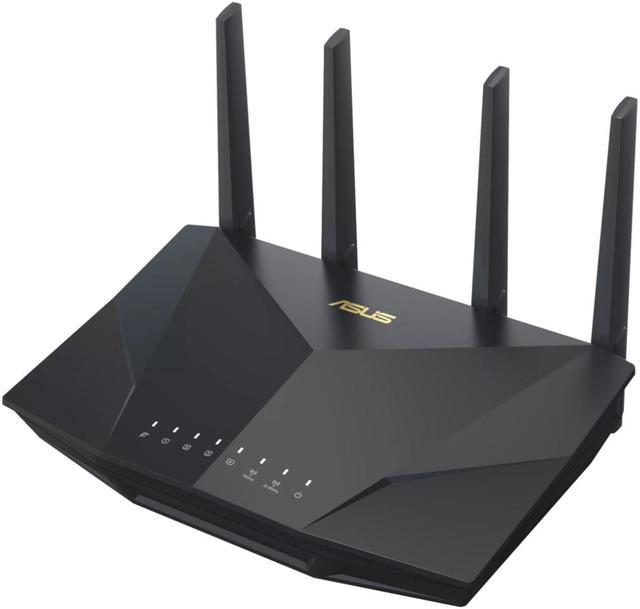
Credit: www.newegg.ca
Setting Up Your Wifi 6 Router
Place your router in a central spot. This helps spread the signal evenly. Keep it away from thick walls and metal objects. Too many walls can block the signal. Plug it into a power source. Connect it to your modem using an Ethernet cable. Make sure everything is tight and secure. Check the lights on the router. They should be steady and green. Follow the setup guide that comes with your router. It’s simple and easy to follow.
Access the router’s settings through a web browser. Use the IP address provided. Change the default admin password. This keeps your network safe. Select the 5GHz band for faster speeds. Adjust the channel settings to reduce interference. Enable Quality of Service (QoS) for better video streaming. Save the changes when done.
Use a strong, unique password for your network. Avoid common words and numbers. Enable WPA3 encryption for better security. Disable remote management if not needed. Keep your router’s firmware updated. This fixes bugs and improves security. Regularly check connected devices. Remove any you don’t recognize.
Future-proofing Your Network
Wifi 6is here and it’s fast. New devices will use it soon. It helps in crowded places like schools and malls. Your home can be ready for future tech. No more waiting for downloads. Streams are smoother too.
Smart homes need strong networks. Lights, cameras, and speakers work better with Wifi 6. It connects many devices at once. No need to worry about slow internet. Your smart gadgets will run smoothly. Enjoy a connected home with ease.
Keep your network safe and fast. Update your router often. Wifi 6has better security. It protects against hackers. Regular checks keep speed high. No more buffering during movies. Protect your data and enjoy quick browsing.

Credit: www.amazon.ca
Frequently Asked Questions
Who Benefits Most From A Wifi 6 Router?
Users with multiple devices or smart homes benefit most. WiFi 6 offers faster speeds, better coverage, and lower latency. It supports streaming, gaming, and video calls smoothly, even in busy networks. This router suits homes with many connected devices and high internet demands.
Is Wifi 6 Router Necessary For Streaming 4k Videos?
Yes, WiFi 6 routers handle 4K streaming better. They provide stable, fast connections with less buffering. This is crucial for uninterrupted high-definition video playback. WiFi 6’s improved bandwidth supports multiple 4K streams simultaneously without lag or quality loss.
Can Older Devices Work With Wifi 6 Routers?
Yes, WiFi 6 routers are backward compatible. Older devices can connect but won’t gain WiFi 6 speed benefits. The router optimizes network traffic, enhancing overall performance. However, to fully benefit, devices need WiFi 6 support.
Does Wifi 6 Improve Online Gaming Experience?
Absolutely, WiFi 6 reduces latency and interference. It offers more stable and faster connections. Gamers experience smoother gameplay with less lag. This router is ideal for competitive gaming and streaming simultaneously.
Conclusion
Wifi 6 routers suit people with many devices at home. They help keep connections fast and steady. Those who stream videos or play online games will see benefits. People working from home also gain from better wifi. Small offices can use them to support multiple users.
Choosing the right router improves internet speed and experience. Wifi 6 offers more capacity and less delay. It fits homes with growing internet needs. Consider your devices and internet use before upgrading. Wifi 6 routers meet the demands of today’s digital life.