Are you tired of slow internet and dead zones in your large home? You’re not alone.
When your WiFi can’t reach every corner, it feels like your devices just can’t keep up. But what if there was a simple way to get strong, fast internet everywhere, no matter how big your house is? That’s where mesh WiFi comes in.
This technology promises to fix those frustrating connection problems and give you seamless coverage. Curious if mesh WiFi is really the solution your home needs? Keep reading to find out how it works and if it’s the right fit for you.
Benefits Of Mesh Wifi
Mesh WiFi brings several benefits that suit large homes well. It creates a strong, reliable network that covers every corner. This system uses multiple devices working together to spread internet signals evenly. The result is faster speeds and fewer interruptions across your home.
Seamless Connectivity
Mesh WiFi offers smooth connections without switching networks. Devices stay connected as you move around the house. This means no dropped calls or buffering when streaming videos. The network manages connections automatically for the best signal.
Elimination Of Dead Zones
Dead zones vanish with mesh WiFi. These systems place nodes in different rooms to cover weak spots. Every area gets strong internet access, even far from the main router. Enjoy fast browsing and online gaming anywhere in your home.
Easy Network Expansion
Adding coverage is simple with mesh WiFi. Just add extra nodes to expand the network. No technical skills needed for setup. This flexibility lets your network grow as your needs change or your home gets bigger.

Credit: cybernews.com
Challenges In Large Homes
Large homes pose unique challenges for WiFi networks. The size and structure can weaken signals, causing slow internet or dead zones. Understanding these challenges helps in choosing the right WiFi system for your home.
Multiple Floors And Walls
WiFi signals struggle to pass through thick walls and floors. Concrete, brick, and metal reduce signal strength. Each floor adds distance and obstacles. This causes slower speeds and spotty coverage in far rooms.
Interference Factors
Other electronics and devices cause interference. Microwaves, cordless phones, and baby monitors emit signals that disrupt WiFi. Nearby networks and appliances also add noise. This interference lowers connection quality and speed.
Device Density
Large homes often have many connected devices. Smartphones, laptops, smart TVs, and smart home gadgets share bandwidth. Too many devices strain the network and cause slowdowns. Managing device traffic is key for smooth WiFi performance.
How Mesh Wifi Works
Understanding how mesh WiFi works can help you decide if it’s right for your large home. Unlike traditional routers, mesh systems use multiple devices to blanket your entire space with strong, consistent internet. This design solves common problems like dead zones and spotty connections.
Node Communication
Each device in a mesh WiFi system is called a node. These nodes talk to each other constantly to share data and extend your network’s reach. If one node is far from your main router, it connects to the closest node instead, creating a seamless web of coverage.
Think of it like a team working together to bring you internet everywhere in your house. This teamwork means you don’t have to worry about losing signal as you move from room to room.
Self-healing Networks
Mesh networks can fix themselves when something goes wrong. If one node stops working or gets disconnected, the system automatically reroutes traffic through other nodes. This self-healing ability keeps your connection stable without you needing to troubleshoot.
Imagine walking into your basement and still having great WiFi because the mesh system found another path for your signal. It’s like having a backup plan always ready for your internet.
Smart Routing
Mesh WiFi uses smart routing to send your data the fastest way possible. It checks the network paths and chooses the best route to avoid congestion or slowdowns. This means smoother streaming, faster downloads, and fewer interruptions.
Have you noticed how some networks slow down when many devices are connected? Mesh systems reduce this issue by balancing the load intelligently across nodes. Your devices get the speed they need when they need it.
Comparing Mesh With Traditional Routers
Mesh WiFi systems offer seamless coverage throughout large homes, eliminating dead zones. Unlike traditional routers, mesh networks use multiple nodes to ensure consistent connectivity across every room. This makes them ideal for expansive spaces.
Comparing Mesh with Traditional Routers Choosing between mesh WiFi and traditional routers is crucial for large homes. Each system has its own strengths and weaknesses. Understanding these differences helps make an informed decision.Coverage Range
Traditional routers often struggle in large homes. Walls and distance weaken their signals. Mesh WiFi systems cover more ground. They use multiple nodes to spread the signal evenly. This reduces dead zones and improves overall coverage.Setup Complexity
Setting up traditional routers can be tricky. They often require manual configuration. Mesh WiFi systems offer easier setup. Most come with user-friendly apps. These guide users through the installation step-by-step. This makes them more accessible for non-tech-savvy users.Performance Consistency
Traditional routers can show inconsistent performance. As you move further away, the speed drops. Mesh WiFi maintains consistent performance across the home. Nodes work together to provide stable connections. This ensures a smooth internet experience in every room.Choosing The Right Mesh System
Choosing the right mesh system is key for strong WiFi in large homes. The correct system covers every corner without dead zones. It also keeps internet fast and secure. Picking the right features helps you get the best value and performance.
Number Of Nodes Needed
Nodes are the devices that spread WiFi around your home. Large homes need more nodes to cover all rooms. Walls and floors can block signals, so extra nodes help. Start with a system that offers at least three nodes. Add more if your home has many rooms or floors.
Speed And Bandwidth
Speed means how fast your internet works on devices. Bandwidth is how much data moves at once. Choose a mesh system that supports high speeds for streaming and gaming. Look for systems with dual-band or tri-band options. They reduce traffic jams and keep connections smooth.
Security Features
Good security protects your network from hackers. Look for mesh systems with built-in firewalls and automatic updates. WPA3 encryption is a strong security standard to choose. Some systems offer parental controls and guest networks. These features keep your home network safe and private.

Credit: www.pcmag.com
Placement Tips For Large Homes
Proper placement of mesh WiFi nodes is key for strong coverage in large homes. Good placement reduces dead zones and keeps the internet fast everywhere. Planning node locations carefully helps avoid common problems and keeps the network stable.
Optimal Node Locations
Place nodes in open areas, not hidden behind furniture or inside cabinets. High locations, like shelves or walls, help signals spread better. Nodes should be evenly spaced to cover all rooms. Avoid placing nodes too close or too far apart.
Avoiding Signal Obstacles
Walls, metal objects, and large appliances block WiFi signals. Keep nodes away from thick walls and metal surfaces. Avoid placing nodes near microwaves or cordless phones. Open spaces with fewer barriers work best for node placement.
Balancing Coverage And Speed
Nodes must connect well with each other to keep speeds high. Place nodes so they get a strong signal from the main router. Too many nodes can slow the network. Find a balance between coverage and speed by testing signal strength in different rooms.
Troubleshooting Mesh Wifi Issues
Troubleshooting mesh WiFi issues can feel frustrating, especially in large homes where connectivity is crucial. Understanding the common problems and knowing how to fix them helps you regain control over your network. Let’s look at practical steps that can improve your mesh WiFi performance quickly.
Common Connectivity Problems
One of the most frequent issues with mesh WiFi is inconsistent signal strength. You might notice certain rooms have weak or no signal despite multiple nodes installed. This often happens because nodes are too far apart or obstructed by walls and furniture.
Another problem is devices frequently dropping connections or slow internet speeds. Sometimes interference from other electronics or overlapping WiFi channels causes this. Have you checked if your mesh nodes are placed near microwaves or cordless phones?
- Ensure nodes are evenly spaced and not blocked by thick walls.
- Avoid placing nodes near electronic devices that cause interference.
- Check for overlapping WiFi channels and switch to a less crowded one.
Firmware Updates
Firmware updates are essential for keeping your mesh system running smoothly. Manufacturers often release updates to fix bugs, improve security, and enhance connectivity. Ignoring these updates can leave your network vulnerable and unstable.
Check your mesh system’s app or web interface regularly for firmware updates. Installing the latest version can resolve persistent issues without complicated troubleshooting. Have you updated your mesh firmware recently?
- Visit the app or manufacturer’s website to check for updates.
- Schedule automatic updates if your system supports it.
- Restart your mesh devices after updating to apply changes.
Reset And Reconfiguration
If problems persist, resetting your mesh WiFi nodes might be necessary. This clears any incorrect settings or glitches that could be causing issues. Keep in mind, this means you’ll need to set up your network again from scratch.
Start by unplugging all nodes, then power them back on one at a time while following the setup instructions carefully. Take this chance to optimize node placement and network settings. Have you ever found that a fresh start dramatically improved your WiFi coverage?
- Perform a factory reset on each node using the reset button.
- Reconfigure your network with updated passwords and preferences.
- Test connectivity room by room as you add each node back.
Future Of Mesh Networks
The future of mesh networks looks bright and promising. These systems are evolving to meet the needs of large homes with growing technology demands. Mesh WiFi will continue to improve coverage, speed, and smart device integration. Expect smarter, faster, and more reliable connections in every corner of your home.
Integration With Smart Homes
Mesh networks will become central to smart home systems. They will connect devices like lights, cameras, and thermostats seamlessly. This integration allows easier control and automation. Smart homes will rely on mesh for faster response and better security. The network will adapt to device needs, improving overall performance.
Advances In Wifi Technology
New WiFi standards will enhance mesh network speeds and stability. Technologies like WiFi 6 and beyond bring higher capacity and lower latency. These advances help support many devices without slowing down. Mesh routers will better handle video streaming, gaming, and smart devices. Expect less interference and stronger signals throughout large homes.
Expanding Coverage Solutions
Mesh systems will offer more flexible coverage options. New node designs will fit different home layouts and sizes. Outdoor and multi-story coverage will improve with stronger signals. Some mesh networks may use AI to optimize placement and performance. This means fewer dead zones and seamless roaming for users.
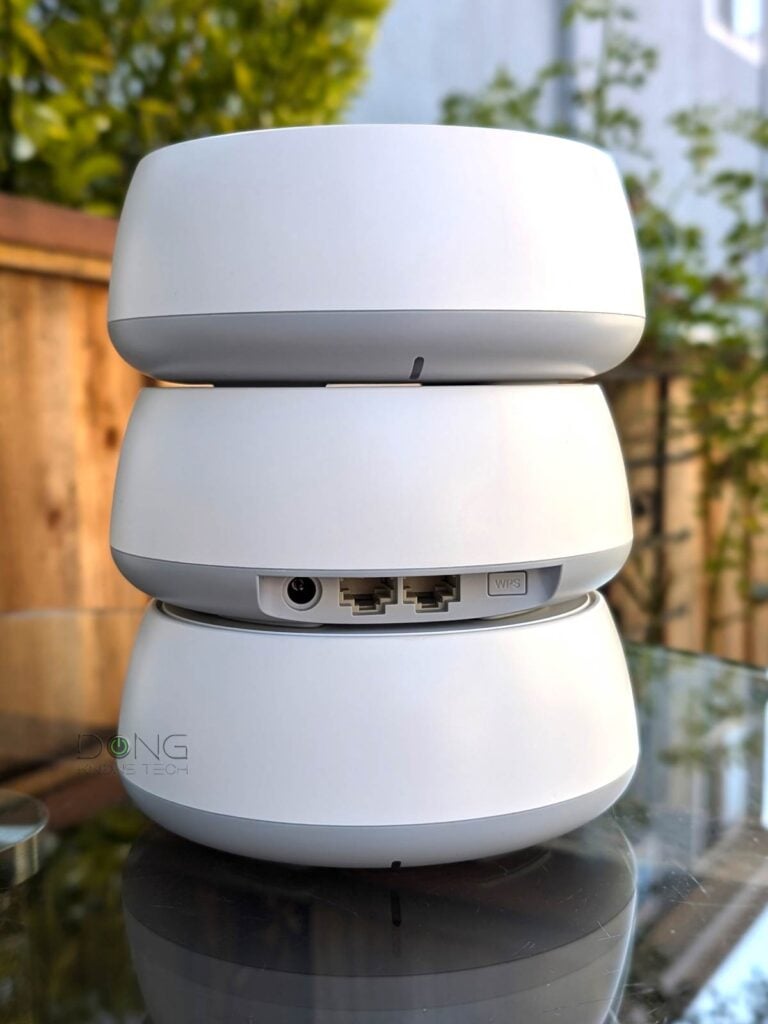
Credit: dongknows.com
Frequently Asked Questions
What Is Mesh Wifi And How Does It Work?
Mesh WiFi uses multiple devices to create a seamless network. It improves coverage by eliminating dead zones in large homes. Each device communicates to provide strong, consistent signals throughout the entire house.
Is Mesh Wifi Better Than A Traditional Router?
Yes, mesh WiFi offers better coverage and reliability. Traditional routers can struggle with large spaces. Mesh systems provide consistent speeds and reduce connection drops in bigger homes.
How Many Mesh Nodes Do Large Homes Need?
Large homes typically need 3 to 5 mesh nodes. The exact number depends on home size, layout, and building materials. More nodes ensure stronger signal coverage in every corner.
Can Mesh Wifi Handle Multiple Devices Simultaneously?
Yes, mesh WiFi efficiently manages multiple devices. It balances traffic across nodes to maintain speed and reduce lag. This makes it ideal for busy households with many connected gadgets.
Conclusion
Mesh WiFi suits large homes well. It spreads WiFi signals evenly across rooms. Dead zones disappear, and connection stays strong. Setup is simple, with no tech skills needed. Devices switch smoothly between nodes without dropping signals. Costs vary, but many find it worth the price.
For big houses, mesh WiFi offers reliable internet everywhere. A smart choice to keep your home connected.