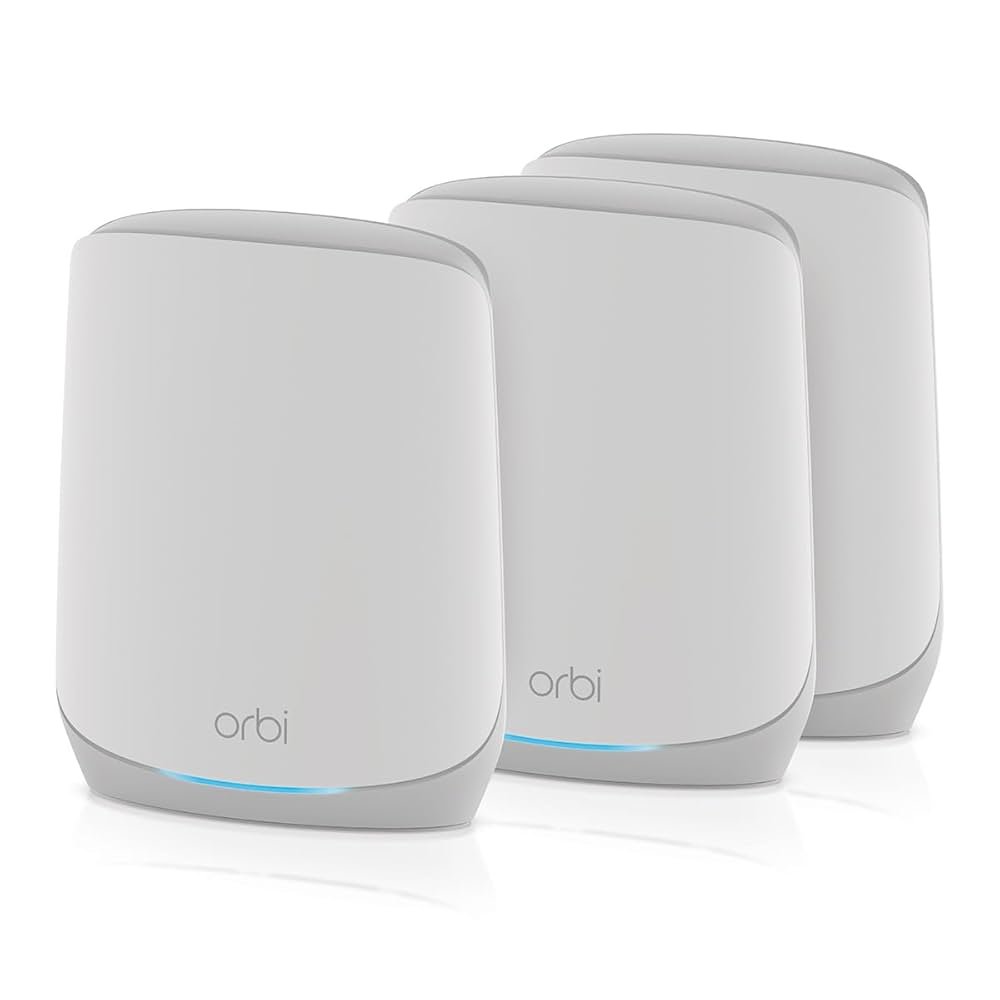
Imagine this: you ask your smart speaker to play your favorite song, but the music stutters or stops altogether. Frustrating, right?
If your smart devices often struggle to stay connected, the problem might be your WiFi. That’s where mesh WiFi comes in. It’s designed to give your home seamless, strong internet coverage, so every device—from your smart speakers to your security cameras—works smoothly.
Curious how mesh WiFi can transform your smart home experience? Keep reading to discover the simple upgrade that could change everything.
Benefits Of Mesh Wifi For Smart Devices
Mesh wifi systems help smart devices work better in your home. They spread wifi signals evenly to every corner. This makes using smart speakers and other gadgets easier and faster.
With mesh wifi, many devices can connect without losing speed. It keeps your smart home running smoothly and avoids common wifi problems.
Seamless Coverage
Mesh wifi covers your entire home with strong signals. It uses multiple points to send wifi, so no area is left with weak or no connection. This is great for smart devices that need constant access.
- Eliminates dead spots
- Supports large homes and buildings
- Allows easy device movement without signal loss
Improved Connection Stability
Mesh wifi keeps your devices connected steadily. It switches devices to the best signal point automatically. This stops interruptions during calls or music streaming on smart speakers.
| Traditional Wifi | Mesh Wifi |
| Single router, limited range | Multiple points, wider range |
| Signal drops in some rooms | Stable signals everywhere |
| Devices may lose connection | Devices switch smoothly between points |
Enhanced Device Performance
Smart devices work faster with mesh wifi. The strong connection helps them respond quickly. It also reduces lag in commands for smart speakers and devices.
- Quicker response times
- Better voice recognition for smart speakers
- Reliable connections for multiple devices

Credit: www.amazon.ca
How Mesh Wifi Works With Smart Speakers
Mesh wifi helps smart speakers connect to the internet with a strong signal. It uses many nodes to cover large areas. This keeps your devices online without breaks.
Understanding mesh wifi can improve how your smart speakers work. This guide explains key points about network nodes, speaker placement, and device switching.
Network Nodes And Signal Distribution
Mesh wifi uses multiple nodes placed around your home. Each node sends and receives signals to create a wide wifi network. This helps smart speakers get a stable connection.
- Nodes communicate with each other to cover dead zones.
- They share data to balance the wifi load.
- Smart speakers connect to the nearest node for better speed.
Optimizing Smart Speaker Placement
Placement of smart speakers affects how well they connect to mesh wifi. Put speakers where the wifi signal is strong. Avoid walls or metal objects that block signals.
| Placement Tip | Reason |
| Near a mesh node | Stronger signal and faster response |
| Open areas | Less interference from objects |
| Away from microwaves | Microwaves cause wifi interference |
| Elevated surfaces | Better signal spread around the room |
Automatic Device Switching
Mesh wifi systems switch smart speakers between nodes automatically. This keeps the device connected to the strongest signal. The switch happens without losing connection.
Benefits of automatic switching:
- Less buffering or lag during use
- Smooth transitions when moving around
- Better battery life on devices
- Consistent voice command response
Choosing The Right Mesh System
Mesh WiFi systems help smart speakers and devices work better. They spread WiFi evenly in your home or office.
Picking the right mesh system makes your smart devices faster and more reliable. Consider key features before buying.
Compatibility With Smart Devices
Not all mesh WiFi systems support every smart device. Check if the system works with your smart speakers and gadgets.
Look for mesh systems that support common protocols like WiFi 5, WiFi 6, or Zigbee for better connection.
- Smart speakers need steady WiFi to respond quickly
- Smart bulbs and sensors may use different frequencies
- Check manufacturer guidelines for device compatibility
Speed And Bandwidth Considerations
Smart devices need enough speed to work without delays. Choose a mesh system with good bandwidth for many devices.
Consider your internet speed and how many devices connect at once. Faster mesh systems handle more data smoothly.
- WiFi 6 systems offer higher speeds and better capacity
- More mesh nodes improve coverage and reduce slow spots
- Check max bandwidth to support video, music, and calls
Security Features
Smart devices handle private data. Secure mesh WiFi systems protect your network from hackers.
Look for mesh systems with strong encryption and regular updates. These keep your devices safe online.
- WPA3 encryption offers better security than WPA2
- Automatic firmware updates fix vulnerabilities
- Guest networks keep visitors off your main devices

Credit: www.amazon.ca
Setting Up Mesh Wifi For Smart Homes
Mesh wifi helps smart devices stay connected all around your home. It uses multiple points to spread wifi signals evenly.
Setting up mesh wifi correctly ensures smart speakers and devices work without interruptions or delays.
Initial Installation Steps
Start by placing your main mesh router near the modem. Plug it in and connect to the internet source.
- Unbox all mesh wifi units and power them on.
- Use the mesh system’s app to create your wifi network.
- Place additional mesh nodes in different rooms for better coverage.
- Follow app instructions to sync all nodes with the main router.
- Test signal strength in all areas of your home.
Configuring Smart Speakers
Connect your smart speakers to the mesh wifi network to control devices easily.
- Open the speaker’s app and go to wifi settings.
- Select your mesh wifi network from the list.
- Enter the wifi password and connect the device.
- Repeat for all smart speakers and devices.
- Check if each device responds to voice commands.
Troubleshooting Connectivity Issues
Connectivity problems happen but can be fixed with simple checks.
| Issue | Possible Cause | Solution |
| Smart speaker won’t connect | Wrong wifi password | Re-enter password in device app |
| Slow response from devices | Weak wifi signal | Move mesh node closer to devices |
| Devices disconnect often | Interference from other electronics | Place nodes away from microwaves and cordless phones |
| App can’t find mesh network | Router not synced | Restart router and nodes, then reconnect |
Maximizing Smart Home Performance
Smart speakers and devices need a strong network to work well. Mesh WiFi helps spread internet around your home. It keeps your devices connected without slowdowns or drops.
Using mesh WiFi can improve your smart home’s speed and reliability. You get better voice commands, faster responses, and smoother streaming.
Managing Network Traffic
Smart homes have many devices sharing the WiFi. Managing network traffic means organizing how data moves. This stops slowdowns and keeps everything running smoothly.
- Separate smart devices on their own network.
- Limit heavy downloads during peak use.
- Use mesh WiFi nodes to cover weak signal areas.
- Monitor bandwidth use with your router’s app.
Prioritizing Devices
Not all devices need the same internet speed. Prioritizing devices helps smart speakers and security cameras work best. Give them higher priority to reduce lag and interruptions.
| Device Type | Recommended Priority |
|---|---|
| Smart Speakers | High |
| Security Cameras | High |
| Smart Lights | Medium |
| Smart TVs | Medium |
| Other Devices | Low |
Regular Firmware Updates
Firmware updates fix bugs and improve device performance. Keep your mesh WiFi and smart devices updated. Updates add security and help devices work well together.
Tips for updates:
- Check for updates monthly.
- Enable automatic updates if available.
- Restart devices after updating.
- Visit manufacturer websites for news.
Credit: www.netgear.com
Common Challenges And Solutions
Mesh Wifi systems can enhance smart speaker performance. They provide seamless connectivity across devices.
Yet, users often face challenges. Understanding these can lead to effective solutions.
Interference And Signal Drops
Interference is a common issue. It results from physical barriers or other electronic devices.
- Place routers away from walls and metal objects.
- Use the 5GHz band to reduce interference.
- Keep devices updated with the latest firmware.
Device Compatibility Issues
Not all devices work well with Mesh Wifi. Compatibility can hinder connectivity.
Check device specifications for compatibility. Update device software regularly. Consider using a universal adapter if needed.
Network Overload
Too many devices can cause network overload. This affects performance and speed.
| Device Type | Recommended Limit |
| Smartphones | 5 |
| Smart Speakers | 3 |
| Computers | 4 |
Try disconnecting unused devices. Set bandwidth priorities for essential devices.
Frequently Asked Questions
What Is Mesh Wifi For Smart Speakers?
Mesh WiFi is a system of multiple routers working together. It creates a strong, seamless network for smart speakers. This ensures stable, fast connections, reducing dropouts and improving device performance in every home area.
How Does Mesh Wifi Improve Smart Device Connectivity?
Mesh WiFi extends coverage by using multiple nodes. This reduces dead zones and interference. Smart devices stay connected more reliably, enhancing voice command response and streaming quality, even in large or multi-story homes.
Can Mesh Wifi Support Multiple Smart Devices Simultaneously?
Yes, mesh WiFi efficiently manages many devices at once. It balances network traffic and prevents congestion. This allows smart speakers and other devices to perform optimally without slowing down the entire network.
Is Mesh Wifi Better Than Traditional Routers For Smart Homes?
Mesh WiFi offers wider coverage and consistent speeds. Traditional routers may struggle with distance and obstacles. Mesh systems adapt to your home’s layout, providing stronger connections ideal for smart speakers and IoT devices.
Conclusion
Mesh WiFi helps smart devices work better and faster. It spreads strong signals all over your home. This means fewer spots with weak or no connection. Smart speakers respond quickly without delays. You can enjoy music, control lights, and ask questions easily.
A reliable WiFi system makes your smart home more useful. Choosing mesh WiFi brings comfort and ease every day. It fits well with many devices and setups. Simple to set up and easy to use. Better WiFi means smarter living.


